Not long ago, AI felt like something you read about. Now it wakes you up, reads you the traffic, and reminds you to drink water. AI-powered personal assistants have quietly moved into the ordinary parts of the day, the work stuff, the health stuff, the “what should I watch tonight” stuff. Google Assistant, Alexa, Siri. You talk, they answer. From the first alarm to the last light you switch off, these voice-activated assistants sit in the background doing small useful things: a weather heads-up before you leave, a faster route around the jam, a bit of company for someone who lives alone.
The numbers back this up. In 2020 the world was already running 4.2 billion digital voice assistants. By 2024, Statista puts that count at roughly 8.4 billion worldwide.
Virtual AI assistants are shifting what we expect from help, and not only for to-do lists. Launching a personal assistant company takes more than an idea you like. You need to actually understand what people want, the patience to stick with it, and a stubborn appetite for building something new. The goal is not a tool that is merely handy. It is a tool that changes how a day runs. Picture it this way: every solution is shaped for one person, so that person feels genuinely looked after.
What are On-Device Personal Assistants?
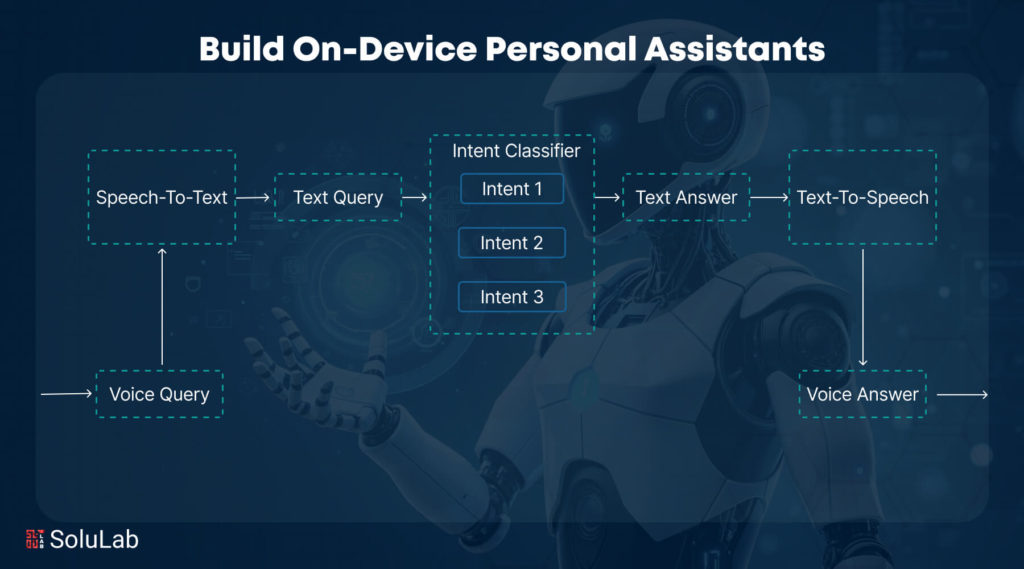
On-device personal assistants, also called intelligent personal assistants, are software built to help you get things done using artificial intelligence (AI) and natural language processing (NLP). You already know the names: Google Assistant, Amazon Alexa, Apple’s Siri. They live inside phones, smart speakers, and wearables, and you reach them by typing or just talking. Here is what a device-based AI assistant actually does well:
- Natural Language Understanding: It reads what you mean, not just the words you said, so talking to it feels closer to talking to a person.
- Generative Capabilities: Replies are built on the fly, tailored to you, in language that sounds human rather than canned.
- Context Awareness: It holds the thread across a few exchanges. Ask a follow-up and it remembers what you were just talking about instead of starting over.
- Task Automation: Simple orders, complicated multi-step jobs, and everything between. It runs them when you ask.
- Conversational Flow: It stays on topic, keeps the thread coherent, and does not ramble or repeat itself. That is what makes a chat feel natural instead of clunky.
The Need for Personal Assistants
Google, Apple, Amazon, Microsoft. The big names have poured real money into modern AI, and intelligent assistants have climbed steadily in popularity over the last ten years. Why the surge? A lot of it comes down to a broad shift in how companies think. The pace of technological change over recent years pushed businesses toward curiosity and invention. More of them started picking apart their own operations, asking a simple question: where could data make us faster or sharper? And data got easier to reach.
AI agents can now read a request with context and nuance, thanks to the pairing of strong algorithms and huge datasets. The way people deal with technology is changing, and these assistants slot into most corners of daily life without much friction. So what actually drove the rise and the real need for autonomous voice assistants? A few things:
1. Technological Investment
Big tech spent heavily, and that money sped up the arrival of advanced AI application solutions that can read and understand plain language. The payoff shows up directly: assistants today respond faster and think a little smarter than the ones from a few years back.
2. Cultural Shift
Corporate culture moved over the past decade. Digital-first is the default now. Companies are far more willing to question the old way of doing things and test fresh approaches for turning data into productivity.
3. Improved Client Interaction
Voice-activated assistants are built to talk with people in a way that feels more human. They can tackle hard jobs too, like finding the right venue for an event or throwing out fresh ideas for a work problem, almost like sitting in on a brainstorm.
4. Personalization
The more you use one, the better it knows you. These assistants learn from your habits and start offering suggestions that actually fit your taste. It is a lot like having offline personal assistants who already understand your goals and how you like to live, which is exactly what that level of personalization buys you.
5. Daily Life Integration
When On-Device AI capabilities fold neatly into the day, you can see the drift toward a more automated way of living. These helpers cut the messy, multi-step chores down to size. You get more done, and the whole experience feels lighter.
Top 5 Leading Personal Assistants
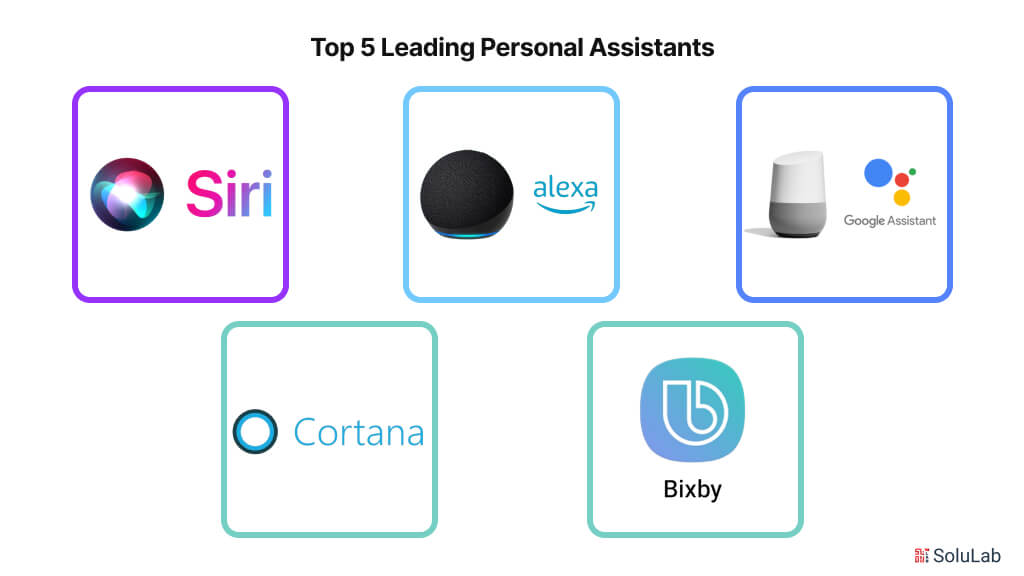
Here are the five AI-Powered Personal Assistants worth knowing. Each brings its own quirks and strengths to the table:
Apple Siri
Baked into Apple’s devices, Siri gives iOS and MacOS users voice support out of the box. It makes calls, fires off messages, sets reminders. And because it is wired into everything else Apple makes, it hands you recommendations shaped by how you use your device and lets you run smart home gear through HomeKit.
Google Assistant
This one runs across platforms and shines on Android. It is strong at managing tasks and digging up information: your schedule, directions, the weather, all of it. Where it really pulls ahead is context. Ask a follow-up and it answers based on what you asked a moment ago. Pair that with smart home control and device compatibility, and you have a flexible everyday workhorse.
Amazon Alexa
Alexa is the smart home favorite, living on Amazon Echo and a long list of Alexa-enabled devices. It plays your music, runs your smart appliances, and taps into a huge library of third-party skills that keep stretching what it can do. Its speech recognition means you never have to touch a thing, which is a big reason it ended up in so many homes.
Microsoft Cortana
Cortana started life on Windows with voice support built around getting work done. Microsoft has since pulled back from the consumer side, but the assistant still earns its keep at the office. It helps people set up meetings, keep projects moving, and work alongside Microsoft Office.
Samsung Bixby
Bixby lives on Samsung phones and gadgets, offering voice commands and suggestions tuned to you. It pitches in on plenty of tasks, from snapping photos to changing device settings. What sets it apart is how it reads context through visual recognition, seeing what you point it at.
Industries Using Personal Assistants
At home or on the job, these assistants have almost no ceiling on their AI use cases and applications. Look at how differently these fields put them to work:
1. Medical Care
Generative AI Chatbots pull together full patient summaries from electronic health records, which helps medical staff make sharper, quicker calls. Patients get personalized advice and reminders about when to take their medication. The assistant can book appointments, field the questions people ask over and over, and pass along key health information. Add it up: better patient engagement, fewer manual tasks, and vaccine reminders that actually arrive on time. That is real weight off a stretched healthcare system.
2. Education
Generative AI digital assistants can play the role of a virtual tutor, spinning up interactive lessons shaped around what each student needs. They lighten the load for teachers too. Scheduling, grading, the administrative grind: hand that off and there is more time left for the part that matters, teaching actual students.
3. Customer Support
AI-Powered Chatbots handle the flood of routine questions and fire back fast, accurate answers to the ones customers ask most. When something gets too knotty, they pass it up to a human agent with the details intact. The result is happier customers and support staff who are free to spend their time on the hard problems instead of the repetitive ones.
4. Manufacturing
On the factory floor, autonomous personal assistants build proactive maintenance schedules for the machines, which cuts downtime and keeps operations humming. They also feed engineers data-driven insights and real-time simulations to help design and refine prototypes. Here is the practical part: a worker can use speech AI to flag a safety issue, check a maintenance schedule, or ask for a live inventory count, all without looking up from the job at hand.
Related: Generative AI in Manufacturing
How to Build an On-Device Personal Assistant App?
Building an AI-Powered Personal Assistant App runs through a handful of steps that decide whether it works and whether people want to use it. Here is the walkthrough for how to build an AI-powered personal assistant app, step by step:
Step 1: Writing User Narratives
Start with user stories. They spell out what people expect the assistant to do for them. Written from the end user’s point of view, these are casual descriptions of what the software should handle. The point of a user story is simple: show how a given feature actually helps the person using it. They stay short and skip the technical detail, describing the goal rather than the how. Once the development team agrees on them, you have your foundation.
Step 2: Choosing A Programming Language
With the stories set, pick your language. Python is the usual pick, and for good reason: its deep bench of machine learning and AI libraries makes building models a lot smoother. Developers can prototype the models in Python and, if the situation calls for it, port them to another language for the final build.
Step 3: Selecting Appropriate Technology Stack
Your finalized app specs drive the tech stack. That means the optional cloud platform for data, scaling, and the rest, the development platform your AI personal assistant app development will run on, plus your AI and ML tools.
Step 4: Gathering and Preparing Data
Gather good data tied to your app’s features: how users interact, NLP tracking, audio clips for speech recognition. This is the fuel that makes your AI model better. Where it helps, label and annotate the data so the machine learning algorithm has something clean to train on.
Step 5: Developing and Training AI Model
Now build the core AI features of your smartphone AI assistant. Fold machine learning, speech recognition, and natural language processing (NLP) techniques into the assistant’s programming. Train it on the data you prepped so it learns to read requests, respond in kind, and keep picking up on how people actually use it.
Step 6: Testing of the App
Build the front end on your chosen framework, keeping the AI tightly woven into it. Then test hard. Poke at security holes, check usability and performance, and run it across a spread of devices and operating systems to make sure nothing breaks.
Step 7: Implementation
Last step: ship it to the Play Store or App Store. Then stay on it. Watch how the app behaves, push regular updates to sharpen features, squash bugs, and keep up with what users want and where the tech is heading. Follow these steps and you can put AI-Powered Personal Assistant apps to work for your company.
Benefits of Building Personal Assistants
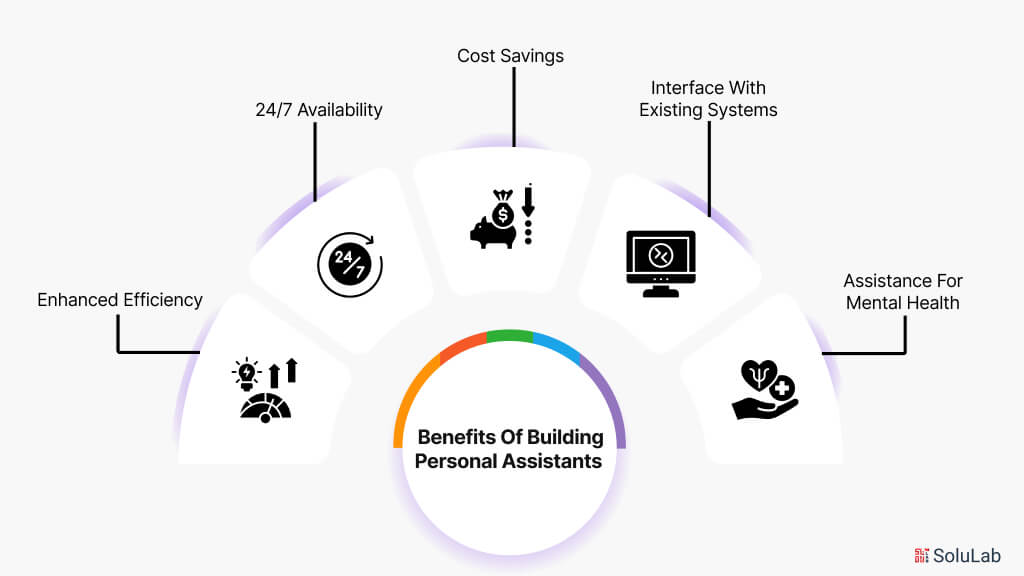
Personal assistants pay off in a lot of different industries. Here are the main benefits of building personal assistants:
Enhanced Efficiency
They take the repetitive stuff off your plate. Calendar juggling, appointment booking, the little tasks that eat an afternoon. That frees employees to spend their energy on harder work, and output goes up.
24/7 Availability
A human clocks out. A virtual assistant does not. It works around the clock and offers help the moment someone needs it. That matters most in customer service, where a quick reply can be the difference between a happy user and a frustrated one.
Cost Savings
Automate the work that used to need a person, and labor costs drop. You do not need a wall of support staff when one assistant can juggle a pile of requests at the same time.
Interface With Existing Systems
Plenty of these assistants hook straight into the tools you already run, from project management software to CRM systems. That pulls your information into one place and kills off a lot of manual data entry, which is where workflows usually clog up.
Assistance for Mental Health
Virtual assistants can help fill gaps where support is hard to reach, offering coping tools and pointing people to resources. Someone can find information or set up an appointment without having to show up in person.
Future of Virtual Assistants in Improving Experiences?
Virtual assistants reach into a wide spread of uses, and they are set to make services better across industries worldwide. As the tech keeps maturing, a few trends are worth watching.
Start with data transparency. With privacy worries growing, the chatbot development company will likely adopt clearer rules that tell you exactly how your data gets collected, used, and shared. That openness builds trust and puts real choices back in people’s hands. Emotional intelligence is next. Expect future assistants to pick up sharper emotion-detection, so they can read how you feel and respond to it rather than just parsing your words.
And as companies lean harder on data-driven insights, virtual assistants will sit right at the center of gathering and making sense of user data. That lets businesses sharpen their offers and serve customers better. The short version: virtual assistants have a lot of room to raise the bar across industries, mostly by pulling customers in and keeping them engaged.
Can SoluLab Help in Building a Virtual Assistant Experience?
SoluLab, an AI chatbot development company, is well placed to shake up the virtual assistant space across a range of sectors. We build assistants that make the user experience better and cut the time processes eat up, using newer technology to do it. Here is a real example. When COVID-19 hit, mental health took a beating across a lot of groups of people. A non-profit focused on improving mental health outcomes saw the gap: people needed relevant services, and they needed them close at hand. Working with SoluLab, the organization built an online chatbot where anyone could reach mental health services. It sits there as a real-time help button, and one click gives people information about mental health. Because it runs on AI, the chatbot fields common questions about mental health issues, the services on offer, and the different treatment paths available.
Contact SoluLab today to talk through how we can help you design a virtual assistant that fits your exact needs and lifts your services in a real way. Let’s kick around some ideas. That is the part we enjoy most.
FAQs
Shipra Garg is a tech-focused content strategist and copywriter specializing in Web3, blockchain, and artificial intelligence. She has worked with startups and enterprise teams to craft high-conversion content that bridges deep tech with business impact. Her work translates complex innovations into clear, credible, and engaging narratives that drive growth and build trust in emerging tech markets.