Key Takeaways
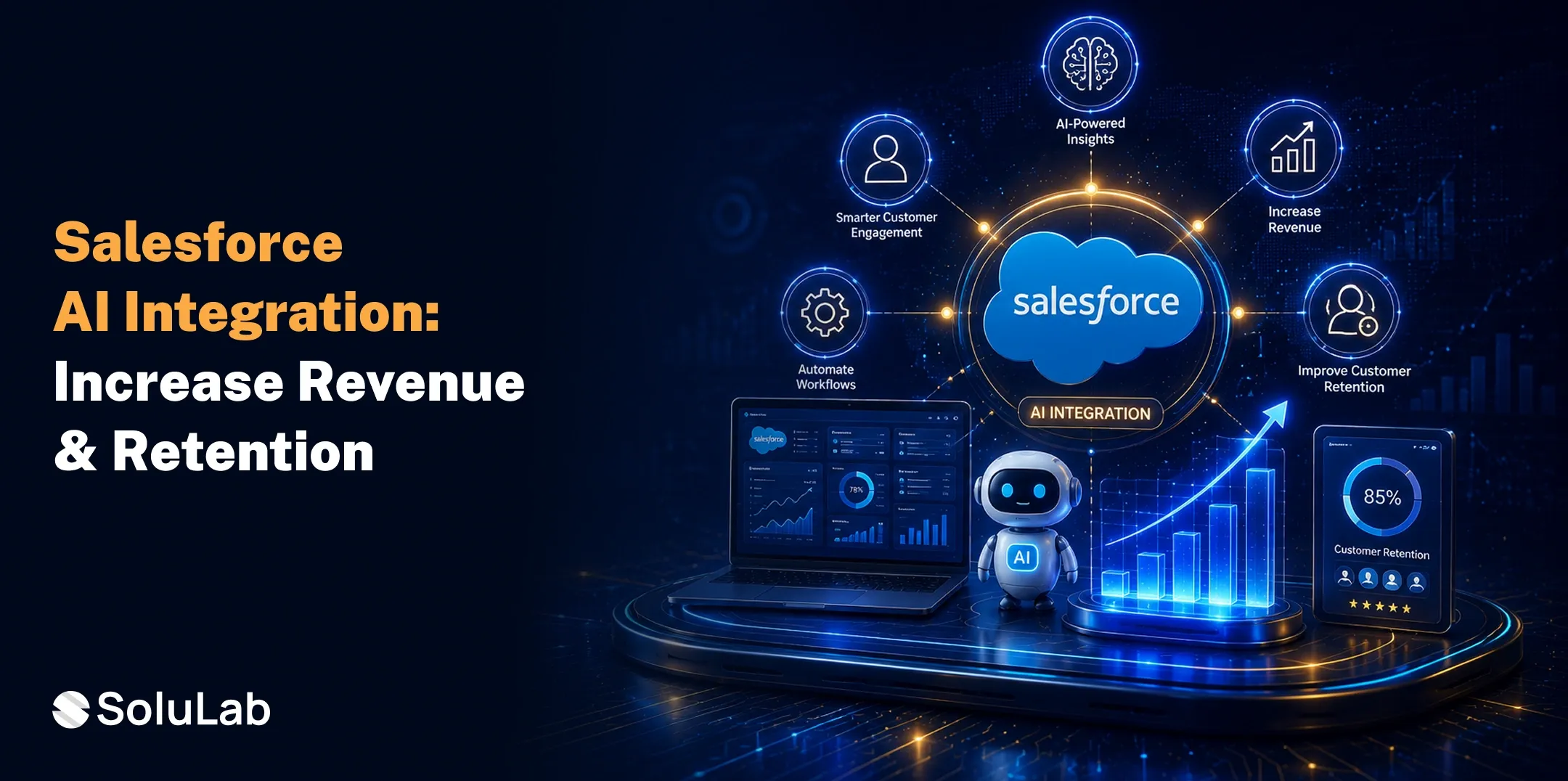
- Salesforce AI integration helps businesses automate workflows, improve operational efficiency, and make data-driven decisions that accelerate revenue growth.
- AI-powered features such as predictive analytics, lead scoring, and personalized recommendations increase conversion rates and enhance the overall customer experience.
- By identifying churn risks and delivering proactive engagement, Salesforce AI strengthens customer retention and builds long-term customer loyalty.
- A successful Salesforce AI implementation requires high-quality data, the right integration strategy, and continuous monitoring to maximize ROI.
- Businesses that embrace Salesforce AI gain a competitive advantage through intelligent automation, improved productivity, and scalable, customer-centric growth. Tokenizing Luxury Hotels in the Maldives at an institutional level.
Acquiring new customers is becoming more expensive, while retaining existing ones is more challenging than ever.
Many businesses still rely on manual CRM processes, fragmented customer data, and generic interactions, leading to missed sales opportunities and declining customer loyalty.
As competition increases, these inefficiencies can impact revenue and long-term growth. This is where AI integration solutions make a difference. By combining artificial intelligence with Salesforce, businesses can automate workflows, personalize every customer interaction, and predict buying behavior.
Organizations that integrate Salesforce with external platforms are nearly 3× more likely to achieve a highly 360-degree customer view and 2.4× more likely to realize cost savings.
In this guide, we’ll explore how Salesforce AI integration helps increase revenue while strengthening customer retention.
What Is Salesforce AI Integration?
Salesforce AI Integration is the process of connecting artificial intelligence (AI) technologies with the Salesforce platform to automate workflows, analyze customer data, generate actionable insights, and deliver personalized customer experiences.
By combining AI capabilities with Salesforce CRM, businesses can streamline sales, marketing, customer service, and operational processes while enabling smarter, data-driven decision-making.
Key Capabilities of Salesforce AI Integration
- Automates repetitive sales and service tasks
- Predicts customer behavior and buying intent
- Prioritizes high-quality leads with AI scoring
- Delivers personalized customer interactions
- Generates emails, reports, and sales content
- Provides real-time analytics and business insights
- Powers AI chatbots and virtual assistants
- Recommends next-best actions for sales teams
Why Are Businesses Investing in Salesforce AI Integration in 2026?
Businesses are adopting AI integration with Salesforce to meet evolving customer expectations, improve decision-making, automate workflows, and gain a competitive advantage in an increasingly AI-driven business environment.
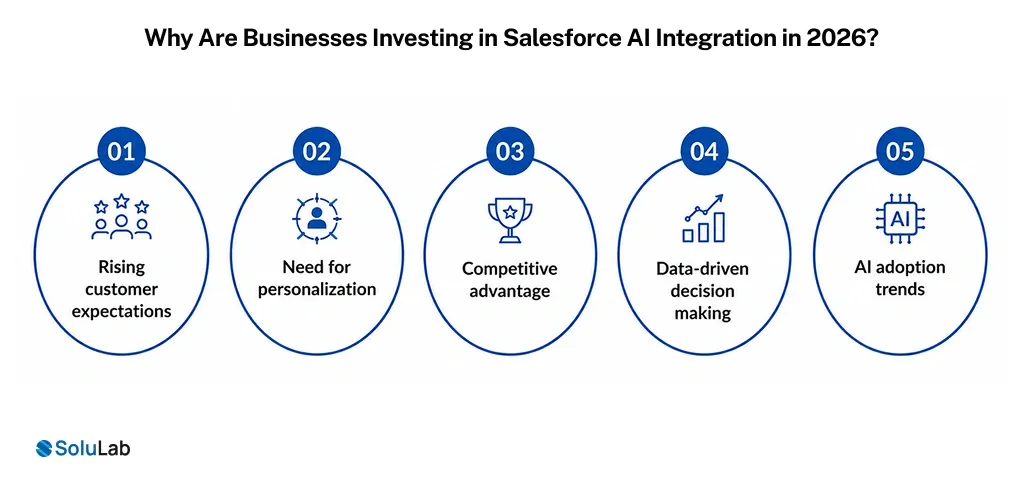
- Rising customer expectations: Today’s customers expect instant support, personalized interactions, and seamless experiences across every channel, making Salesforce CRM AI integration essential for delivering faster and more relevant customer engagement.
- Need for personalization: Businesses use Salesforce AI solutions to analyze customer behavior, predict preferences, and deliver personalized recommendations, targeted marketing campaigns, and tailored sales experiences that strengthen customer loyalty.
- Competitive advantage: Organizations adopting AI integration for Salesforce automate repetitive processes, improve sales efficiency, and uncover valuable business insights, helping them stay ahead of competitors while accelerating growth.
- Data-driven decision making: AI converts large volumes of CRM data into actionable insights, enabling businesses to forecast trends, identify opportunities, minimize risks, and make faster, data-backed strategic decisions.
- AI adoption trends: The rapid rise of generative AI, predictive analytics, and intelligent automation is encouraging businesses to integrate AI into Salesforce to boost productivity, improve customer experiences, and drive sustainable growth.
How Does Salesforce Integration Work?
Understanding how Salesforce integration works helps businesses connect AI, data, and applications into one intelligent ecosystem, enabling automated workflows, better decisions, and seamless customer experiences across every touchpoint.
- Connects Salesforce with AI and business applications: Salesforce integration links CRM with AI platforms, ERP systems, marketing tools, and third-party applications, ensuring data flows seamlessly across systems for unified operations.
- Collects and Centralizes Customer Data: The integration gathers customer information from multiple sources into Salesforce, creating a single source of truth that improves visibility and enables more informed business decisions.
- Processes Data Using AI Models: With AI in Salesforce, customer data is analyzed in real time to identify patterns, predict outcomes, automate tasks, and deliver actionable recommendations for business teams.
- Automates Business Workflows: AI-powered automation triggers actions such as lead assignments, follow-up emails, support ticket routing, and approval processes, reducing manual effort while improving operational efficiency.
- Generates Intelligent Insights: Through Salesforce Einstein AI integration, businesses receive predictive analytics, lead scoring, opportunity forecasting, and personalized recommendations that help sales and service teams make smarter decisions.
- Enables AI-Powered Customer Interactions: AI-led chatbots, virtual assistants, and recommendation engines provide personalized responses, faster issue resolution, and consistent customer engagement across multiple communication channels.
- Supports Autonomous Business Operations: Agentforce integration enables AI agents to execute routine tasks, assist employees, respond to customer requests, and streamline workflows with minimal human intervention while maintaining governance.
- Continuously Learns and Optimizes Performance: AI models learn from new customer interactions and business outcomes over time, improving prediction accuracy, workflow efficiency, and personalization with every interaction.
How Does Salesforce AI Integration Increase Business Revenue?
Salesforce AI integration helps businesses increase revenue by automating sales processes, delivering predictive insights, and personalizing customer engagement, enabling teams to close more deals and maximize every sales opportunity.
1. Improves lead scoring accuracy
Salesforce AI analyzes customer behavior, engagement, and historical data to identify high-value prospects. This helps sales teams prioritize qualified leads and improve conversion rates.
- prioritizes high-intent prospects
- improves conversion opportunities
- reduces time on cold leads
2. Identifies upselling opportunities
By analyzing customer purchase history and preferences, AI recommends relevant premium products or services that increase average order value and long-term customer lifetime value.
- recommends premium product upgrades
- identifies expansion opportunities
- boosts average deal value
3. Predicts customer buying intent
Using predictive analytics, Salesforce Einstein AI integration detects buying signals and customer behavior patterns, allowing sales teams to engage prospects at the right time.
- detects purchase intent early
- improves sales timing
- increases win rate
4. Automates sales workflows
Routine tasks like lead assignment, follow-ups, email generation, and opportunity updates are automated, allowing sales representatives to focus on building customer relationships.
- automates repetitive sales tasks
- speeds daily operations
- improves sales productivity
5. Enhances cross-selling recommendations
AI analyzes customer profiles and previous purchases to recommend complementary products, helping businesses generate additional revenue from existing customers.
- recommends related products intelligently
- increases customer spending
- strengthens customer relationships
6. Reduces sales cycle length
Agentforce integration automates routine sales activities, provides real-time recommendations, and accelerates approvals, helping teams close deals faster while improving customer experiences.
- shortens the deal closure time
- accelerates sales processes
- improves overall revenue growth
How to Implement Salesforce AI Integration Successfully?
A structured implementation approach helps businesses maximize the value of Salesforce AI by reducing deployment risks, improving adoption, and ensuring long-term success through scalable, data-driven automation.
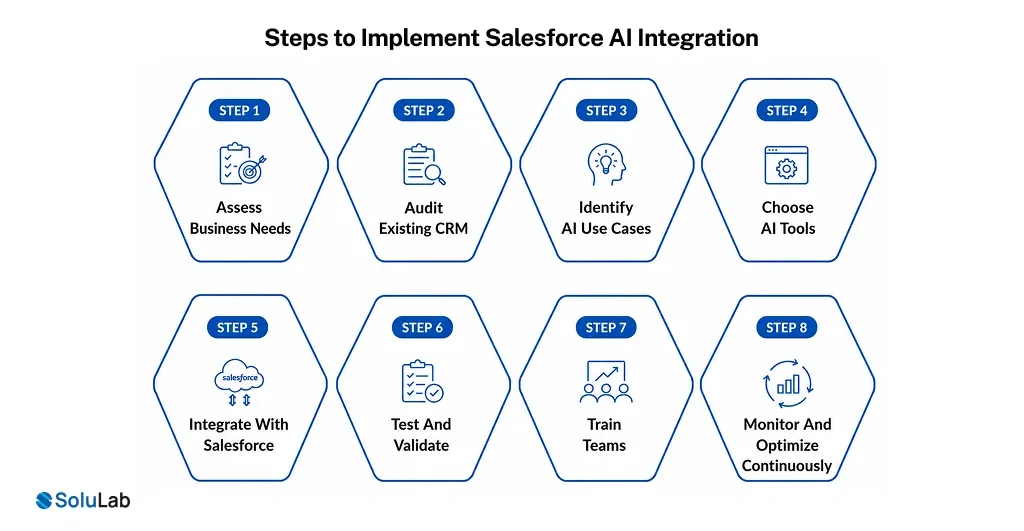
1. Assess Business Needs
Begin by identifying your business goals, operational challenges, and expected outcomes. Defining clear objectives ensures your AI native strategy aligns with organizational priorities and delivers measurable value.
- define clear business objectives
- Identify workflow bottlenecks
- prioritize high-impact opportunities
2. Audit Existing CRM
Evaluate your current Salesforce environment, data quality, integrations, and workflows. A comprehensive audit helps uncover gaps that could affect Artificial Intelligence integration in Salesforce.
- review crm data quality
- identify outdated workflows
- check existing integrations
3. Identify AI Use Cases
Determine where AI use cases can deliver the greatest impact, whether in sales, marketing, customer support, or operations. Focus on use cases that generate measurable business outcomes.
- improve lead qualification
- automate customer support
- personalize marketing campaigns
4. Choose AI Tools
Select AI powered solutions that align with your business objectives, technical requirements, and scalability needs. Consider built-in Salesforce AI capabilities alongside trusted third-party AI platforms.
- evaluate business requirements
- compare AI platform capabilities
- ensure future scalability
5. Integrate With Salesforce
Connect your AI models, business applications, and data sources with Salesforce to enable seamless workflows and real-time insights. Successfully integrating AI and ML in Salesforce improves operational efficiency.
- connect business applications
- enable secure data exchange
- automate workflow integration
6. Test And Validate
Thoroughly test integrations, workflows, and AI-led development before deployment. Validating performance ensures accuracy, reliability, and a smooth user experience across all business processes.
- verify AI predictions
- test automation workflows
- resolve integration issues
7. Train Teams
Equip employees with the knowledge and skills needed to use AI-powered Salesforce features effectively. Proper training improves adoption and maximizes return on investment.
- provide hands-on training
- encourage user adoption
- address employee concerns
8. Monitor And Optimize Continuously
Track AI performance, user adoption, and business outcomes regularly. Continuous optimization helps improve model accuracy, enhance workflows, and ensure long-term business success.
- monitor performance metrics
- refine AI models
- optimize business workflows
Types of Salesforce Integration
Salesforce offers multiple integration approaches to connect applications, synchronize data, and automate workflows. Choosing the right integration type ensures better performance, scalability, and long-term business success.
- Data Integration: Data integration synchronizes information between Salesforce and external systems, ensuring consistent, accurate, and up-to-date customer records across all connected business applications.
- API Integration: API integration uses Salesforce APIs to securely exchange data with third-party applications, supporting real-time connectivity and faster information sharing across platforms.
- AI Integration: AI integration embeds capabilities into Salesforce to automate workflows, generate predictive insights, and enhance customer experiences through AI Deployment.
- User Interface Integration: User interface integration allows employees to access multiple business applications from a unified interface, improving productivity and reducing unnecessary context switching.
- Process Integration: Process integration automates end-to-end business workflows by connecting Salesforce with enterprise applications, minimizing manual tasks while improving operational efficiency.
- Cloud Integration: Cloud integration links Salesforce with cloud-based services and software, enabling secure data sharing, collaboration, and scalable operations across distributed business environments.
Salesforce Integration Best Practices
To maximize the value of Salesforce integration, businesses should follow proven best practices that improve system performance, data accuracy, and long-term scalability.
- Develop an integration-first strategy that aligns departments, business goals, and workflows to ensure seamless collaboration and efficient data sharing.
- Establish strong data governance practices by maintaining clean, accurate, and standardized data across all integrated applications.
- Connect Salesforce with trusted business platforms, including Concur, HubSpot, Marketo, Mailchimp, and Zendesk, to streamline operations and improve data consistency.
- Incorporate automated error detection, monitoring, and real-time alerts into every integration workflow to minimize disruptions and resolve issues quickly.
- Perform routine audits and performance reviews to identify optimization opportunities, maintain integration health, and ensure long-term reliability.
By following these best practices and partnering with an AI-first company can build secure, scalable, and future-ready Salesforce integration ecosystems that support sustainable business growth.
Salesforce AI Integration Use Cases
Salesforce AI integration empowers businesses to automate operations, personalize customer experiences, and improve decision-making across departments. Here are some of the most impactful real-world use cases.
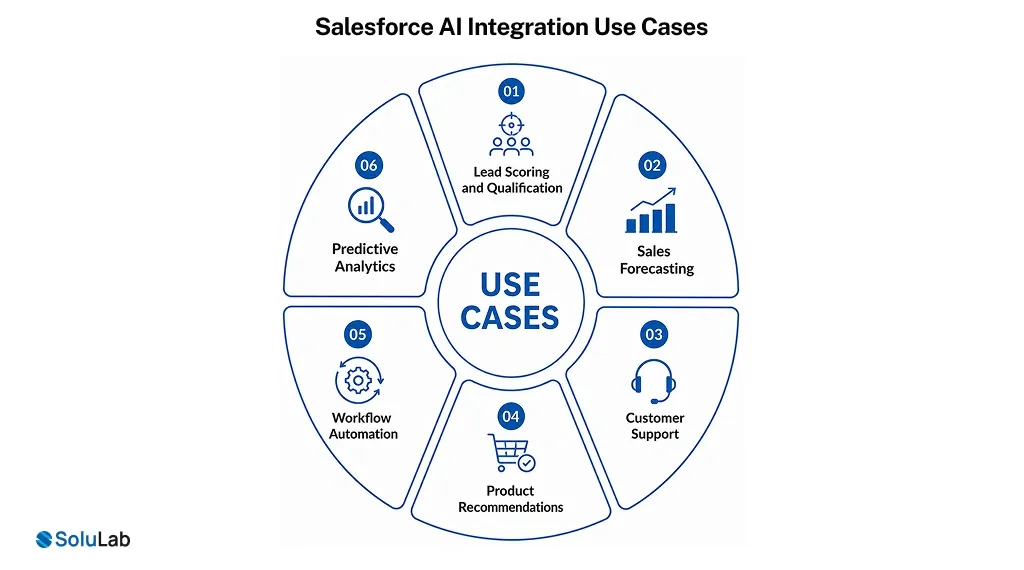
Lead Scoring and Qualification
AI analyzes customer behavior, engagement history, and demographics to identify high-value prospects, helping sales teams prioritize leads with the highest conversion potential.
- Prioritize high-value sales leads
- improve lead conversion rates
- Reduce manual lead qualification
Sales Forecasting
AI evaluates historical sales data, market trends, and pipeline activities to generate accurate revenue forecasts, enabling businesses to make proactive sales and resource planning decisions.
- predict future sales performance
- optimize revenue planning
- Identify pipeline opportunities
Customer Support
AI-powered chatbots and virtual assistants provide instant responses, automate ticket routing, and resolve common customer queries while reducing support workloads.
- automate customer interactions
- reduce response times
- improve customer satisfaction
Product Recommendations
AI analyzes customer preferences, browsing behavior, and purchase history to recommend relevant products and services, increasing cross-selling and upselling opportunities.
- recommend relevant products
- increase upselling opportunities
- improve shopping experiences
Workflow Automation
AI automates repetitive business processes such as approvals, follow-ups, data entry, and task assignments, improving operational efficiency and reducing manual effort.
- automate repetitive business tasks
- streamline internal workflows
- improve operational efficiency
Predictive Analytics
AI transforms customer and business data into predictive insights, enabling organizations to anticipate demand, identify trends, and make faster, data-driven decisions.
- uncover actionable business insights
- anticipate customer behavior
- support strategic decision-making
Conclusion
Salesforce AI integration is changing how businesses attract, engage, and retain customers by combining automation with data-driven decision-making.
From improving lead conversions and personalizing customer experiences to predicting churn and streamlining operations, AI helps organizations increase revenue while building long-term customer loyalty.
If you’re looking to get the full potential of Salesforce AI, SoluLab is a trusted AI development services provider that can help your business implement tailored AI solutions, optimize CRM performance, and accelerate sustainable growth.
FAQs
Neha is a curious content writer with a knack for breaking down complex technologies into meaningful, reader-friendly insights. With experience in blockchain, digital assets, and enterprise tech, she focuses on creating content that informs, connects, and supports strategic decision-making.