
Key Takeaways
- Validate the problem and the user before writing a line of code. One problem, one primary user, stated in one sentence. If you cannot state it, the idea is ready for more user conversations, not a build.
- Scope the MVP around one core loop, not a feature list. A feature is must-have only if removing it breaks the loop entirely. Everything else is documented and deferred, which makes it a decision rather than an omission.
- Choose native or cross-platform on performance needs and budget, not habit. Teams under-use cross-platform out of habit rather than a real technical requirement. When native genuinely fits, pay for it upfront, because re-platforming later costs more.
- Design for thumbs, small screens, and unreliable networks. Retention is decided in the first sixty seconds and on a subway connection, not in the polished demo. Decide screen by screen what happens with no connection.
- Treat security as a day-one architecture requirement, not a pre-submission checklist. Secure storage via Keychain or Keystore, TLS in transit, short-lived tokens under least privilege, and HIPAA or GDPR scope shaping the data model from the start.
- Test on real devices across OS versions, not simulators alone. Automate regression, test edge cases manually, and run a closed beta with real users before public release. Skipping any of the three raises the odds of a rocky launch.
- Cost is driven by complexity, integrations, backend and platform choice, not a flat number. Budget post-launch maintenance as an ongoing line item rather than a one-off.
- Launch is the midpoint, not the finish line. Analytics and crash reporting go live before the first user, and ASO and update cadence are ongoing work.
The most useful mobile app development tips are less about tools and more about sequencing: validate the idea before you build, scope a lean MVP, choose native or cross-platform deliberately, design for real-world UX and offline states, bake in security early, test on actual devices, and instrument the app so you can improve it after launch. Skipping any one of these is where most avoidable app problems start.
These tips apply whether you’re scoping something closer to a food delivery app or a healthcare app; the sequencing below holds either way. If you are starting from zero, SoluLab’s beginner’s guide to mobile app development for businesses covers the groundwork this article assumes.

Why do most mobile apps fail (and what the tips are really solving for)?
Ask any team that shipped and later shelved a mobile app, and the postmortem rarely blames the code. It’s usually unclear requirements, a feature list that grew without discipline, a platform choice made for the wrong reasons, or a launch with no plan for what happens after. This is a general industry pattern, not a single measurable statistic; treat any specific “X% of apps fail” figure you see elsewhere with caution unless the source is cited.
Every tip below closes one of those gaps: validating before building closes the requirements gap, MVP discipline closes the scope gap, the native-vs-cross-platform section closes the platform gap, and the post-launch section closes the “we stopped at launch” gap.
How do you validate a mobile app idea before writing code?
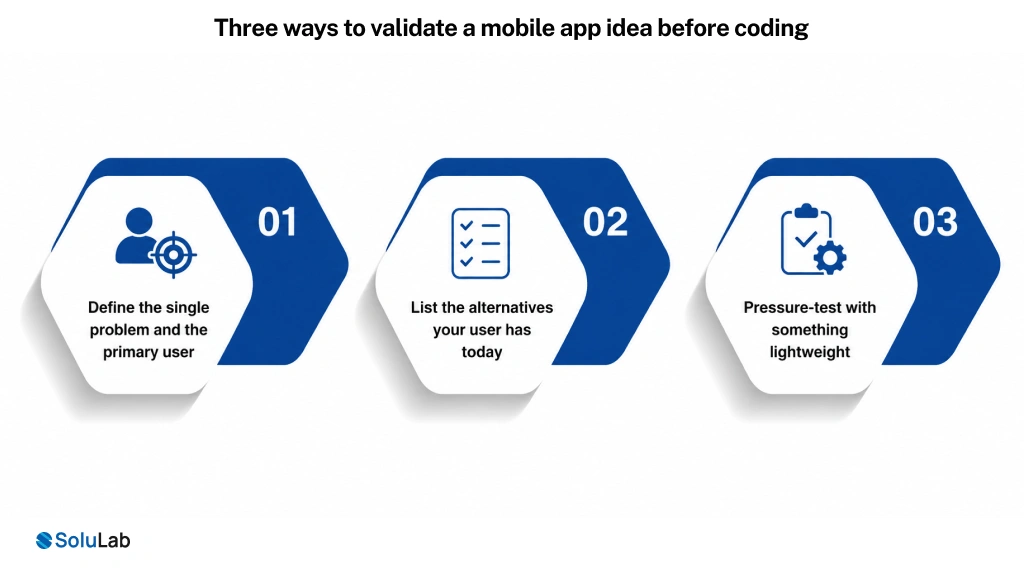
Three ways to validate a mobile app idea before coding
Before design or engineering starts, write down the one problem the app solves, in one sentence, for one type of user. If you can’t do that, the idea isn’t ready for a build, it’s ready for more conversations with prospective users.
- Define the single problem and the primary user. Resist serving three audiences at once; that’s how scope creep starts before the project has a name.
- List the alternatives your user has today, including doing nothing, a spreadsheet, a competitor app, or a manual process. If your app isn’t clearly better than the free alternative, that’s worth knowing early.
- Pressure-test with something lightweight: clickable prototypes, a landing page that measures signup intent, or a handful of structured user interviews. None of this requires production code, and prototyping sits inside mobile app design rather than development.
In our experience, teams that skip this step are also the ones most likely to over-build, shipping a wide feature set aimed at a user they never actually spoke to. A handful of focused conversations with real prospective users, done before a single screen is designed, routinely changes the scope of the eventual MVP.
How do you scope an MVP without gutting the core experience?
“Start with an MVP” is common advice; the harder part is deciding what belongs in it. A useful method: split features into must-have and nice-to-have, then protect one thing above all, the core loop, the single sequence of actions a user repeats to get value from the app.
Must-have criteria: a feature is must-have only if removing it breaks the core loop entirely. For a delivery app, that’s browse, order, pay, and track. For a fitness app, it’s log an activity and see progress. Everything that supports that loop directly stays in v1.
Nice-to-have criteria: a feature is nice-to-have if the app still works, just with less polish, when it’s absent. Social sharing, gamified badges, referral programs, and advanced personalization almost always belong here for a first release.
To defer a feature without breaking the product, document why it was cut and what would trigger revisiting it (a usage threshold, a customer request, a competitive gap). That turns “we cut it” into a decision instead of an omission.
Native vs cross-platform: which should you choose?
This decision affects your budget, timeline, and performance, so it deserves more than a one-line answer buried in a tools comparison. Native development (Swift for iOS, Kotlin for Android) gives full access to platform APIs, the best possible performance, and the most native-feeling UI, at the cost of maintaining two codebases. Cross-platform frameworks (Flutter, React Native) let one team ship to both platforms from a largely shared codebase, usually a faster build at lower cost, with some tradeoffs on performance-critical or hardware-heavy features.
| Choose this | When… |
|---|---|
| Native (Swift / Kotlin) | The app is graphics- or performance-intensive (gaming, AR, heavy camera or sensor use), needs the newest platform features on day one, or you’re building for one platform only |
| Cross-platform (Flutter / React Native) | You need to launch on iOS and Android together, budget and timeline are tight, and the feature set is largely standard UI, data, and API-driven screens |
| Low-code / no-code / PWA | You’re validating a very early idea with minimal custom logic and plan to rebuild once the concept is proven; a progressive web app can also cover this stage without an app store submission | |
In our experience, teams under-use cross-platform frameworks out of habit rather than a real technical requirement; a genuinely performance-bound use case is less common than the initial instinct suggests. When it is the right fit, native is worth the extra investment, since re-platforming later costs more than paying for native from the start. This choice is one of the biggest levers on total cost; see SoluLab’s mobile app development cost breakdown for how platform choice interacts with the rest of the budget.
What UX and design decisions keep users coming back?
Retention is decided in the first sixty seconds and the worst network conditions, not in the polished demo.
Design for thumbs and small screens. Primary actions belong within easy thumb reach, not tucked into a top corner. Test layouts one-handed on the smallest screen size you support.
Handle offline and slow-network states on purpose. Decide, screen by screen, what happens with no connection: cached data, a clear offline message, or a retry state. An app that just spins or crashes on a subway connection loses users who would otherwise come back.
Make onboarding show value fast. Get users to the core action, the thing your app is actually for, in under a minute, and defer account creation, permissions, and tutorials until they’re actually needed.
How do you build security and compliance from day one?
Security bolted on before submission is a common source of late-stage rework. It’s cheaper and safer to design it from the architecture stage.
Secure storage and encryption. Encrypt sensitive data, credentials, tokens, and personally identifiable information at rest using platform-provided secure storage (Keychain on iOS, Keystore on Android) rather than plain preference files, and encrypt data in transit over TLS. Our Mobyii e-wallet app case study is a worked example of what that looks like on a payments app, with point-to-point encryption, tokenization, and biometric access.
API authentication and least privilege. Use token-based authentication (OAuth 2.0 or similar), short-lived tokens with refresh flows, and scope every API endpoint to the minimum data it needs. Client apps should never hold long-lived credentials that could be extracted from the device.
Know when regulation changes your architecture. If the app touches health data, HIPAA-relevant safeguards (access controls, audit logging, encryption) shape the data model from day one. If it serves EU users, GDPR consent and data-minimization requirements do the same. [VERIFY: confirm current regulatory scope and specific obligations with legal counsel for your jurisdiction and data types.]
In our experience, a security review done the week before submission tends to surface architectural issues that are expensive to fix that late, versus the same review at the design stage, which is mostly a checklist. This is why SoluLab treats security as a design-phase conversation on projects like the ones on our healthcare app development page, where the compliance bar is higher from the start.
How much testing is enough before launch?
Enough testing means real devices, real edge cases, and real users, in that order.
Test on real devices, not only simulators. Simulators miss real-world issues: camera quirks, GPS drift, background-process behavior, and actual network switching. Cover a representative spread of OS versions and device tiers, not just the newest flagship phone.
Automate regression, test edge cases manually. Automated tests efficiently catch the “did we break something that worked yesterday” class of bug. Edge cases (interrupted payments, permission denials, low storage, poor connectivity) are usually better caught by structured manual testing, which is easier to sustain inside an agile development process where QA runs every sprint rather than once at the end.
Beta with real users before public release. A closed beta with a few dozen real users, in their normal context, surfaces usability friction internal QA won’t see, because the team already knows how the app is supposed to work.
How do you control mobile app development cost?
Most tips articles either avoid cost entirely or throw out a number with no context. What actually moves the budget is a short, fairly predictable list of drivers.
- Feature complexity. Real-time features (chat, live tracking, video), complex workflows, and heavy data processing cost more than standard screens.
- Native vs cross-platform. Two native codebases generally cost more to build and maintain than one shared cross-platform codebase, as covered above.
- Third-party integrations. Payment gateways, mapping, identity verification, and analytics tools each add integration and testing time, even when the SDK itself is free.
- Backend and infrastructure. An app that’s mostly a client for existing APIs is cheaper than one needing a new backend, database, and DevOps and cloud infrastructure built alongside it.
- Post-launch maintenance. Budget for this as an ongoing line item; OS updates, bug fixes, and iteration all continue well past launch day.
Rather than fabricate a price range, the honest answer is that cost is driven by the choices above more than any single number, and it varies enough by scope that a generic figure would mislead more than help. SoluLab’s mobile app development cost guide walks through these drivers, and the e-wallet app cost breakdown is a useful reference if your app involves payments, since payment and compliance features are a bigger cost swing.

What should you do after launch to keep the app alive?
Launch is the midpoint of the project, not the finish line, and this is the section most tips pages skip entirely.
Instrument analytics and crash reporting before launch, not after. You want data from the very first users. Track the core loop specifically: are users reaching the action the app exists for, and where do they drop off?
Handle App Store Optimization (ASO) as ongoing work. Title, keywords, screenshots, and the app description all affect discovery, and benefit from iteration based on what search and conversion data actually show, not a one-time setup.
Keep a steady update and feedback cadence. Regular updates signal an actively maintained app to both users and app store algorithms. Close the loop on user feedback visibly; users who see their feedback acted on are more likely to stay. Teams without in-house capacity for this often hire mobile app developers on a retainer to cover OS updates and iteration.
Mobile app development tips: quick comparison and checklist
Use this as a pre-launch readiness check, and the diagram below if you want to visualize the sequence for a team or a deck.
| Readiness item | Done when… |
|---|---|
| Idea validated | You’ve talked to real prospective users and can state the core problem in one sentence |
| MVP scoped | Must-have vs nice-to-have is documented, and the core loop is protected |
| Platform chosen | Native or cross-platform decided deliberately, matched to performance needs and budget |
| Security reviewed | Secure storage, API auth, and any regulatory requirements are designed in, not bolted on |
| Tested on real devices | Coverage across OS versions and device tiers, not simulators alone |
| Analytics wired | Crash reporting and core-loop event tracking are live before public launch |
| ASO ready | Store listing, keywords, and screenshots are in place, with a plan to iterate |
Common mobile app development mistakes to avoid
A short anti-pattern list, since naming what to avoid is often clearer than restating what to do.
- Over-scoping v1. Trying to launch every feature at once instead of protecting the core loop and deferring the rest.
- Ignoring offline and slow-network states. Assuming users always have a strong connection, then losing them the first time they don’t.
- Skipping analytics until “later.” Launching without instrumentation, then having no data when something needs debugging or explaining.
- No security review before submission. Treating security as a checklist item at the end instead of a design-phase requirement.
- Launching without an ASO plan. Shipping a great app with a store listing that makes it hard to find or unclear what it does.
- Treating launch as the finish line. Moving the whole team to the next project instead of planning for iteration, support, and updates.
Where to go from here
None of these tips are complicated on their own; the difficulty is applying all of them together, under a real deadline and budget. Validate first, scope tightly, choose the platform deliberately, design for real conditions, build in security, test on real devices, control cost by understanding what drives it, and keep working after launch.
If you want a second opinion on where your project stands against this list, talk to our team; we’re glad to look at a scope or a platform decision even if you’re not ready to commit to a build. For a broader look at how SoluLab approaches this end to end, explore the mobile app development company page, which covers our process, team, and past work in more depth than fits here, or browse recent mobile app case studies to see the sequencing applied on real projects.

Frequently asked questions
Shipra Garg is a tech-focused content strategist and copywriter specializing in Web3, blockchain, and artificial intelligence. She has worked with startups and enterprise teams to craft high-conversion content that bridges deep tech with business impact. Her work translates complex innovations into clear, credible, and engaging narratives that drive growth and build trust in emerging tech markets.