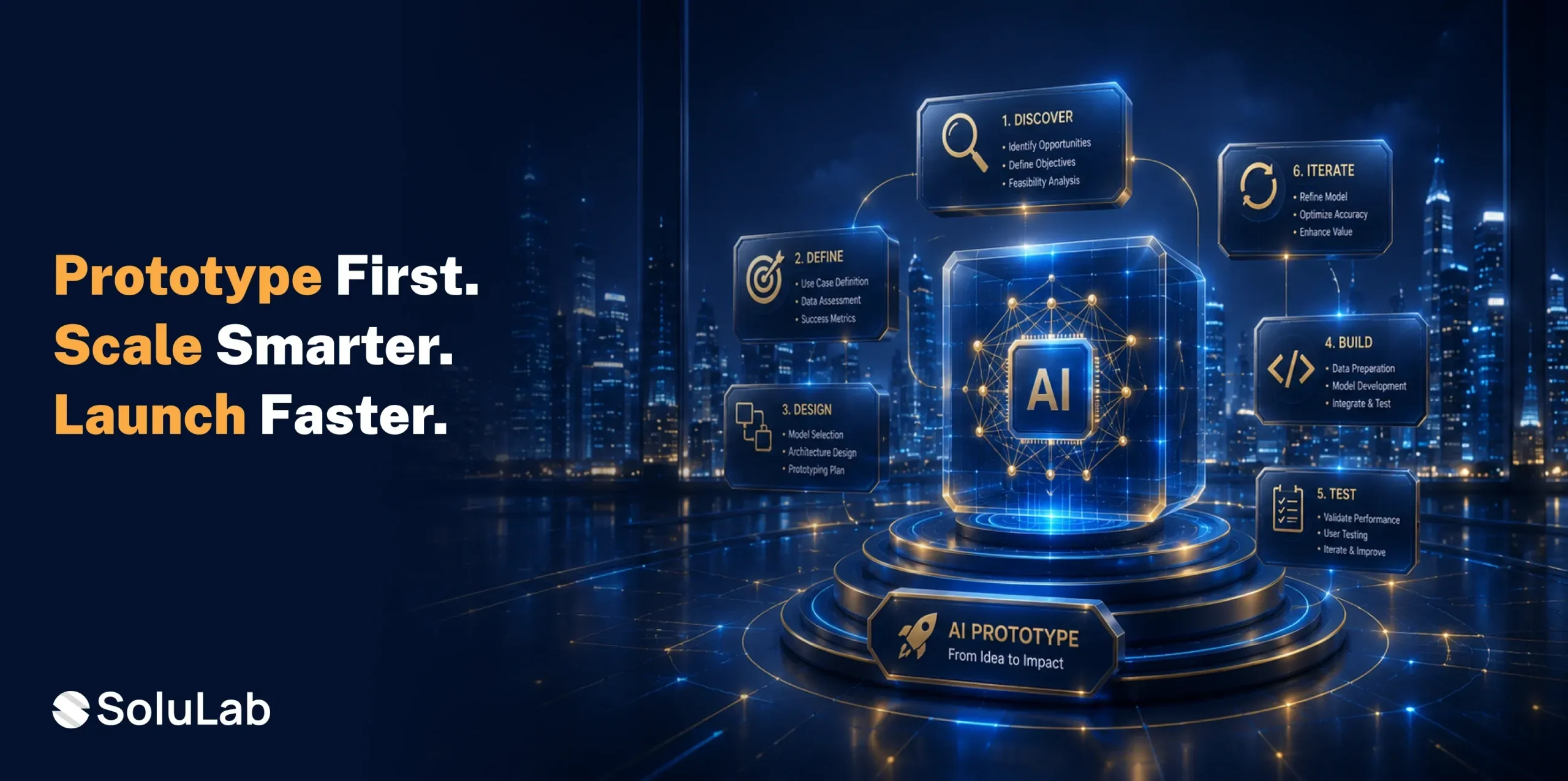
Key Takeaways
- A prototype is a small test version, not the finished product. Most prototypes take two to eight weeks to build
- Foundation models save time; you rarely need to train one from scratch. Testing with real users matters more than internal opinions.
- Security and governance should start on day one, not after launch
- A working prototype gives leaders proof before they approve a real budget
You’ve got a promising idea for an AI feature. Good. But how do you know it’ll actually work before you sink months and a real budget into it?
You don’t, not really, until you build an AI prototype and put it in front of people. According to Gartner, only 41% of generative AI prototypes successfully reach production, highlighting the importance of building scalable prototypes with clear business objectives.
This guide walks through AI prototype development step by step, from picking tools to launching a test version your team and users can actually try.
What Is AI Prototyping?
An AI prototype is a small, working version of an AI idea. Not the final product. Just a quick test to see if the idea holds up.
Think of it like a sketch before a painting. Nobody expects a sketch to be perfect. You just want to see the shape of the thing before you commit to color and canvas.
AI prototype development usually covers three moves:
- Building a small working model
- Testing it against real data
- Checking whether users actually like it
A lot of teams now lean on an AI prototype generator for this part. Type a prompt, get a working demo back in hours instead of weeks. That’s a different animal from traditional AI software prototyping, where a developer writes the code by hand, and the timeline stretches out.

Why AI Prototyping Matters for Businesses?
Skipping the test phase is expensive. Gartner found that more than half of all generative AI projects got dropped after the AI proof of concept stage last year — messy data, unclear goals, costs that crept past budget. The firm also expects that through 2026, 60% of AI projects will get abandoned simply because the underlying data wasn’t ready.
That’s a lot of money spent on nothing. A prototype is how you avoid becoming part of that number. It surfaces the problems early, while they’re still cheap to fix.
Why it matters, in short:
- It saves money before the full build starts
- It shows how real users react, not how you assume they’ll react
- It gives leadership something concrete to approve
And the money on the table is enormous. Gartner forecasts worldwide AI spending will hit $2.59 trillion in 2026, a 47% jump over last year. Companies that skip the prototype step and jump straight to a full build are exactly the ones most likely to land in Gartner’s failure numbers. This is usually where an AI consulting partner earns their fee — they help you ask the right question before a single line of code gets written.
The Categories of AI Prototyping Tools
Not all AI prototyping tools work the same way. Broadly, they fall into four buckets.
1. No-Code AI Builders
Drag, drop, done. No coding required to get a rough demo running.
- Fast setup for beginners
- Good fit for simple ideas
- Limited once features get complex
2. AI Prototype Generators
An AI prototype generator turns a prompt into a working demo in minutes. Describe what you want, and it spits out a rough version to react to.
- Great for quick testing
- Saves early development time
- Best suited to early-stage ideas
3. Developer Frameworks and APIs
These hand-coded pre-built pieces, like models and connectors, so nobody’s starting from a blank file.
- More control over the design
- Requires actual coding knowledge
- Good fit for custom features
4. Enterprise Prototyping Platforms
Bigger companies usually need something built for scale, security, and multiple teams working at once. This is where full AI application development support starts to matter, since these platforms have to connect back into real business systems, not just sit in a sandbox.
- Built for large teams
- Stronger security controls baked in
- Ready to scale when the time comes
Step-by-Step AI Prototype Development Process
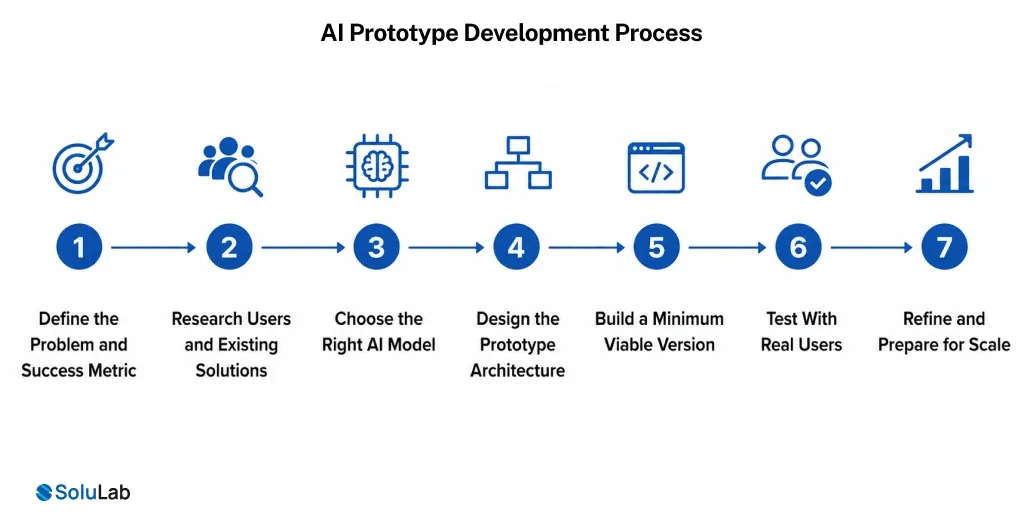
Seven steps, and skipping even one usually leaves you with a demo that looks fine in a meeting but falls apart the moment someone tries to build on it. Here’s the AI prototype development process, broken down plainly.
1. Define the Problem and Success Metric
Write down the exact problem you want AI to solve. One sentence. Then pick a single number that tells you whether it worked.
- Write the problem in one sentence
- Pick one clear success number
- Skip vague goals like “better”
2. Research Users and Existing Solutions
Go talk to the people who’ll actually use this thing. Check what’s already out there so you’re not rebuilding something that already exists.
- Interview five real users
- Check three competing tools
- Note the gaps you can fill
3. Choose the Right AI Model
Match the AI engine to the job, whether that’s a chatbot, an image tool, or a data model. This is often where generative AI development work comes in, especially if the prototype needs to generate text, images, or code.
- Match the model to the task
- Check the cost per use
- Test model accuracy first
4. Design the Prototype Architecture
Map how the pieces fit together: the model, the data, and the screen a user actually sees. This is the heart of AI prototype design.
- Sketch the data flow
- Decide where the data lives
- Plan the user-facing screen
5. Build a Minimum Viable Version
Now the team actually codes it. This is real AI MVP development, not a slide deck mockup.
- Build only the core features
- Skip polish for now
- Get it running end-to-end
6. Test With Real Users
This is AI prototype testing, and it’s non-negotiable. Put the working version in front of real people and watch, don’t ask, what they actually do.
- Watch users try it live
- Collect feedback right away
- Track the success number you picked
7. Refine and Prepare for Scale
Fix what broke. Cut what nobody touched. Then decide whether this idea has earned a full build.
- Fix the biggest problems first
- Remove features nobody used
- Plan the next build phase
When to Use AI Prototyping in Your Product Workflow?
You don’t need a prototype for every idea that comes up in a meeting. But a few moments call for one specifically.
Before a Big Budget Decision
When leadership wants proof before signing off on real money, a prototype gives them something to see and click through, not just a slide.
When the Idea Is New or Risky
A smart chatbot, a prediction tool, anything untested carries more risk than a feature you’ve shipped ten times before. A small test shrinks that risk fast.
When You Need User Feedback Early
If you’re genuinely unsure whether users want this feature at all, find out small before you find out big.
Before Scaling Into a Full Product
Once a prototype proves itself, it becomes the foundation for full artificial intelligence prototype development, more features, more users, and tighter security.
Best Practices for Successful AI Prototype Development
A handful of rules separate prototypes that go somewhere from ones that quietly die in a folder.
1. Start with One Measurable Use Case
Don’t try to solve five problems at once. Pick one clear job for the AI and prove that first.
2. Use Existing Foundation Models Where Appropriate
You almost never need to train a model from scratch. Strong foundation models already exist, and using one can save months.
3. Keep Humans in the Loop
Have a person review the AI’s output, especially early on. It’s how you catch mistakes before users ever see them.
4. Build Modular Architecture
Build the prototype in separate, swappable pieces. That way one broken part doesn’t take down the whole thing.
5. Track Key Performance Metrics
Watch speed, accuracy, and cost from day one, not after launch. It’s the backbone of any real ai prototype development framework.
6. Prioritize User Feedback
What real users say beats what your team assumes, every time. Let feedback steer the next round of changes.
7. Plan for Security and Governance Early
Don’t leave data safety and rules for launch week. A quick AI readiness assessment up front catches risks while they’re still cheap to fix.
How SoluLab Helps Businesses Build AI Prototypes Faster?
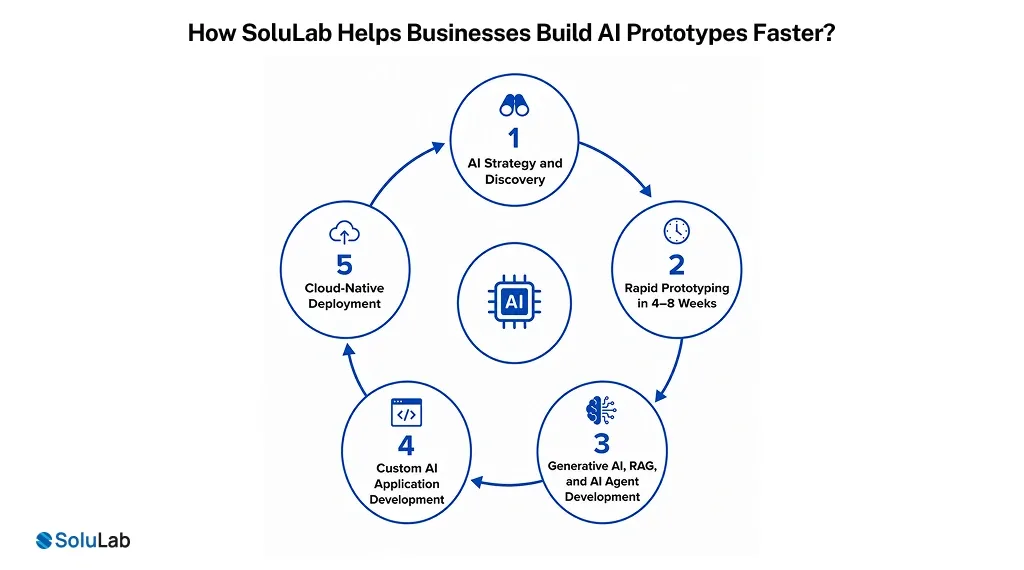
Most teams don’t have the spare time, or the in-house skill, to build an AI prototype completely alone. That’s where an experienced AI prototype development company earns its keep. SoluLab, an AI development company with hands-on work across several industries, helps teams move from a rough idea to a working demo without the usual guesswork.
1. AI Strategy and Discovery
SoluLab starts by digging into your actual business problem, not the tech wish list, so the prototype ends up answering the right question from day one.
2. Rapid Prototyping in 4–8 Weeks
No slow crawl toward a build. SoluLab typically delivers a working prototype in four to eight weeks, so you can test, learn, and decide fast.
3. Generative AI, RAG, and AI Agent Development
Need smart chat, search, or automation baked in? SoluLab’s AI agent development team connects the right model to your data and gets it working.
4. Custom AI Application Development
Once a prototype earns its keep, SoluLab’s custom software development team can grow it into a full, secure application.
5. Cloud-Native Deployment
SoluLab builds on cloud computing infrastructure from day one, so scaling later doesn’t mean tearing everything down and starting over.
If you’re weighing ai prototype development services, it helps to understand ai prototype development cost upfront too. That number usually comes down to model choice, data complexity, and how many features the first version needs. SoluLab’s discovery phase gives you a real figure before a single line of code gets written.
Conclusion
Building an AI prototype doesn’t have to be a mystery. Start small, test fast, and let real user feedback steer the next move.
Whether you handle custom AI prototype development in-house or bring in outside AI prototype developers, the goal never changes: prove the idea works before you spend the big money building it.
If you want a team that’s done this before, SoluLab AI development company in USA experts can take you from idea to tested prototype in weeks, not months.
FAQs
Neha is a curious content writer with a knack for breaking down complex technologies into meaningful, reader-friendly insights. With experience in blockchain, digital assets, and enterprise tech, she focuses on creating content that informs, connects, and supports strategic decision-making.