























ChatGPT Integration Services

ChatGPT integration services connect OpenAI's models to the website, apps, CRM, spreadsheets and internal tools your business already runs, so they answer questions, draft work and complete tasks from your own data. SoluLab designs, builds and secures these integrations, starting with a fixed-scope pilot on one workflow.

  • Faster answers, fewer tickets
  • Shorter onboarding
  • Less manual work
View Portfolio (opens in a new tab)
Forbes
CoinDesk
Bloomberg
TechCrunch

What Are ChatGPT Integration Services?

ChatGPT integration services add OpenAI's language models to your products and workflows through the API or ChatGPT's own connectors. A provider designs the prompts, connects your data, builds the interface, adds access controls, and monitors cost and accuracy, so staff and customers use ChatGPT inside tools they already know.

01

Using ChatGPT in a browser tab is easy. Putting it inside your business is the hard part. Someone has to decide what data it may see, what it may do, what happens when it's wrong, and who pays for usage as traffic grows. That work is what you're buying, and it sits within our wider AI integration services .

02

If you need a new ChatGPT-based product built from scratch, our ChatGPT development team handles custom builds. This page is about connecting ChatGPT to the tools you already run.

ChatGPT Integration Service Options We Deliver

A ChatGPT integration service from SoluLab covers your website, mobile and web apps, CRM and help desk, spreadsheets, design tools, content management system and multi-step agents. Every build includes server-side keys, data minimisation, logging, a human approval step where it matters and a plan for wrong answers.

Website ChatGPT Integration

Website ChatGPT Integration

A website assistant that answers visitor questions from your approved content and hands over to a person when it isn't sure. The steps to integrate ChatGPT into your website are simple; we add grounding, guardrails and analytics so it's safe on a public page.

ChatGPT Integration for Mobile and Web Apps

ChatGPT Integration for Mobile and Web Apps

Search, support, summaries and drafting inside your product, with your server calling the model so keys never ship in app code. We follow the same architecture as our guide on integrating ChatGPT into an app, then tune it for your traffic and budget.

CRM and Help Desk Integration

CRM and Help Desk Integration

The assistant reads the customer record, suggests a reply and logs what it did, and staff approves before anything is sent. It's the lowest-risk way of integrating AI into your CRM in Salesforce, HubSpot, Zendesk, or Freshdesk.

Knowledge Assistants Over Your Documents

Knowledge Assistants Over Your Documents

Internal assistants that answer from policies, contracts and past tickets, with sources and each user's permissions respected. For large document sets we build on our RAG as a service architecture, the approach behind the One Wallet copilot.

ChatGPT-Based Agents

ChatGPT-Based Agents

For multi-step work, we give agents a small set of tools, scoped permissions and a person to approve risky actions. Our approach to AI agents integration keeps every action logged and reversible.

Spreadsheet, Design Tool and CMS Integration

Spreadsheet, Design Tool and CMS Integration

Team rollouts of ChatGPT for Excel and Google Sheets, Canva connections with brand controls, and server-side integrations for content systems such as WordPress or Craft CMS. The two most requested are covered below.

CTA Background

One workflow, measured properly, tells you more than a year of experiments. Let's pick yours.

Book an AI integration readiness check

Canva ChatGPT Integration: How It Works

Canva connects to ChatGPT through Canva's MCP server. You connect your Canva account from ChatGPT settings, describe a design in the chat, and ChatGPT creates editable designs you open in Canva. Generation uses your Canva AI credits, and organisation admins control who connects and which Brand Kit it can use.

ChatGPT Canva Integration: Set-Up Steps

01

In ChatGPT, open Settings and find Canva in the list of apps and connectors.

02

Choose Connect, sign in to Canva, and approve the permissions.

03

Describe the design in a prompt, for example, "a LinkedIn banner for our webinar using our brand kit".

04

Review the options, then open one in Canva to edit, resize, export, or publish.

If Canva doesn't appear, your workspace admin may need to enable connectors first. Screens change often, so check Canva's current guide to connecting Canva to an AI assistant before you roll it out.

ChatGPT and Canva Integration for Teams: Where a Custom Build Helps

The built-in connector suits individuals well. Teams usually need more: copy approved before it reaches a design, brand templates filled from a CRM or product feed, and finished assets saved to a shared library. Because Canva exposes a standard MCP server, a custom workflow can add those steps around it without screen-scraping.

ChatGPT Excel Integration: Options and Limits

ChatGPT Excel integration now has four routes: OpenAI's official ChatGPT for Excel add-in, uploading a workbook to ChatGPT, a custom Office.js add-in that calls your own backend, or workflow automation that sends cell data to the model. Choose by how often the task repeats and how sensitive the data is.

OpenAI released ChatGPT for Excel on 5 March 2026 and opened it to all plans on 5 May 2026, with a Google Sheets version alongside. It builds and updates models from plain-language requests, links answers to the cells it used, and asks before editing. In Enterprise workspaces, it's off by default until an admin enables it.

ChatGPT and Excel Integration: Four Approaches

Approach How it works Best for Watch for
ChatGPT for Excel (official add-in) OpenAI's add-in works inside the workbook Analysts building and checking models Plan and admin settings; complex formulas may need manual fixes
Upload and analyse Upload a file to ChatGPT and ask questions One-off analysis Data leaves your environment; check policy
Custom Excel add-in An Office.js add-in calls your backend and the model Repeated team tasks tied to your own data or rules Needs build and maintenance
Workflow automation A script or workflow tool sends cell data to the model and writes back Batch jobs and scheduled reports Cost grows with volume

When does a custom add-in beat the official one?

When the task needs your internal data, your business rules or a fixed output format every time. Microsoft's Office Add-ins documentation covers the platform. Either way, keep a person checking anything financial, because a model can misread a table.

How Does a ChatGPT Integration Project Work?

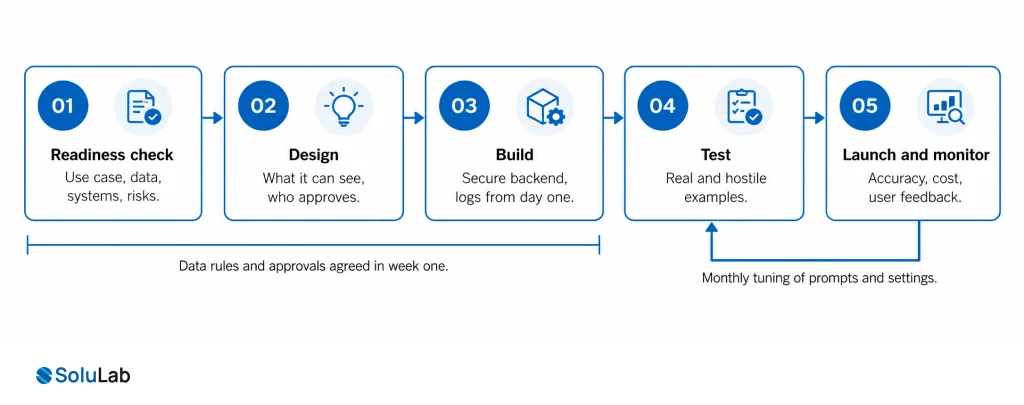
We run a ChatGPT integration in five steps: readiness check, design, build, testing with your real cases, and launch with monitoring. Data rules and approval steps are agreed in week one. A pilot on one workflow typically takes 4 to 8 weeks, and multi-system rollouts take up to 6 months.

01

Readiness check.

We review the use case, data, systems and risks, and rank what's worth building.

02

Design.

We define what the assistant does, what it can see, and when a person steps in.

03

Build.

We connect the model to your systems through a secure backend with logging from day one.

04

Test.

We run real and hostile examples against an agreed quality bar.

05

Launch and monitor.

We track accuracy, cost, and feedback, then tune prompts and settings each month.

How Does a ChatGPT Integration Project Work

A pilot covers all five steps on one workflow; the monitoring loop keeps running after launch.

Which Industries Benefit Most From ChatGPT Integration?

ChatGPT integration delivers the clearest returns where teams answer the same questions, read long documents or move data between systems every day. SoluLab has shipped LLM integrations in fintech and banking, and builds for SaaS, ecommerce, healthcare, real estate, logistics and professional services, with controls matched to each sector's regulation.

ChatGPT Integration Case Studies

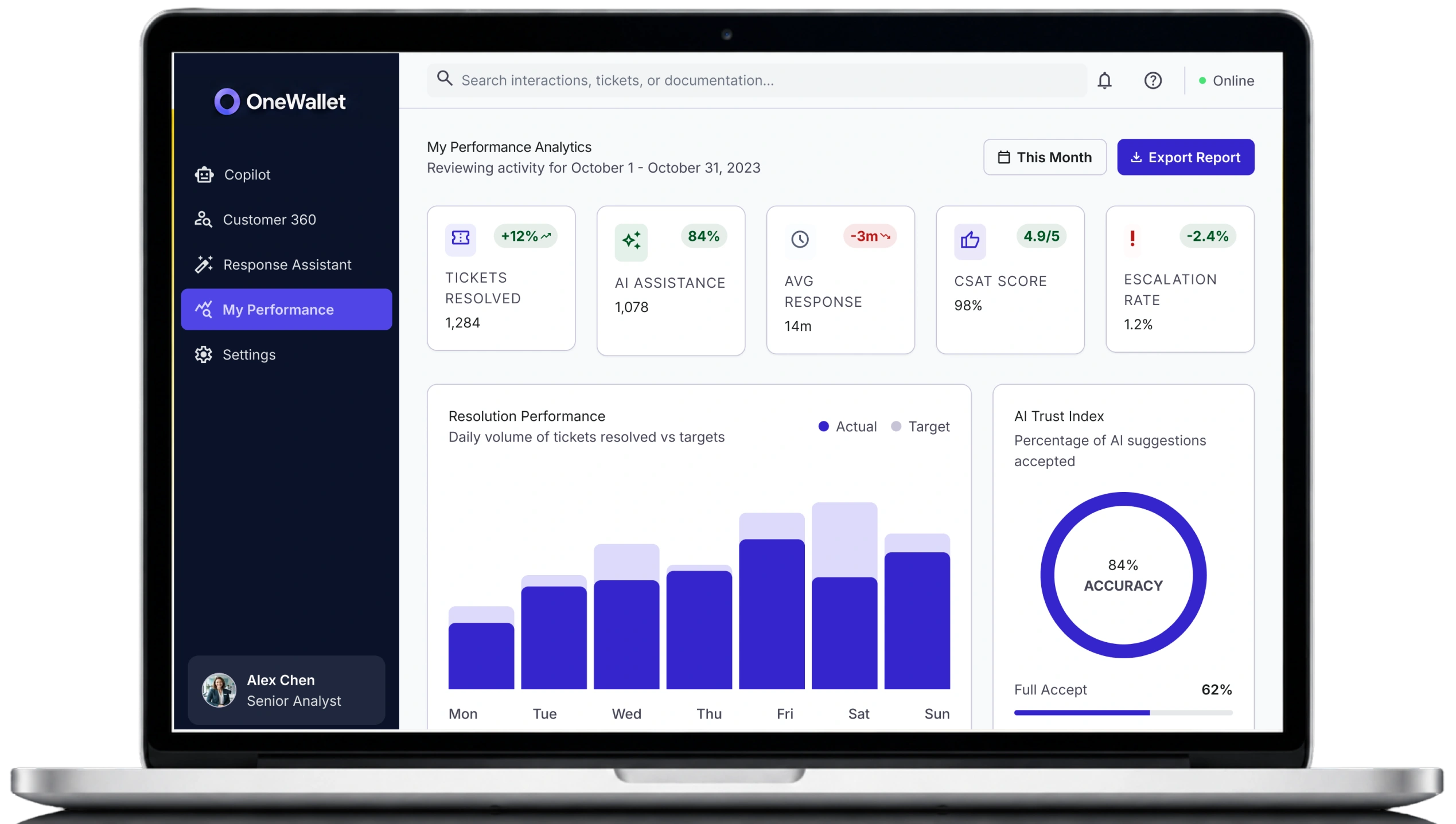
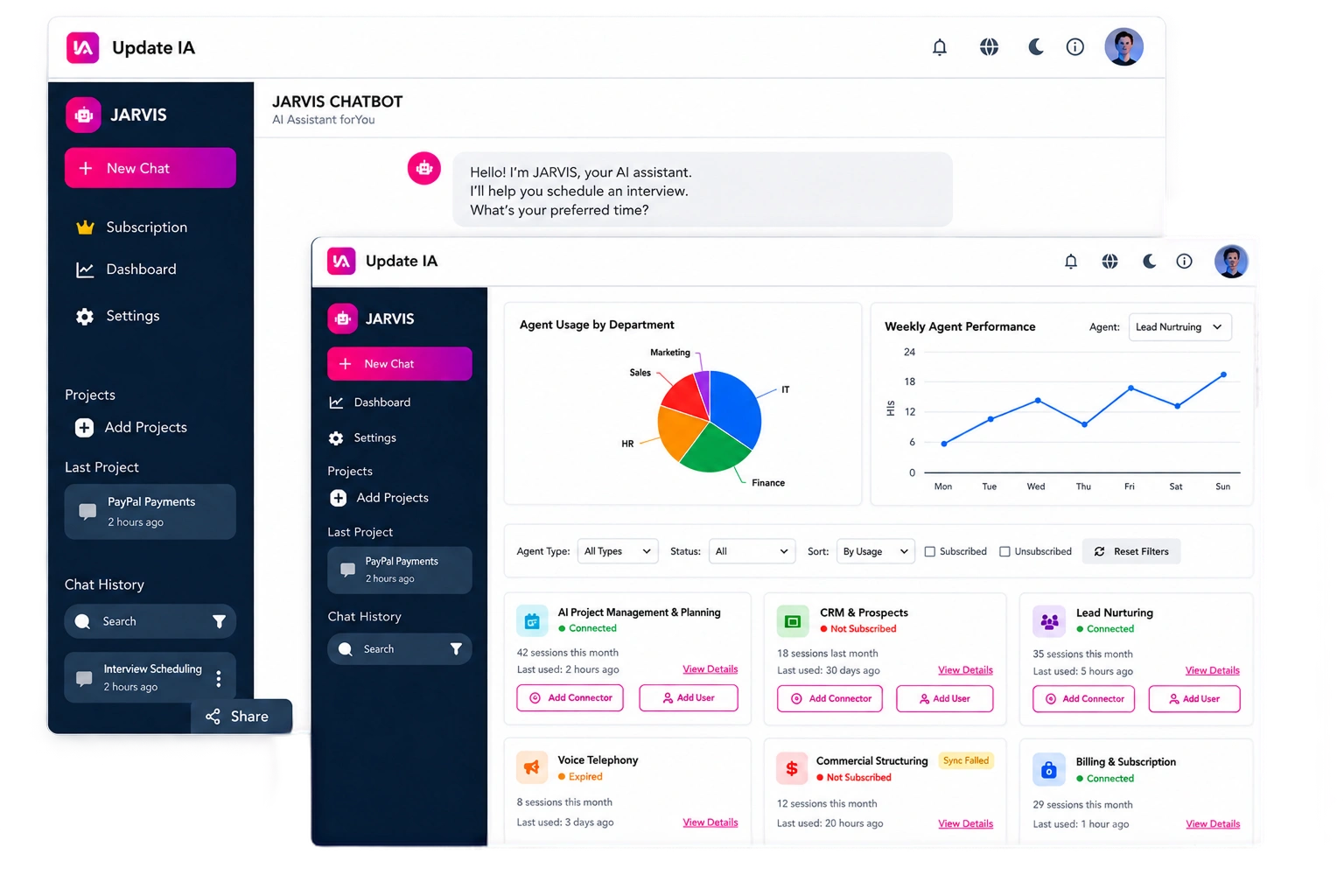
SoluLab's published LLM integrations run in production: a GPT-4o and Claude support copilot for One Wallet cut ticket load by 72% and response time from 9 minutes to 5 seconds, Amanbank's generative AI assistant halved support agent workload, and UpdateIA's 14 AI agents cut manual workflows by 80%.

One Wallet: GPT-4o and Claude Support Copilot

One Wallet: GPT-4o and Claude Support Copilot

One Wallet, a digital payments platform with 1.8M+ users, handled 60K+ support requests a month across 10+ systems. SoluLab integrated GPT-4o and Claude into a support copilot that searches 50K+ documents, masks personal data before any prompt reaches the model and logs every response.

  • 72% lower support ticket load
  • Response time from 9 minutes to 5 seconds
  • 2.8x agent output and 21% higher CSAT
Read the One Wallet case study
Amanbank

Amanbank: Generative AI Banking Assistant

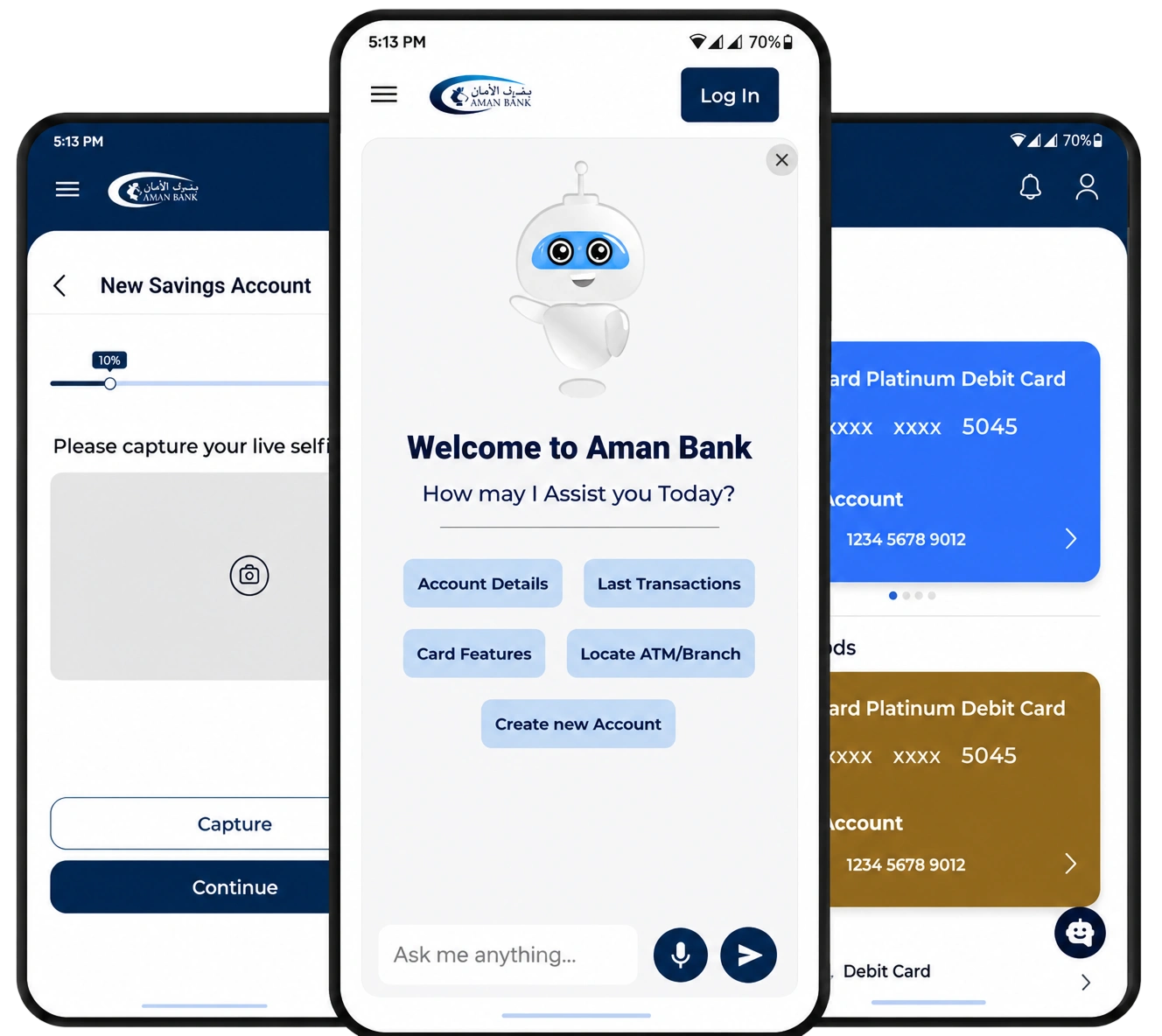
Amanbank, serving about 750,000 customers, could only support customers during set hours. SoluLab built a generative AI chatbot and voice assistant that answers questions on accounts, transfers, cards and statements in several languages, using the customer's own banking data.

  • 60% faster onboarding
  • 50% lower support agent workload
  • 40% faster response times
Read the Amanbank case study
UpdateIA

UpdateIA: Enterprise Workflows Run by AI Agents

UpdateIA needed to take repetitive enterprise workflows off its team's plate. SoluLab built and integrated 14 autonomous AI agents into its operations, each with defined tools and hand-offs.

  • 80% fewer manual workflows
  • Processes completed 3x faster
Read the UpdateIA case study
CTA Background

Need to extend your own team instead? You can hire ChatGPT developers from SoluLab on a dedicated or time-and-materials basis.

Hire Us Now

How Much Do ChatGPT Integration Services Cost?

ChatGPT integration costs typically run $10,000 to $15,000 for one system with a modern API and $40,000 to $100,000 or more for multi-system work with custom interfaces and regulated data. Model usage fees continue after launch and grow with traffic, so we set caps and report cpsts every month.

Engagement Typical cost Typical timeline What you get
Readiness check FREE Instant Use-case ranking, data and risk review, fixed pilot quote
Single-system integration $10,000 to $15,000 4 to 8 weeks One tool connected (website, CRM or app), guardrails, logging
Multi-system integration $40,000 to $100,000+ 3 to 6 months Several systems, custom UI and roles, regulated data controls
Monthly support $20,000+ Ongoing Monitoring, prompt tuning, model updates, cost reports

What Technology Do We Use for ChatGPT Integration?

SoluLab builds ChatGPT integrations on OpenAI's API and Responses API, with GPT-5 family models chosen by task, Python or Node.js backends, vector search such as Pinecone for retrieval, and your existing systems' APIs. We design for model choice, so you can switch to Claude or an ppen model later.

Layer What we use
01 Models OpenAI GPT-5 family and GPT-4o; Anthropic Claude where a second model helps (One Wallet runs both)
02 API OpenAI API and Responses API, function calling, structured outputs
03 Backend Python (FastAPI) or Node.js; serverless or containers on AWS, Azure or GCP
04 Retrieval Pinecone or pgvector, hybrid search, reranking
05 Connectors REST and GraphQL APIs, webhooks, MCP servers (Canva and others), Office.js
06 Monitoring Request logs, cost dashboards, evaluation sets, alerting

How Secure Is a ChatGPT Integration?

A ChatGPT integration is as secure as its build. Keep API keys on the server, send only the data the task needs, mask personal data, limit what the assistant can do, log every call, test for prompt injection and check OpenAI's data-use terms. API data is not used for training by default.

Control What it prevents
Server-side API keys Key theft from browser or app code
Data minimisation and PII masking Sharing more than the task needs
Output sanitising Harmful markup or links on your site
Rate limits and spend caps Cost spikes and abuse
Role-based access and audit logs Unknown actions and silent errors
Prompt injection tests Hostile text hijacking the assistant

The OWASP Top 10 for LLM Applications lists these risks, and the OpenAI API documentation describes the provider's own controls. For regulated data we align the build with GDPR, SOC 2, and HIPAA requirements as they apply, and with the EU AI Act where an integration falls in scope.

CRAFT CMS

How Secure Is the ChatGPT Integration With Craft CMS?

The same rules apply to Craft CMS as to any content system. Call the model from server-side code, never from the browser, and don't send unpublished or private entries without approval. Sanitise returned text before it renders, limit who can trigger calls and cap usage.

Check plugin maintenance too: the best-known "ChatGPT Integration" plugin for Craft is listed as no longer maintained, which matters for security patches.

Which ChatGPT Integration Should You Start With?

Start with the integration that removes the most repeated work at the lowest risk. For most businesses, that is a support assistant on approved help content or an internal assistant for one team, because the data is limited and time saved is easy to measure within four weeks of launch.

01

Pick one team and one task, such as the ten questions your support team answers most.

02

Use content you already own and have approved.

03

Keep a person approving anything that goes to a customer.

04

Measure time saved and answer accuracy for four weeks.

05

Add spreadsheets, design tools, and agents once the first result is clear.

Why Choose SoluLab for ChatGPT Integration?

Businesses choose SoluLab for ChatGPT integration because we ship LLM features into regulated production systems, not demos. Our One Wallet copilot runs on GPT-4o and Claude across 50K+ documents with PII masking and audit logs; every build includes cost caps, and you own the code and prompts.

Production LLM Experience icon

Production LLM Experience

GPT-4o and Claude in a live fintech support copilot serving 1.8M+ users.

Security Built In icon

Security Built In

Server-side keys, PII masking, role-based access and audit logs come standard.

Cost Control icon

Cost Control

Spend caps, usage alerts and a monthly cost report on every integration.

Model Choice icon

Model Choice

We design so you can swap OpenAI for Claude or an open model without a rebuild.

You Own Everything icon

You Own Everything

Code, prompts, evaluation sets and indexes stay yours.

Measured Quality icon

Measured Quality

Every launch is scored against a test set of your real questions.

Meet Your Architect

Rajat Lala

"Rajat has spent more than 14 years building platforms used by millions of people. Before co-founding SoluLab, he was a principal software architect at Citrix, where he led enterprise mobile engineering. He heads SoluLab's 50+ member technical organization and reviews every ChatGPT integration for data exposure, failure handling and running cost."

Rajat Lala · Co-Founder, SoluLab · View full profile
Testimonials

What Clients Say About SoluLab

SoluLab helped us bring AI directly into the banking experience. From customer onboarding and account assistance to money transfers and card requests, the AI chatbot and voice agents gave customers a much faster way to complete everyday banking tasks. The solution helped us reduce onboarding time while taking significant pressure off our support teams.

 Rashid Daoudi

Rashid Daoudi

CEO, Amanbank

SoluLab successfully delivered the AI automation system we needed for our FinTech platform. Their team understood how to translate complex business workflows into practical AI agents and worked closely with us throughout development. The result was a much more streamlined approach to automating tasks that previously required significant manual effort.

Mark GreenSpan

Mark GreenSpan

Co-Founder, FinTech Platform

I am extremely impressed with the collaborative efforts of AI-Build and SoluLab in developing our CAD product using generative AI. Their solution revolutionized our product development process by automating design generation, improving customization, and enhancing accuracy.

Keven Mejia

Keven Mejia

Co-Founder & CEO, AI-Build

FAQ

Helpful resource to grow your business

ChatGPT integration services connect OpenAI's models to your website, apps, CRM, help desk, spreadsheets and internal tools. The work covers prompt design, data connections, access controls, testing and monitoring of cost and accuracy, so ChatGPT works inside your existing workflows rather than in a separate browser tab your team has to copy and paste from.

A typical scope covers a readiness check, design of the assistant's role and limits, a secure server-side backend, connection to your data and systems, testing against real and hostile examples, launch, and monthly monitoring. SoluLab also adds spend caps, audit logs, and PII masking, and hands over the code and prompts at the end.

With SoluLab, connecting ChatGPT to one system with a modern API typically costs $10,000 to $15,000. Multi-system integrations with custom interfaces and regulated data run $40,000 to $100,000 or more. OpenAI usage fees continue after launch and rise with traffic, so every build includes spend caps and a monthly cost report.

A readiness check takes 2 to 4 weeks. A pilot that connects ChatGPT to one system usually takes 4 to 8 weeks, including testing with your real cases. Multi-system rollouts with custom interfaces, role-based access and regulated data take 3 to 6 months, depending mostly on data quality and how many systems are involved.

Canva connects to ChatGPT through its MCP server. You connect your Canva account from ChatGPT settings, sign in and approve permissions, then describe a design in the chat. ChatGPT creates editable designs you open in Canva. Generation uses your Canva AI credits, and admins control access and Brand Kit use.

Yes. Canva admins can control who connects and which Brand Kit and templates the assistant uses. For stricter workflows, such as approving copy before design or filling templates from a CRM or product feed, a custom build can add those steps around Canva's MCP server and save finished assets to a shared library.

ChatGPT Excel integration means using OpenAI's models on spreadsheet work. The main routes are OpenAI's official ChatGPT for Excel add-in, uploading a workbook to ChatGPT, a custom Office.js add-in that calls your own backend, or workflow automation that sends cell data to the model and writes results back into the sheet.

It can be, with controls. Check your plan's data-use terms, send only the data the task needs, mask sensitive fields, keep a person reviewing every financial output and log what was sent. In ChatGPT Enterprise, the Excel add-in is off by default until an admin enables it for specific users.

Security depends on the build. Call the model from server-side code, keep API keys private, avoid sending unpublished entries, sanitise output before it renders, limit who can trigger calls and cap usage. Check that any plugin you rely on is still maintained, because an abandoned plugin stops receiving security fixes.

By default, OpenAI does not use data sent through its API to train its models, and ChatGPT Enterprise and Business data is also excluded by default. Confirm the current terms for your plan before launch, and still minimise and mask personal data, because retention and logging rules apply separately.

Use ChatGPT Enterprise or Business when staff need a ready-made assistant with admin controls and connectors. Use the OpenAI API when ChatGPT must work inside your own product, website or workflow, with your data, interface and rules. Many businesses use both: Enterprise for staff and the API for customer-facing features.

Yes. SoluLab connects ChatGPT to websites, mobile apps, CRMs, help desks, spreadsheets and internal tools through a secure backend. Our GPT-4o and Claude support copilot for One Wallet searches 50K+ documents and cut ticket load by 72%. Every project starts with a readiness check of your data, systems and risks.