Key Takeaways
- Problem: Enterprises spend heavily on fuel, daily commutes, employee transport, and business travel when office attendance is not planned properly.
- Solution: AI-powered remote work solutions help businesses plan hybrid schedules, reduce unnecessary travel, and manage teams through productivity data.
- How SoluLab Can Help: SoluLab builds custom AI remote work solutions that improve workforce visibility, reduce fuel costs, and support scalable enterprise operations.
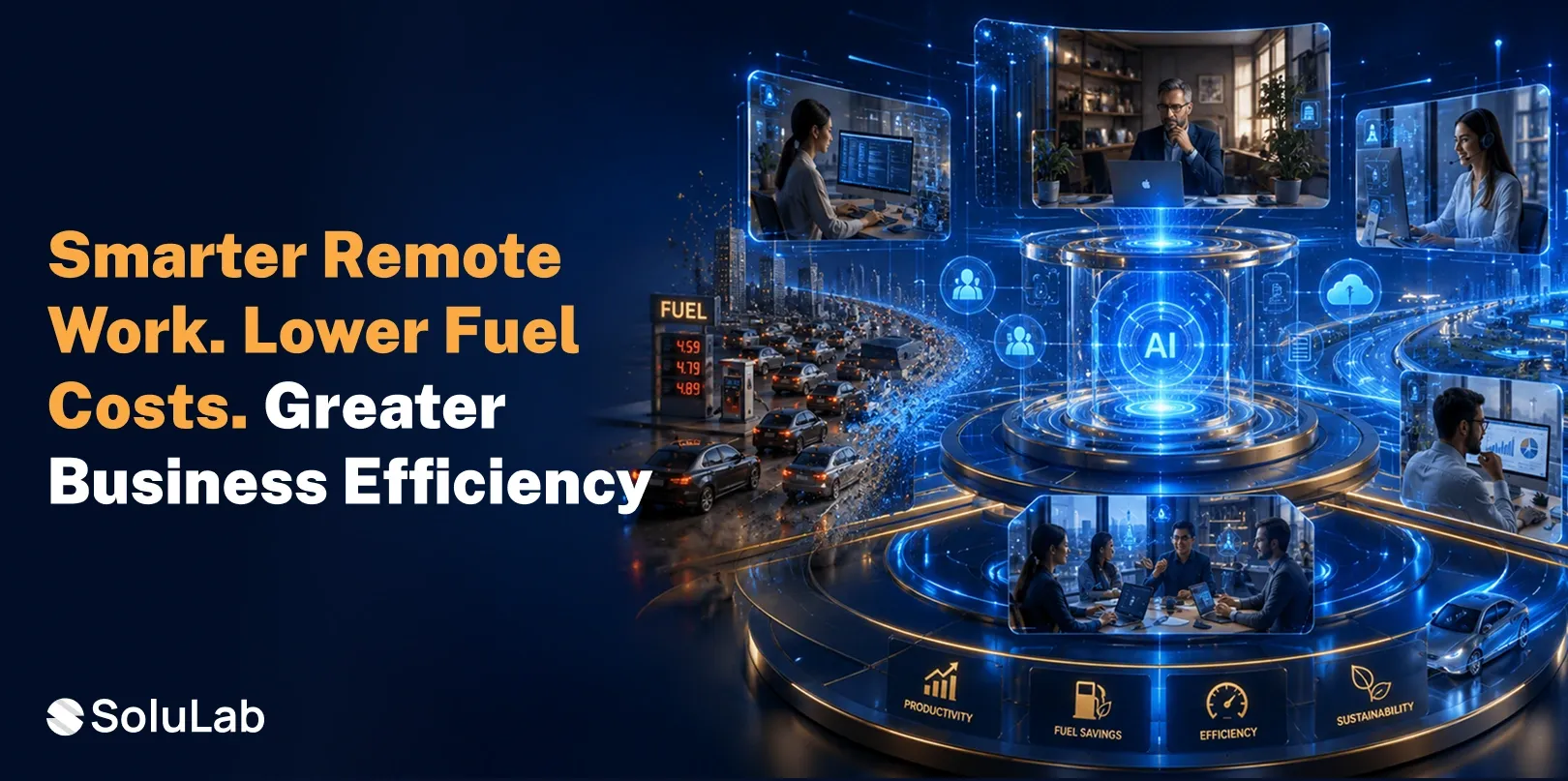
In 2026, increasing fuel costs are becoming a workforce productivity issue. The ongoing war situation has increased travel and business expenses. This is creating a tough situation for companies to bring employees to the offices without spending a fortune on everyday travel, and an even rougher situation for employees to deal with the crises. AI-powered remote work solutions help enterprises to resolve this issue.
By creating smarter workplaces, artificial intelligence solutions enable enterprises to make better decisions about where work should happen. It enables businesses to better understand which teams require office access, which roles can be performed well remotely, so that fuel expenses can be reduced without compromising the delivery.
This guide explains how AI solutions for remote work can help businesses lower fuel costs, improve hybrid work planning, and build a smarter operating model.
Why Enterprises Are Adopting AI-Driven Remote Work?
Enterprises are adopting AI-driven remote work solutions for enterprises because the old workplace model is expensive and hard to manage at scale. For years, many companies measured work through office attendance. If employees were present, managers assumed work was moving. That approach no longer works for large organizations with digital teams, global operations, hybrid schedules, and rising travel costs.
Artificial intelligence changes this model. It helps enterprises measure work through tasks, output, timelines, collaboration, availability, and business results. A manager does not need every employee in the office every day to understand whether the team is productive.
AI-powered workplace solutions help enterprises answer practical questions:
- Which employees need to be in the office this week?
- Which meetings can happen remotely?
- Which teams work better with a hybrid schedule?
- Which roles create unnecessary fuel costs through daily travel?
- Which business trips can be replaced with digital workflows?
- Which transport routes are underused?
- Which departments need better remote work support?
These questions matter because fuel cost is not only a transport issue. It is part of a higher operating cost. Every office visit may involve fuel, parking, commute time, employee fatigue, company transport, and facility usage. With AI Remote work solutions:
- Work Location Becomes a Business Decision
A company cannot decide office attendance only through habit. The business should know why employees need to travel. AI-powered solutions help leaders connect work location with productivity, team needs, project timelines, and cost impact.
- Managers Get Better Visibility
Remote work often fails when managers do not know what teams are doing. AI-driven workforce productivity solutions provide dashboards, progress updates, workload insights, and risk signals. This helps leaders manage teams without forcing daily office attendance.
- Travel Costs Become Easier to Control
Enterprises can use AI to identify avoidable commutes, low-value meetings, repeated business trips, and inefficient transport routes. This makes fuel cost reduction more structured and measurable.
This is where enterprise AI for remote work becomes a business advantage, not only a technology upgrade.
The Link Between Remote Work and Operational Cost Savings
Remote work reduces fuel costs when employees travel less. But the real saving comes when enterprises manage remote work properly.
A business may allow remote work and still lose money if hybrid schedules are poorly planned. Employees may travel to the office and attend video calls from their desks. Teams may come on different days and miss each other. Managers may ask for office presence because they lack productivity visibility. Business units may continue routine travel even when digital meetings can work.
AI-powered hybrid work systems solve this by making office visits more intentional. They can analyze meeting calendars, project deadlines, employee roles, attendance patterns, team dependencies, and office capacity. Based on this data, enterprises can plan who should come to the office and when.
This creates a cleaner work model. Employees travel when in-person work adds value. They work remotely when digital tools can support the task.
How AI-Powered Remote Work Solutions Reduce Fuel Costs?
AI-powered remote work solutions reduce fuel costs by helping enterprises remove unnecessary movement from daily operations. They do not simply tell employees to stay home. They help leaders decide where work should happen based on data.
AI-Powered Hybrid Work Systems Improve Office Planning
Hybrid work becomes expensive when office days are random. If employees travel without meeting the right people, the company pays for fuel without gaining collaboration. AI-powered hybrid work systems help enterprises plan office days around real business needs. They can review team schedules, meeting priorities, desk availability, department workload, and project deadlines. Then they can suggest better office attendance plans.
This helps enterprises reduce wasted commutes. It also improves the value of every office visit.
AI Remote Work Solutions Reduce Business Travel
Business travel is one of the biggest fuel cost drivers for enterprises. Teams often travel for reviews, training, internal updates, regional meetings, and project discussions. Some travel is necessary. Client negotiations, major workshops, plant visits, and relationship-driven meetings may need physical presence. But many routine meetings can happen remotely with the right AI tools.
AI assistants can create summaries, capture action items, prepare notes, track decisions, and send follow-ups. AI collaboration tools can help teams review documents, manage tasks, and share project updates without travel.
This helps enterprises reduce low-value trips.
AI-Driven Workforce Productivity Solutions Build Trust
Some companies ask employees to come to the office because leaders do not trust remote productivity. This is a management visibility problem.
AI-driven workforce productivity solutions help solve it. They track task progress, project movement, deadline risks, workload balance, and team performance. Managers can see whether work is moving without needing employees to sit in the office. This reduces the need for physical supervision. It also helps enterprises manage remote teams more fairly.
AI Helps Optimize Employee Transport
Large enterprises often provide employee transport through buses, cabs, shuttles, or fuel reimbursements. These programs become costly when attendance patterns change, but transport planning stays the same.
AI platforms can analyze employee location, office attendance, route demand, shift timing, and vehicle usage. It can help companies reduce empty seats, combine routes, adjust pick-up points, and plan transport based on real demand.
This creates direct fuel savings.
For example, if one department works remotely on Fridays, the enterprise can reduce transport capacity. If fewer employees travel from a certain area, routes can be adjusted. If hybrid work lowers peak attendance, the company can renegotiate vendor usage.
AI Supports Role-Based Remote Work
Not every role can work remotely. Some teams need access to office systems, machinery, secure networks, labs, production facilities, or physical records. AI helps businesses classify roles based on work type, collaboration needs, security requirements, and performance data. This makes remote work decisions more practical.
A role-based model helps companies avoid two mistakes. It prevents remote work where physical presence is needed. It also prevents unnecessary travel, where remote work can deliver the same result.
AI Tools for Managing Hybrid Workforces
AI tools for managing hybrid workforces help enterprises run remote and office teams with better control. The strongest enterprise remote work solutions usually include several layers.
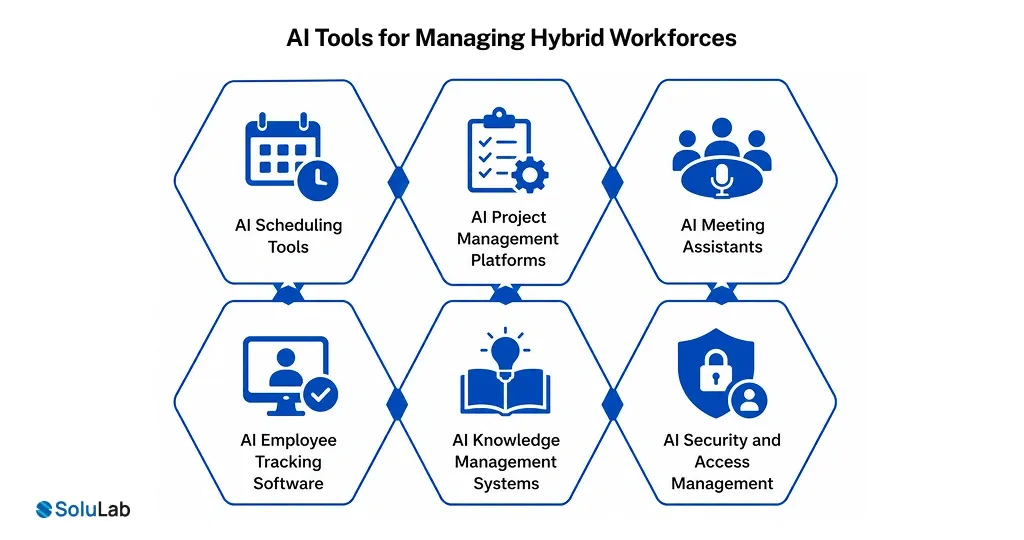
AI Scheduling Tools
AI scheduling tools help teams plan meetings across time zones, locations, and work models. They can suggest remote meetings when travel is not needed. They can also recommend office days when in-person work has clear value. This reduces confusion and prevents unnecessary commuting.
AI Project Management Platforms
AI-powered project management tools track tasks, timelines, blockers, workload, and team dependencies. They help managers see project health without calling frequent meetings.
When teams have clear visibility, they do not need to travel for routine status updates.
AI Meeting Assistants
AI-powered meeting rooms and assistants help remote teams stay aligned. They can record discussions, summarize decisions, list action items, and send follow-up notes. This makes remote meetings more useful and reduces the need for physical reviews.
AI Employee Tracking Software
AI-powered employee tracking software helps enterprises understand attendance, productivity trends, work patterns, and team performance. The right system should support accountability, not surveillance. It should help managers find process gaps, support employees, and improve planning.
AI Knowledge Management Systems
Remote teams need fast access to documents, policies, reports, and business information. AI knowledge systems help employees find answers quickly through smart search and internal assistants. This reduces dependency on office-based support and improves remote productivity.
AI Security and Access Management
Remote work must be secure. AI can support identity checks, unusual login detection, access monitoring, device risk signals, and threat alerts. This helps enterprises allow remote work without losing control over sensitive data.

How AI Optimizes Workforce Productivity?
AI optimizes workforce productivity by helping enterprises understand how work happens across teams. This insight matters because remote work only succeeds when teams have structure. AI-powered workforce optimization helps businesses improve:
- Task allocation.
- Workload balance.
- Project tracking.
- Meeting quality.
- Deadline visibility.
- Employee availability.
- Approval workflows.
- Team collaboration.
- Remote work performance.
AI can also reduce meeting overload. Many enterprises spend too much time on calls that only repeat information already available in project tools. AI can create dashboards and summaries that show progress without long meetings. This improves productivity and reduces the need for office-based status reviews.
AI also helps managers support teams earlier. If workloads become uneven, AI can flag the issue. If a task stays blocked, the system can alert the owner. If a team needs in-person collaboration, AI can recommend a planned office day.
Fuel Cost Reduction Strategies for Enterprises
Fuel cost reduction should not depend on broad travel cuts alone. Enterprises need a clear plan. The practical route is simple, but it needs discipline.
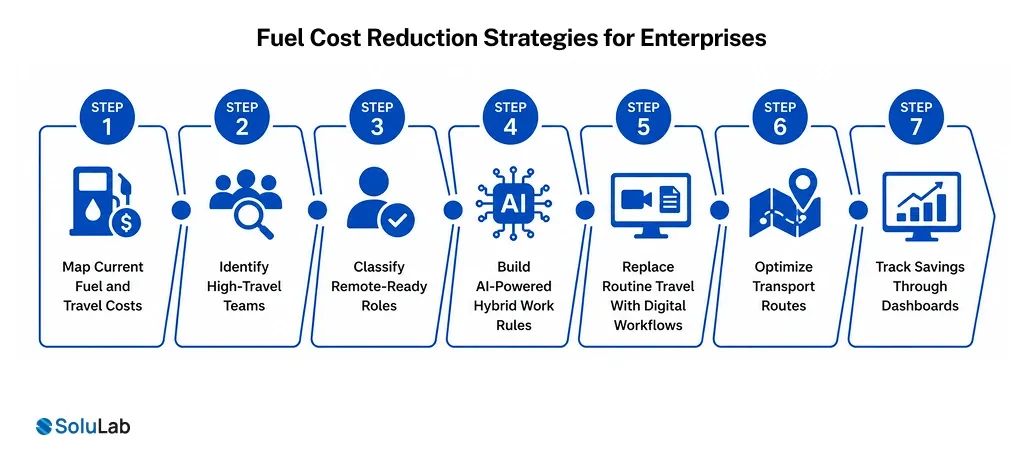
Step 1: Map Current Fuel and Travel Costs
The business should list all fuel-related expenses. This includes employee reimbursements, company transport, business travel, fleet usage, parking, vendor travel, and regional movement. This gives leadership a baseline. Without it, savings are only assumptions.
Step 2: Identify High-Travel Teams
Some teams travel more than others. Sales, operations, consulting, management, field support, and regional teams may create higher fuel costs. AI analytics can show where travel is frequent, where it is necessary, and where it can be reduced.
Step 3: Classify Remote-Ready Roles
Enterprises should review which roles can work remotely, which roles need office access, and which roles need hybrid support. AI can help by analyzing task type, tool usage, collaboration patterns, and productivity outcomes.
Step 4: Build AI-Powered Hybrid Work Rules
The company should define when office attendance is required. These rules should connect to project needs, team collaboration, client work, security, and role requirements. AI-powered hybrid work systems can support these rules with scheduling recommendations.
Step 5: Replace Routine Travel With Digital Workflows
The business should identify recurring trips that can move to digital channels. Internal reviews, progress meetings, training sessions, reporting discussions, and planning calls are good starting points. AI tools can make these remote interactions more productive.
Step 6: Optimize Transport Routes
Enterprises with employee transport should use AI to adjust routes based on attendance. This can reduce empty seats, lower fuel use, and improve vendor planning.
Step 7: Track Savings Through Dashboards
Fuel savings should be visible. AI dashboards can track commute reduction, travel expense changes, transport usage, office attendance, and productivity indicators. This helps leadership understand return on investment.
Enterprise Remote Work Solutions Checklist
| Area | What Enterprises Should Do | Why It Matters |
|---|---|---|
| Workforce mapping | Identify which roles need remote, hybrid, or office-based work. | Helps reduce unnecessary travel while protecting operations. |
| Fuel cost analysis | Review reimbursements, transport bills, fleet usage, and travel records. | Shows where savings can be created first. |
| Hybrid scheduling | Use AI to plan office days around team needs and project priorities. | Prevents random office visits and wasted commutes. |
| Productivity tracking | Measure outcomes, tasks, deadlines, and workload balance. | Builds trust in remote work without daily physical supervision. |
| Transport planning | Adjust routes, vehicles, and vendor usage based on attendance data. | Reduces fuel use and improves transport efficiency. |
| Security controls | Use AI for access monitoring, identity checks, and threat detection. | Protects enterprise data in remote environments. |
| Reporting | Track savings, productivity, attendance, and sustainability impact. | Makes the business case clear for leadership. |
Benefits of AI-Powered Remote Work for Enterprises
AI-powered remote work gives enterprises several benefits beyond fuel savings. Some of the key benefits of investing in AI integration are:
Lower Operational Costs
Companies can reduce fuel reimbursements, employee transport costs, parking expenses, office utility usage, and routine travel spending.
Better Workforce Visibility
AI gives managers a clear view of team performance, task progress, and workload distribution. This reduces dependency on physical presence.
Stronger Productivity
AI helps employees work with clearer priorities, fewer unnecessary meetings, and faster access to information.
Better Employee Experience
Less commuting can reduce fatigue and improve focus. Employees gain flexibility while staying accountable for results.
Stronger Sustainability Performance
Reduced travel means lower fuel use and fewer transport-related emissions. This supports enterprise sustainability and ESG goals.
Smarter Office Usage
AI-powered hybrid work systems help enterprises understand office demand. This can support better space planning and facility cost control.

What Businesses Should Expect From an AI Development Company?
The rise of AI-driven remote work changes what enterprises should expect from technology partners.
An AI software development company should not only ask which tool the business wants to build. It should also ask about workforce structure, fuel cost drivers, hybrid policies, security needs, productivity goals, transport systems, and integration requirements. A stronger development scope now includes:
- Workforce and cost discovery.
- Remote work platform architecture.
- AI scheduling engine.
- Productivity analytics.
- Employee tracking software.
- Transport optimization.
- HR system integration.
- Project management integration.
- Security and access controls.
- Reporting dashboards.
- Post-launch optimization.
Many enterprises prefer a custom AI app development company. Standard tools may not match complex workflows, department structures, compliance requirements, or legacy systems. A custom solution can connect remote work planning with real enterprise data.
Cost of Building AI-Powered Remote Work Solutions
The cost of building AI-powered remote work solutions depends on business size, features, data sources, integrations, and security needs.
A simple remote work dashboard may need basic attendance data, project tracking, and reporting. A larger enterprise system may need HR integration, ERP data, transport planning, AI productivity analytics, security monitoring, and custom dashboards.
The cost of AI development also depends on whether the business needs a web platform, mobile app, admin dashboard, AI model integration, or enterprise-grade access control.
Enterprises should not view this only as a software expense. The right system can support fuel savings, productivity gains, better workforce planning, and lower operational waste.
The expensive mistake is building without clarity. If a company starts with a generic tool and later needs custom workflows, it may spend more on rework, integrations, and adoption fixes.
How to Build AI-Powered Remote Work Solutions for Fuel Cost Savings?
Building AI-powered remote work solutions requires a clear roadmap. The steps go like-
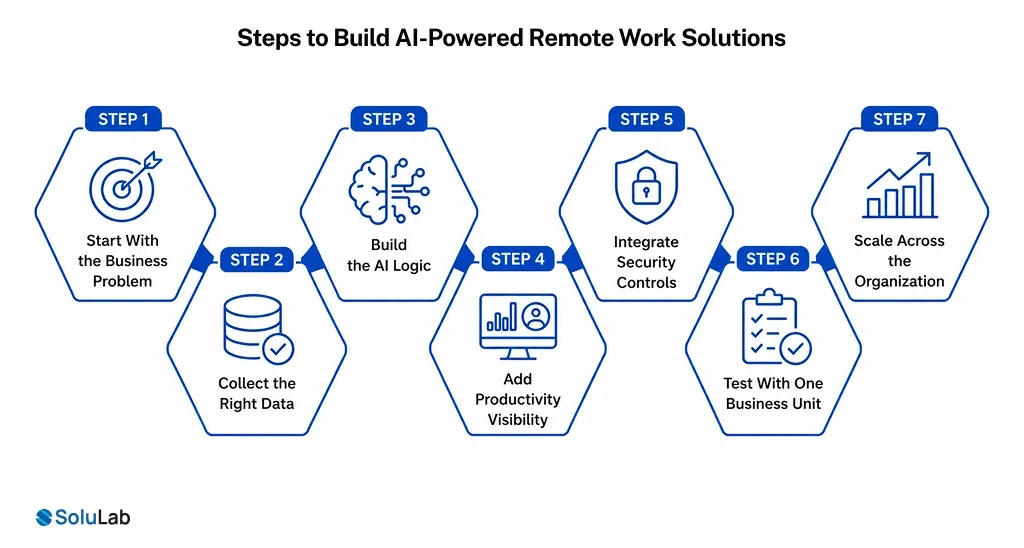
- Start With the Business Problem
The enterprise should define what it wants to reduce. This may include fuel reimbursements, employee transport costs, office commute frequency, business travel, or fleet usage.
- Collect the Right Data
The system should connect data from HR, attendance, transport, project tools, calendars, travel records, and productivity platforms.
- Build the AI Logic
AI should help recommend remote days, office schedules, travel alternatives, route changes, and workforce plans.
- Add Productivity Visibility
Managers need dashboards that show work progress, team capacity, deadlines, and blockers. This helps remote work succeed.
- Integrate Security Controls
Remote work should include role-based access, identity checks, device monitoring, and risk alerts.
- Test With One Business Unit
Enterprises should pilot the system with one department or location before scaling. This helps validate savings and improve the model.
- Scale Across the Organization
After the pilot, the business can expand the system across teams, locations, and departments.

Conclusion
AI-powered remote work solutions are becoming part of enterprise cost-saving infrastructure. AI helps create that planning. It shows which travel is useful, which commute is unnecessary, which teams need office time, and where remote work can deliver better efficiency. It can reduce costs, improve productivity, support sustainability, and give leaders better control over distributed teams. For enterprises building in 2026, AI-powered remote work solutions are part of smarter operations.
Build AI-Powered Remote Work Solutions With SoluLab!
SoluLab helps enterprises plan, design, and develop AI-powered workplace solutions that support remote work, hybrid scheduling, productivity tracking, and cost reduction.
Our team can help you build systems that connect workforce data, project workflows, attendance trends, transport usage, and business rules. This helps your enterprise reduce unnecessary travel while keeping teams productive and visible.
Whether you need enterprise AI business solutions, SoluLab can help you build a practical system for long-term value!
FAQs
Shipra Garg is a tech-focused content strategist and copywriter specializing in Web3, blockchain, and artificial intelligence. She has worked with startups and enterprise teams to craft high-conversion content that bridges deep tech with business impact. Her work translates complex innovations into clear, credible, and engaging narratives that drive growth and build trust in emerging tech markets.