Key Takeaways
- AI for IT operations applies machine learning to the signals your infrastructure already produces, so teams spend less time reacting and more time preventing.
- It is broader than buying an AIOps platform. Most of the work is data quality, workflow design and deciding what AI is allowed to do without asking.
- Noise reduction is the first win almost everywhere. Correlating thousands of alerts into a handful of real incidents changes how a team works overnight.
- Automated remediation only pays off with a tight blast radius. Start read-only, then automate the fixes you would let a junior engineer run unsupervised.
- Maturity moves in stages. Skipping from manual monitoring to autonomous remediation is how organisations lose trust in the system.
- Measure alert-to-incident ratio, detection time and toil percentage. Tool count and dashboards prove nothing.
- Model drift is an operating cost. Infrastructure changes constantly, and accuracy decays with it.
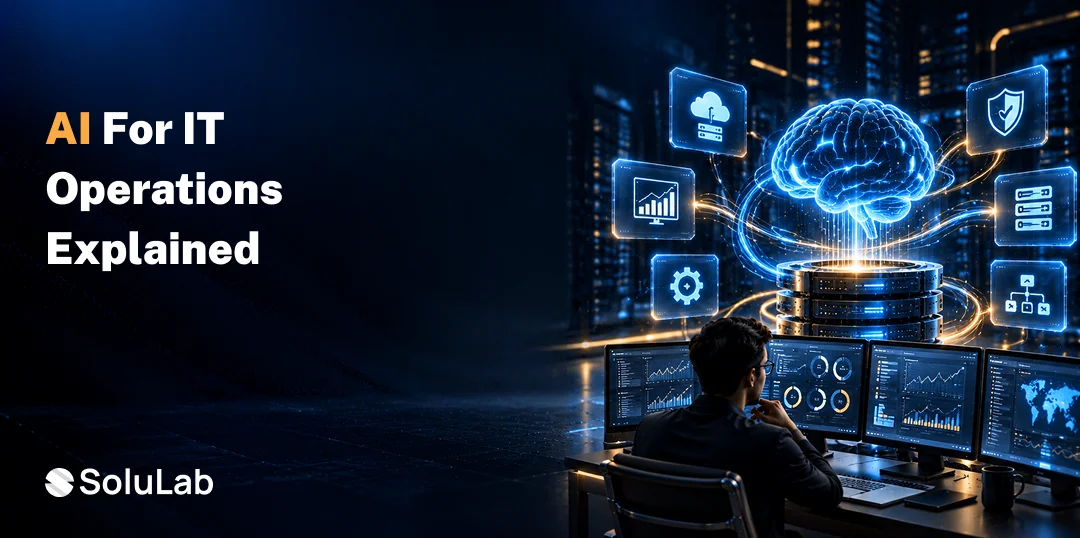
AI for IT operations means applying machine learning to the logs, metrics, traces, events and topology data your infrastructure already produces, so systems can detect anomalies, correlate related alerts, find root causes and act on routine problems without a person driving every step. The goal is fewer incidents, faster recovery and less repetitive work.
The spending backdrop explains the pressure. Gartner forecasts worldwide IT spending to reach $6.37 trillion in 2026, up 14.2% year over year, with data centre systems and infrastructure services the fastest-growing segments.
Estates are getting larger and more complex while teams stay the same size. Most teams know they need this. Far fewer know where to start. This guide covers what AI genuinely delivers in operations, where to apply it, how mature your capability needs to be before automating anything, and how to prove it is working.
What Is AI for IT Operations?
Artificial Intelligence for IT operations is the practice of using machine learning across monitoring, incident management, service delivery and capacity planning. It ingests operational data at a volume no human can read, finds patterns in it, and either surfaces a decision or executes a defined action.
1. How It Differs From an AIOps Platform
An AIOps platform is a product you buy. AI-powered IT monitoring is the broader capability, which includes the platform, the data feeding it, the runbooks it triggers, the workflows around it and the policies governing what it may do alone. Buying the platform is the smallest part of the job, and the part most organisations overestimate.
2. How It Relates to DevOps, SRE and ITSM
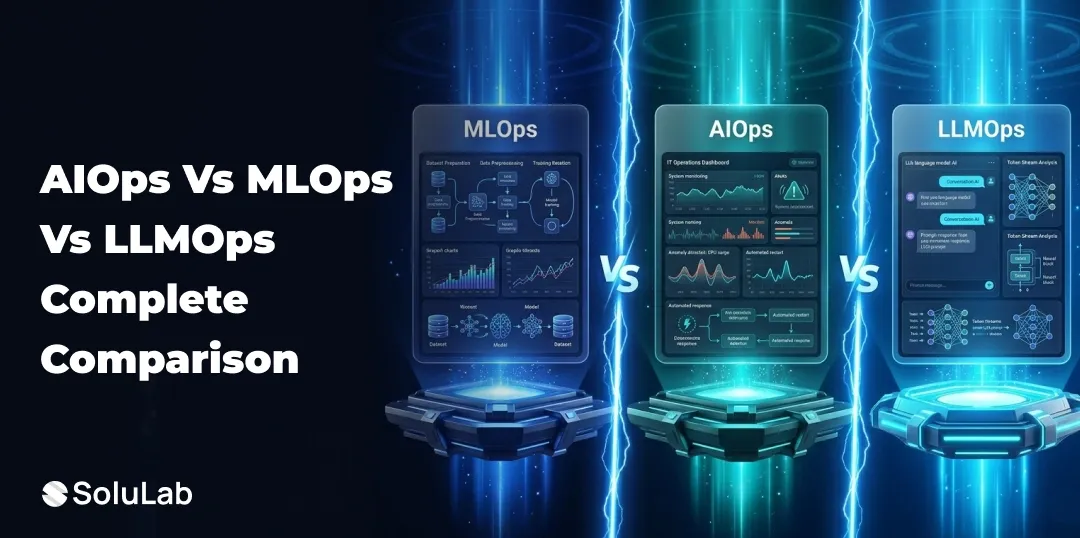
These are complementary layers, not competitors. DevOps governs how software ships. Site reliability engineering sets the reliability targets and error budgets. ITSM handles service requests, changes and the service desk. AI sits across all three, adding detection, correlation and automation. Our comparison of AIOps, MLOps and LLMOps covers where each discipline’s boundary sits.
3. Predictive, Not Just Reactive
Traditional monitoring tells you something broke. AI for IT operations aims to tell you something is about to break, and increasingly to handle it before anyone notices. That shift from reactive to predictive is the whole point, and it is also why data history matters so much: a model with no past cannot forecast a future.
Why Are IT Teams Adopting AI Now?
Because estate complexity has outgrown manual operations, and hiring your way out is no longer realistic. Three pressures converge.
1. Signal Volume Exceeds Human Capacity
A mid-sized enterprise estate generates millions of events daily across cloud, containers, networks and applications. No rotation of engineers can read that. Correlation has to be automated or it does not happen.
2. Alert Fatigue Is an Operational Risk
When most alerts are noise, real ones get missed. Teams tune thresholds until they stop hearing anything, which is how outages become surprises. This is the single most common reason operations teams ask for AI in the first place.
3. Experienced Operations Engineers Are Scarce
Senior operations talent is expensive and hard to retain, particularly when the role is dominated by repetitive triage. Removing toil is a retention strategy as much as an efficiency one, and teams often find that the engineers most enthusiastic about AI are the ones most worn down by pager rotations.
4. Cloud Complexity Compounds Quarterly
Multi-cloud, containers, serverless and microservices multiply dependency chains. Working out which service caused a latency spike by hand takes hours. Doing it across three cloud providers takes a day. Teams running this at scale usually pair AI work with cloud computing consulting to clean up the underlying architecture first.
What Are the Benefits of AI for IT Operations?
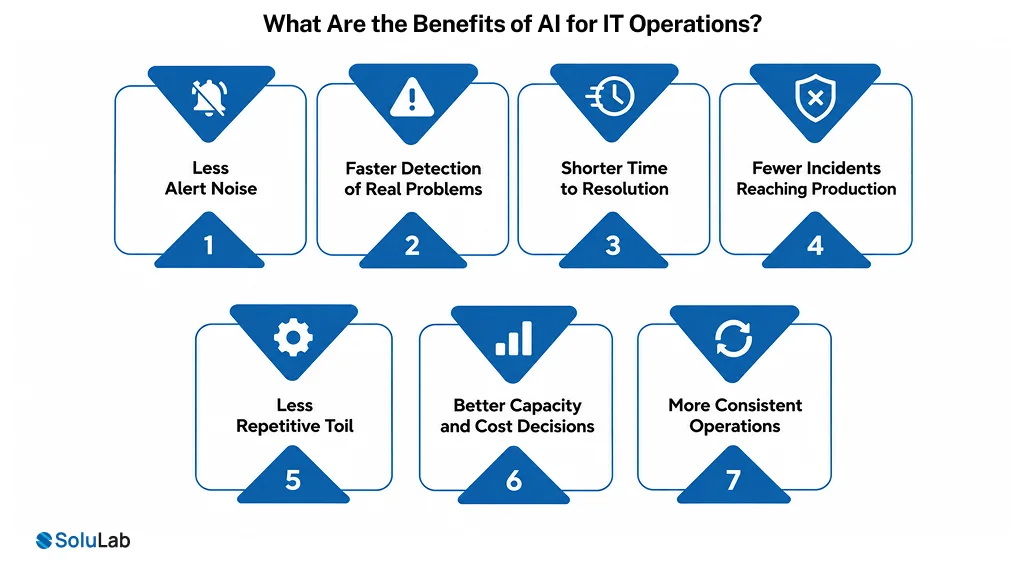
The benefits show up as operational metrics rather than a single headline number. Seven matter most, and they arrive in roughly this order.
1. Less Alert Noise
Correlation groups related alerts and suppresses duplicates, turning thousands of notifications into a handful of real incidents. This is usually the first visible benefit and the one teams feel immediately.
2. Faster Detection of Real Problems
Anomaly detection spots deviations from normal behaviour that fixed thresholds miss, including slow degradations that never trip an alarm until customers complain.
3. Shorter Time to Resolution
Automated root cause analysis assembles the incident timeline, dependency map and probable cause before an engineer joins the call. Most of the time saved in an incident is investigation time, not fix time.
4. Fewer Incidents Reaching Production
Predictive models flag hardware likely to fail, capacity likely to run out and releases likely to cause problems, moving work from unplanned emergencies into planned maintenance windows.
5. Less Repetitive Toil
Service restarts, disk cleanups, certificate renewals, access provisioning and ticket routing can be automated within defined limits. Engineers get their afternoons back.
6. Better Capacity and Cost Decisions
Usage forecasting supports rightsizing instead of over-provisioning by default. Our AIOps implementation guide goes deeper into where the cost savings come from and what a platform build costs.
7. More Consistent Operations
A model applies the same triage logic at 3am on a bank holiday as it does on a Tuesday morning. Consistency is underrated until you compare incident handling across shifts.
What Are the Main Use Cases of AI in IT Operations?
Eight use cases, organised by the operational domain they sit in rather than by technology. Most teams start with one or two and expand along the incident lifecycle.
1. Observability and Anomaly Detection
Models learn what normal looks like per service and per time of day, then flag deviations. This catches gradual degradation that static thresholds never see. Gartner predicts that 40% of organisations deploying AI will implement dedicated AI observability tools by 2028 to monitor model performance, bias and outputs, so observability is increasingly about watching your AI as well as your infrastructure.
2. Alert Correlation and Incident Triage
Grouping related events into a single incident, scoring severity, and routing to the right team with context attached. This is where alert fatigue actually gets solved.
3. Root Cause Analysis
Tracing an incident back through dependency maps and change history to the probable cause, then presenting the evidence rather than just a conclusion. Engineers trust suggestions they can verify.
4. Automated Remediation
Executing runbooks for known problems: restarting a service, clearing a cache, scaling a resource, rotating a certificate. Building this safely in container environments is covered in our guide to self-healing infrastructure in Kubernetes.
5. Service Desk and ITSM Automation
Classifying and routing tickets, suggesting resolutions from past cases, and handling common requests such as access and password issues end to end. This overlaps heavily with AI in DevOps workflows where speed and consistency matter.
6. Change and Release Risk Prediction
Scoring proposed changes against historical incident data to flag risky deployments before they ship. One of the highest-value and least-adopted use cases, because it prevents incidents rather than responding to them.
7. Capacity Forecasting and Resource Optimisation
Predicting demand across compute, storage and network, then recommending rightsizing. The benefit grows with estate size and multi-cloud complexity.
8. Security Event Correlation
Connecting security signals across systems to surface genuine threats and suppress false positives, reducing load on the security team. The wider picture sits in our overview of AI in cybersecurity.
How Mature Is Your AI Operations Capability?
Maturity moves through five stages, and skipping stages is how organisations lose trust in the system. Work out honestly where you are before choosing what to build.
1. Manual and Reactive
Monitoring tools alert, humans investigate everything. Thresholds are static and tuned by hand. Most alerts are ignored. This is still where a large share of enterprises sit.
2. Consolidated and Observable
Telemetry from multiple tools flows into one place with consistent tagging and a usable dependency map. No AI yet, and this stage is mandatory, because models trained on inconsistent data produce inconsistent results.
3. Assisted Detection
Anomaly detection and correlation running in production, with humans making every decision. Alert volume drops sharply here. Teams should stay at this stage long enough to build confidence in the model’s accuracy.
4. Guarded Automation
The system executes defined remediations for known problems within a tight blast radius, with everything logged and reversible. Anything outside the approved list escalates to a person.
5. Predictive and Adaptive
Change risk scoring, capacity forecasting, and proactive intervention before incidents occur. Feedback from engineers continuously improves the models. Very few organisations operate here across their whole estate, and the ones that do got there stage by stage.
How Do You Implement AI in IT Operations?
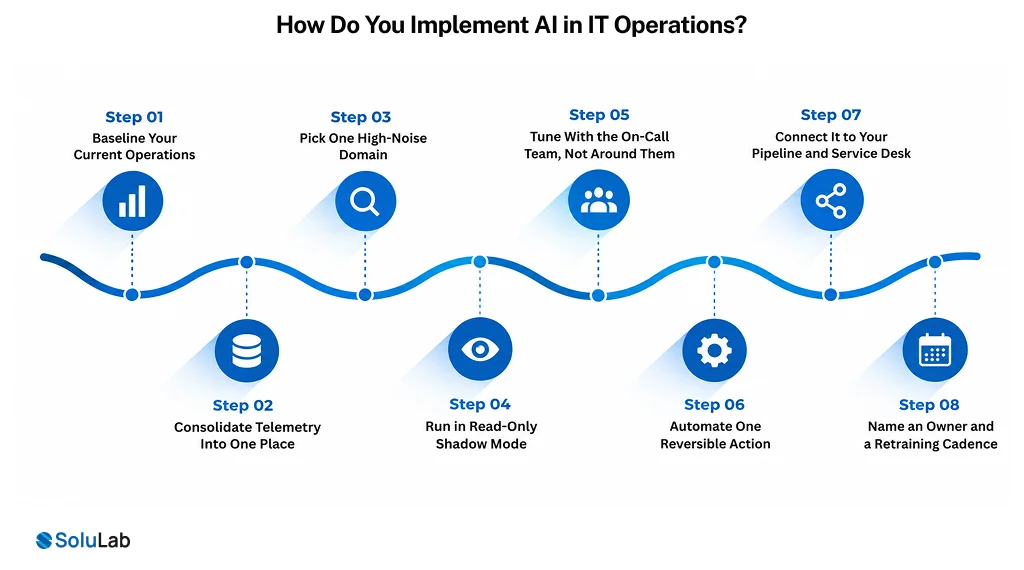
Implementation follows the maturity stages rather than jumping ahead of them. Eight steps, and the first three involve no AI at all.
1. Baseline Your Current Operations
Capture alert volume, alert-to-incident ratio, detection and resolution times, and the share of engineering hours going to repetitive work. Do this before anything changes. Without these numbers, you will never prove the programme worked.
2. Consolidate Telemetry Into One Place
Bring logs, metrics, traces, events and topology data together with consistent tagging and a dependency map that reflects reality. This is stage two of the maturity model, it is mandatory, and it is where most of the unglamorous effort actually goes.
3. Pick One High-Noise Domain
Choose the single area generating the most alerts for the least value, usually infrastructure monitoring or a specific application tier. A narrow first scope makes the result measurable and the failure recoverable.
4. Run in Read-Only Shadow Mode
Let correlation and anomaly detection process live signals while humans continue to work as normal. Compare what the system flags against what the on-call team actually treated as an incident. Four to six weeks is usually enough to see the pattern.
5. Tune With the On-Call Team, Not Around Them
Review false positives and missed incidents weekly with the engineers on call. They know which alerts matter. Their corrections also serve as the training signal that makes the next month better.
6. Automate One Reversible Action
Start with a single low-risk remediation that passes the 3 am test, such as a service restart or a disk cleanup. Log every execution, make rollback trivial, and review outcomes before adding a second action.
7. Connect It to Your Pipeline and Service Desk
Wire findings into your CI/CD pipeline, ticketing, and on-call tooling so the output reaches the systems people already work in. Teams needing pipeline work alongside this usually pair it with DevOps consulting.
8. Name an Owner and a Retraining Cadence
Someone must own model accuracy, review automated actions and tune thresholds on a schedule. Programmes without a named owner decay within two quarters, whatever the tooling cost.
What Are the Best Practices for AI in IT Operations Automation?
Seven practices separate programmes that stick from pilots that quietly stop being used. Most are about discipline rather than technology.
1. Fix the Data Before Adding the Model
Inconsistent log formats, missing tags, and an inaccurate service dependency map will produce unreliable outputs no matter how good the model is. AI amplifies your data quality, in both directions.
2. Start Read-Only
Let the system observe, correlate and recommend for several weeks before it is allowed to act. This builds the accuracy baseline and, just as importantly, the team’s trust.
3. Define the Blast Radius Explicitly
For every automated action, define what it can touch, what it cannot, and how it gets reversed. A useful test: would you let a competent junior engineer run this unsupervised at 3am? If not, it should not be automated yet.
4. Keep Humans on the Exceptions
Automate the known and the repetitive. Route the novel and the ambiguous to people. The value of AI in operations is giving engineers back the time to handle exactly those cases well.
5. Log Every Automated Action
Who or what did it, when, why and with what outcome. This is needed for audit, for post-incident review and for improving the models. Retrofitting logging after an incident is painful.
6. Plan for Retraining From Day One
Infrastructure changes constantly, so model accuracy decays. Build retraining cycles and drift monitoring into the operating budget rather than treating them as a later phase. This is standard MLOps consulting discipline applied to operational data.
7. Bring the Operations Team In Early
Engineers who help design the automation adopt it. Engineers who have it imposed on them work around it. Be explicit that the goal is removing toil, not removing people, because that is the unspoken question in every rollout.
How Do You Measure Success?
With operational metrics captured before you start, not dashboards produced afterwards. Six numbers tell you whether AI in IT operations is working.
1. Alert-to-Incident Ratio
How many raw alerts produce one real incident. A large drop here is the clearest early signal that correlation is doing its job.
2. Mean Time to Detect
How long between a problem starting and anyone knowing. Anomaly detection should move this well before it moves resolution time.
3. Mean Time to Resolve
The headline number, though it improves later than detection does, since investigation speed depends on the quality of root cause suggestions.
4. Percentage of Incidents Auto-Remediated
Track it alongside the reopen rate. Auto-closing incidents that recur an hour later is not automation, it is hiding.
5. Toil Percentage
The share of engineering hours spent on repetitive, manual, reactive work. This is the metric leadership actually cares about, because it translates directly into capacity for project work.
6. False Positive Rate
If the system flags too much, engineers stop trusting it, and an ignored system delivers nothing. Track this as carefully as you track detection.
What Are the Risks and Limits?
Real, and mostly about trust and scope rather than model capability. Six deserve planning.
1. Automating a Bad Process
Automating a broken workflow gives you a faster broken workflow with a licence fee attached. Fix the process first.
2. Over-Trust in Automated Actions
An incorrect automated remediation during a live incident can widen an outage. This is exactly why blast radius and reversibility matter more than automation coverage.
3. Projects That Never Reach Production
Gartner predicts more than 40% of agentic AI projects will be canceled by the end of 2027, citing escalating costs, unclear business value and inadequate risk controls. Operations projects fail the same way: unclear scope, no baseline, no owner.
4. Model Drift as Infrastructure Evolves
Every migration, new service and traffic pattern shift moves the model away from what it learned. Without monitoring, accuracy decays quietly until someone notices the alerts stopped being useful.
5. Skills and Ownership Gaps
Someone has to own model performance, review automated actions and tune thresholds. Deloitte’s State of AI in the Enterprise research found leaders name insufficient worker skills as the biggest barrier to integrating AI into existing workflows. Name the owner before go-live.
6. Tool Sprawl and Lock-In
Adding an AI layer on top of a dozen monitoring tools can create another silo. Check data portability and API access before committing, and make integration a requirement rather than an afterthought. Most of that work falls under AI integration services.
Conclusion
AI for IT operations delivers when it is pointed at a specific, measurable problem rather than adopted as a platform decision. Alert noise, slow detection, repetitive toil and unplanned downtime are all addressable, and the gains compound as the models learn your estate.
The path that works is sequential. Consolidate your telemetry, run AI in read-only mode until you trust it, automate the narrow and reversible actions first, and measure alert-to-incident ratio and toil percentage against a baseline you captured before starting. Organisations that jump straight to autonomous remediation usually end up switching it off.
SoluLab, an AI development company, can help your business assess operations maturity, design the data and automation layers, and build AI into your monitoring and service management.
FAQs
Neha is a curious content writer with a knack for breaking down complex technologies into meaningful, reader-friendly insights. With experience in blockchain, digital assets, and enterprise tech, she focuses on creating content that informs, connects, and supports strategic decision-making.