Key Takeaways
- AI and quality assurance work best together when AI handles repetitive test work and QA engineers keep ownership of what quality actually means.
- The biggest early wins are test case generation, self-healing scripts and smarter regression selection.
- AI-generated tests can pass while checking the wrong thing. Human review of test logic is not optional.
- Self-healing fixes broken locators, not flaky timing, bad test data or race conditions.
- Predictive analytics helps teams test the riskiest code first instead of running everything every time.
- Adoption fails more often on skills and workflow than on tools. Training QA teams is part of the rollout, not an afterthought.
- Start with one high-maintenance test suite, measure the change, then expand.
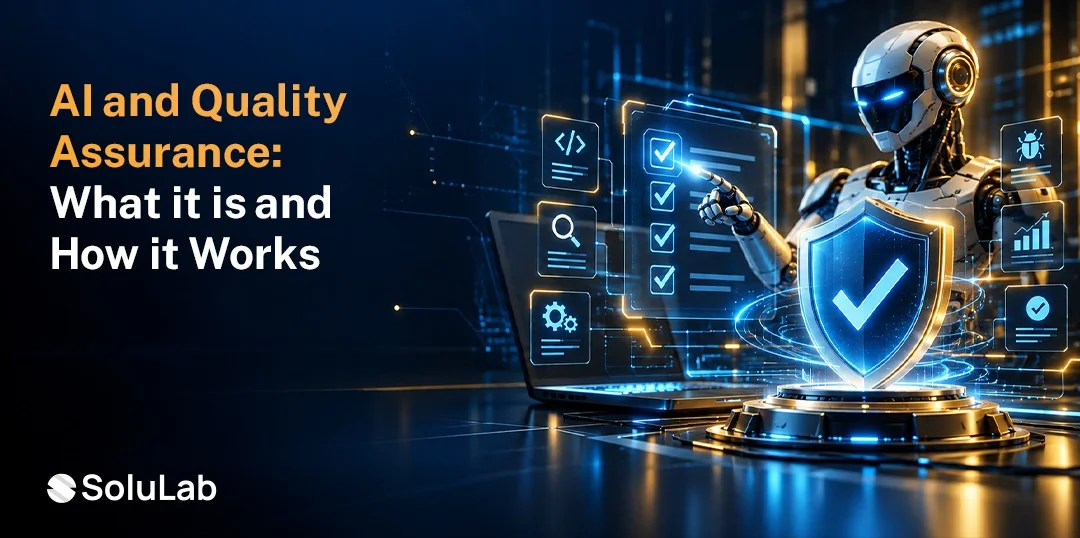
AI and quality assurance come together when machine learning and generative AI are used to plan, write, run and maintain software tests. AI generates test cases from requirements, repairs scripts when the interface changes, spots defects in logs and screenshots, and predicts which parts of the code are most likely to break. QA engineers stay in charge of strategy and judgement.
The testing market is large and still growing. Grand View Research values the global software testing market at $52.7 billion in 2026, projecting $93.2 billion by 2033 at a compound annual growth rate of 8.5%.
Much of that growth comes from teams trying to test faster without hiring in step. This guide covers what AI does in QA, where it helps most, how it compares with traditional testing, and how to implement it.

What Is AI in Quality Assurance?
Artificial Intelligence in quality assurance means using machine learning, natural language processing, computer vision and generative models to support software testing. It reduces manual effort in writing, running and maintaining tests, and helps teams decide what to test first.
1. Where AI Fits in the Testing Lifecycle
AI can help at almost every stage: turning requirements into test cases, generating test data, running and prioritising tests, analysing failures, and reporting quality trends. It sits inside the existing lifecycle rather than replacing it.
2. What AI Does Not Replace
AI does not decide what “correct” behaviour is. It does not understand your users, your business rules or your risk appetite. QA engineers still define acceptance criteria, review AI-generated tests and make release decisions. The role shifts from writing every script by hand toward designing, reviewing, and steering testing.
3. How It Connects to Wider Engineering
AI in QA is one part of a broader shift. The same models now help developers write and review code, which is covered in our guide to AI in software development. When code is written faster, testing has to keep pace, and that pressure is what pushes AI into QA.
How AI Is Changing Quality Assurance
AI is changing QA in five main ways, from how tests are written to how they are kept alive as the product changes. Adoption is accelerating quickly.
Gartner expects around 70% of enterprises to have integrated AI-augmented testing tools by 2028, up from roughly 20% in early 2025. The question for most QA teams is no longer whether to use AI, but where to start.
1. AI-Powered Test Case Generation
AI reads user stories, requirements, API specifications, or existing code and drafts test cases, including edge cases people often miss. Generative models can also produce test data that matches real formats without exposing real customer records. The output still needs review, but writing from a draft is far faster than writing from a blank page.
2. Intelligent Test Automation
AI decides which tests to run based on what changed in the code, rather than running the entire suite every time. It can also create automated scripts from plain-language descriptions or recorded user sessions, which lowers the barrier for non-developers to contribute to automation.
3. Automated Defect Detection
Models scan logs, screenshots, crash reports, and test results to spot failures, group duplicate bugs and suggest likely root causes. This cuts the time QA engineers spend triaging failures by hand, especially in large suites where one bug causes dozens of test failures.
4. Predictive Quality Analytics
By learning from past defects, code changes, and test history, AI predicts which modules are most likely to contain bugs. Teams can then focus deeper testing on high-risk areas. These signals fit naturally into the delivery metrics described in our guide to software development KPIs.
5. Self-Healing Test Automation
When a button moves or an element’s ID changes, traditional scripts break. Self-healing tools detect the change, find the element another way and update the script. This removes much of the maintenance burden in UI testing. It is worth knowing its limits, though: self-healing fixes locator problems, not failures caused by timing, test data or genuine bugs.
Key Benefits of AI and Quality Assurance
The benefits show up as faster cycles, wider coverage, and fewer bugs reaching users. They depend on good data and human review, not on the tool alone.
1. Faster Software Testing
AI shortens test design, reduces script maintenance and runs only the tests that matter for each change. Release cycles speed up without cutting corners on quality. This matters most in teams practising continuous delivery, where testing is often the slowest step in the pipeline.
2. Improved Test Coverage
AI suggests scenarios and edge cases that manual test design tends to miss, and generates varied test data at scale. Coverage grows without a matching increase in effort.
3. Early Bug Detection
Running targeted tests on every code change catches defects when they are cheapest to fix. Predictive models also flag risky changes before they reach later testing stages. This supports the shift-left approach common in agile software development.
4. Reduced Testing Costs
Less manual scripting, less maintenance and fewer escaped defects all reduce cost over time. The savings are real but not instant. Setup, integration and training take investment first, so plan on payback over months rather than weeks.
5. Better Software Quality
Wider coverage, earlier detection and consistent regression testing lead to fewer production incidents and a more reliable product. Users notice fewer bugs, and teams spend less time firefighting.
Top Use Cases of AI in Quality Assurance
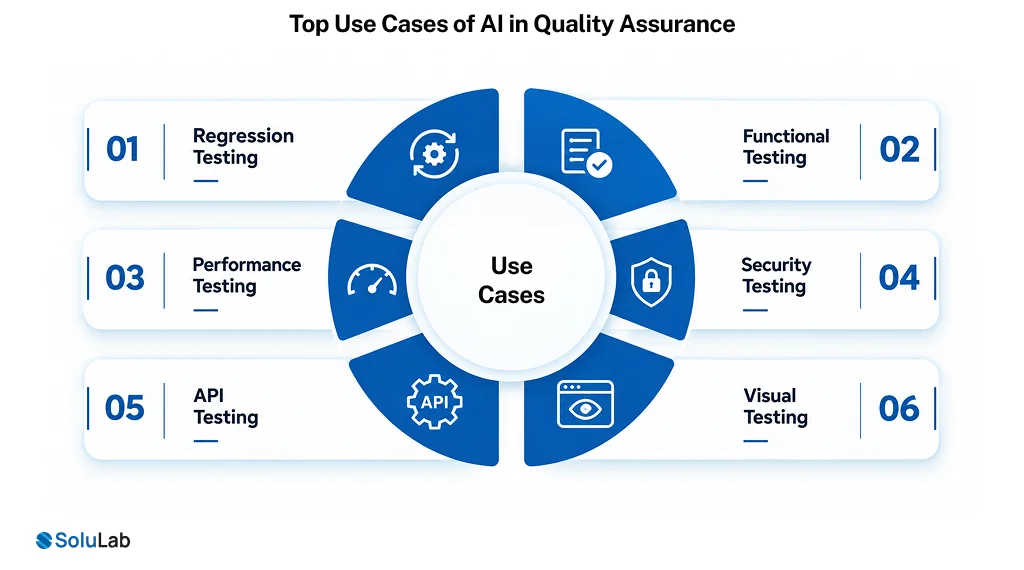
AI adds value across most testing types, but the gains differ. These six AI use cases show where AI and quality assurance work best today, and what AI contributes in each.
1. Regression Testing
AI selects the regression tests most relevant to each code change and keeps scripts working through self-healing, so large suites run faster and break less often after every release.
2. Functional Testing
AI turns requirements and user stories into functional test cases and data, and flags behaviour that differs from expected results, helping teams cover more business scenarios with less manual writing.
3. Performance Testing
AI models realistic user load patterns, detects performance anomalies in response times and resource use, and helps pinpoint which component caused a slowdown, instead of teams digging through metrics manually.
4. Security Testing
AI supports vulnerability scanning, fuzzing and anomaly detection, generating unusual inputs attackers might try. For AI products themselves, structured AI red teaming tests prompts, data leakage and model misuse.
5. API Testing
AI reads API specifications to generate test cases, validates responses against expected schemas and detects breaking changes between versions, which is valuable in microservice systems with many interdependent services.
6. Visual Testing
Computer vision compares screenshots across browsers and devices, ignores harmless pixel differences and flags only meaningful layout or content changes, cutting the false alarms that make visual testing noisy.
AI vs Traditional Quality Assurance
Traditional QA relies on manually written scripts and fixed test plans. AI-driven QA adds generation, prioritisation and self-maintenance, changing where testers spend time and how quickly teams respond to change.
| Aspect | Traditional Quality Assurance | AI-Driven Quality Assurance |
| Test creation | Written manually from requirements | Drafted by AI, reviewed by engineers |
| Test maintenance | Scripts break when the UI changes | Self-healing updates many broken locators |
| Test selection | Full suites or manually chosen sets | Risk-based selection per code change |
| Defect analysis | Manual triage of failures | Automated grouping and root cause hints |
| Test data | Created or copied by hand | Generated synthetically at scale |
| Coverage | Limited by time and headcount | Wider, including more edge cases |
| Speed | Slower in large, changing systems | Faster feedback on each change |
| Human role | Writing and running tests | Designing, reviewing and steering tests |
| Main risk | Gaps from limited time | Tests that pass but check the wrong thing |
How to Implement AI in Quality Assurance
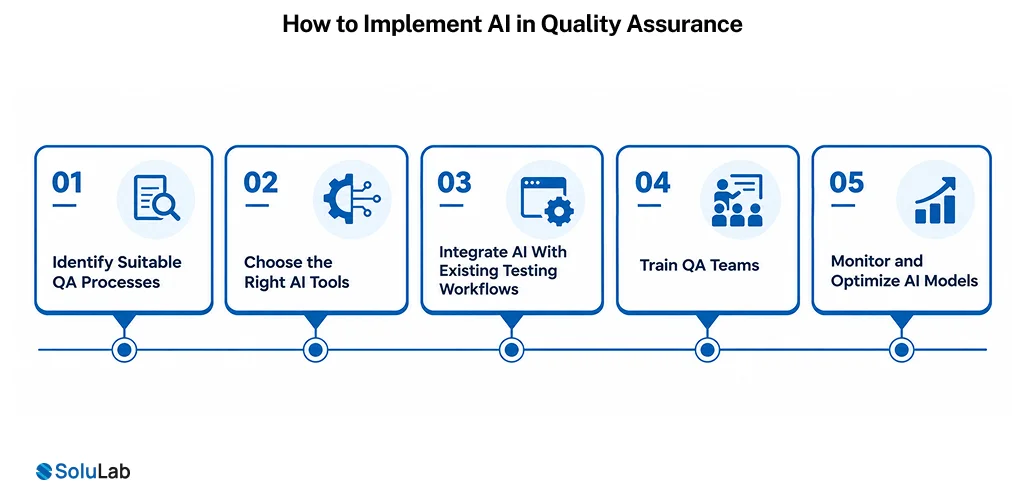
Implementing AI in QA works best as a phased rollout. Start where testing is slowest or most fragile, prove the value on real work, then expand across the whole team.
1. Identify Suitable QA Processes
Look for testing work that is repetitive, high-volume or expensive to maintain. These are the places where AI pays back fastest.
- Flaky UI suites that break often
- Large regression packs slowing each release
- Manual test cases written from templates
2. Choose the Right AI Tools
Match tools to the problem you picked, your AI tech stack and your security requirements. Run a short trial on real tests before committing.
- Check support for your frameworks and languages
- Confirm how the tool handles your data
- Compare results on your own test suite
3. Integrate AI With Existing Testing Workflows
AI tools should plug into your current pipeline, test management and defect tracking, not sit beside them. This is where AI in DevOps practices make the difference between a trial and lasting adoption.
- Connect to your CI/CD pipeline first
- Sync results with your defect tracker
- Keep human approval for merged tests
4. Train QA Teams
Tools only help if people trust and use them well. Deloitte’s State of AI in the Enterprise research found leaders name insufficient worker skills as the biggest barrier to integrating AI into existing workflows.
- Teach engineers to review AI-generated tests
- Show where self-healing can mislead results
- Share wins and lessons across teams
5. Monitor and Optimize AI Models
AI in QA needs ongoing tuning as the product and codebase change. Track its accuracy and business impact, not just usage. Model monitoring follows the same discipline as MLOps.
- Track defect escape rate over time
- Measure maintenance hours saved per release
- Review false positives and missed bugs
AI and Quality Assurance: Best Practices
The teams that get lasting value from AI in QA share a few habits. Most of them are about keeping humans in control of what “good” means.
1. Review Every AI-Generated Test
AI can write a test that passes while asserting the wrong behaviour. Treat generated tests like code from a new team member: read them, check the assertions, and approve them before they join the suite.
2. Keep a Clear Definition of Correct
AI cannot infer your business rules. Clear acceptance criteria, well-written user stories, and documented edge cases make AI output far more accurate.
3. Protect Test Data
Never feed real customer data to external AI tools without approval. Use synthetic or masked data, and check where each tool stores and processes what you send it.
4. Measure Outcomes, Not Activity
Counting tests generated says little. Track defect escape rate, release cycle time, maintenance effort, and flaky test rate before and after adoption.
5. Keep Exploratory Testing
Human exploratory testing finds the unexpected problems that no model was trained to look for. AI frees time for it rather than replacing it.
6. Expand Gradually
Prove value on one suite, document what worked, then roll out further. Teams that adopt everything at once struggle to tell which change caused which result. Where extra capacity is needed, teams often hire AI developers with test automation experience for the rollout phase.
What Is the Future of AI in Quality Assurance?
QA is moving from AI-assisted testing toward more autonomous testing, with humans supervising rather than scripting. Several shifts are already visible.
1. Agentic Testing
AI agents that explore an application, decide what to test, run tests, and report findings with limited human direction. Early versions exist, and they work best on well-defined flows today. This builds on the same foundations as broader AI agent development.
2. Testing AI Systems Themselves
As more products include AI features, QA must test non-deterministic outputs, bias, safety and prompt handling. This needs new methods, such as evaluation sets and scoring rubrics, not just pass or fail assertions.
3. Quality Built Into Development
Testing is moving closer to the moment code is written, with AI suggesting tests alongside code and flagging risk before a pull request is merged.
4. Continuous Quality Intelligence
Quality dashboards that combine test results, production incidents and user feedback, with AI highlighting where quality is slipping before customers notice.
5. A Changing QA Role
QA engineers become quality strategists and AI supervisors: defining risk, reviewing AI output, testing AI features and owning release confidence. The work becomes less repetitive and more analytical.
How SoluLab Can Help With AI-Powered Quality Assurance?
We help teams bring AI into testing in a way that fits their stack, their pipeline and their risk tolerance.
1. QA Assessment and Roadmap
Reviewing your current testing process to find where AI will save the most time and reduce the most risk, with a phased plan.
2. AI Test Automation Development
Building AI-powered test generation, self-healing automation and smart regression selection, as part of our AI software development company services.
3. Pipeline and Tool Integration
Connecting AI testing tools to your CI/CD pipeline, test management and defect tracking through our AI integration services, supported by DevOps consulting services where the pipeline needs rework.
4. Testing for AI Products
Evaluation, red teaming, and quality checks for applications that include AI features, so non-deterministic behaviour is tested properly.
5. Advisory and Team Enablement
Helping QA teams adopt AI with training, review practices and measurement. An AI consulting engagement can scope the rollout and the expected AI QA automation cost before any build starts.
Conclusion
AI and quality assurance are becoming inseparable. AI now drafts tests, keeps scripts alive through UI changes, selects the right regression tests, spots defects and predicts risk. The result is faster testing, wider coverage, and earlier bug detection, as long as QA engineers stay in control of what correct behaviour means and review what AI produces.
The practical path is gradual. Pick one slow or fragile part of your testing, choose tools that fit your stack, integrate them into the pipeline you already use, train the team and measure real outcomes. Expand only once the numbers improve.
SoluLab, an AI development company, can help your business assess where AI fits in your QA process, build and integrate AI-powered test automation, and train your team to use it well. We will also tell you plainly when a simpler automation fix would serve you better than an AI tool.
FAQs
Neha is a curious content writer with a knack for breaking down complex technologies into meaningful, reader-friendly insights. With experience in blockchain, digital assets, and enterprise tech, she focuses on creating content that informs, connects, and supports strategic decision-making.