AI as a service, or AIaaS, is renting AI capability from a provider instead of building and running it yourself. That ranges from an API call to a hosted model, through pre-built services for vision and language, to a fully managed platform. You pay per use and the provider owns the infrastructure, the models and the operations.
What Is AI as a Service?
AI as a service (AIaaS) is an offering from third-party suppliers that lets a company plug AI-powered tools and capabilities into its own systems. Low risk, low cost. Why? Because nobody has to pour money into building and deploying AI from a blank page.
In practice, you pull pre-trained models, APIs, and other AI tools from a provider and drop them into your workflows or apps. The upfront bill shrinks. So do the running costs of keeping AI infrastructure alive month after month.
Read More: AI Infrastructure as a Service [AIaaS]
What AIaaS providers actually offer
Four layers, and providers sell across several of them.
Infrastructure. Compute for training and inference: AWS, Azure, Google Cloud, plus specialist GPU providers. You bring the model and the operations.
Model APIs. A hosted frontier model behind an endpoint: OpenAI, Anthropic, Google, and the managed equivalents in AWS Bedrock, Azure OpenAI and Vertex AI. You bring the application.
Pre-built services. Named capabilities: speech to text, translation, document extraction, image recognition, sentiment analysis. You bring the data and the workflow.
Managed platforms and applications. The whole capability delivered as a product, often vertical-specific. You bring the process you want changed.
The higher you go, the faster you launch and the less you control. Most organisations use several layers at once, which is fine as long as somebody owns the total bill.
The four AIaaS tiers compared, and which one you need
Match the tier to what you are missing.
If you lack machine learning engineers but have software engineers, model APIs are the right entry point; your team can build the application around a hosted model within weeks.
If you lack both, pre-built services or a managed application will get you further faster, and you will pay for that in flexibility when your process does not match the product.
If you have both and the constraint is hardware or data residency, infrastructure is what you are buying, and everything above it you build.
Quality assurance when you do not control the model
This is the part most AIaaS explainers skip, and it is the part that decides whether the deployment survives.
When a provider updates a model, your outputs can change without any change on your side. Two practical defences.
Keep your own evaluation set. Fifty to three hundred real inputs with expected outputs, run on a schedule, with results tracked over time. When a provider’s update degrades your workload, you see the graph move before a user complains.
Pin versions where the provider supports it, and test the next version against your evaluation set before moving. Treat a model version like a dependency, because that is what it is.
Also worth agreeing in advance: what happens when the provider has an outage, what the fallback is, and whether a second provider is configured or merely mentioned in a document.
Language processing, the most common AIaaS workload
Most AIaaS consumption is language work: classification, extraction, summarisation, translation and search over documents.
It dominates because the capability is general enough to be sold as a service and valuable enough to be worth buying. Vision is more often bespoke, because the model has to be trained on your specific visual conditions. Forecasting is usually built in house, because it depends on your own historical data.
The practical implication when evaluating providers: test on your own documents, not on their demo. Extraction accuracy varies enormously with document quality, and a service that scores well on clean PDFs may fail on your scanned invoices.
How to choose an AIaaS provider
Six questions, in the order they eliminate options.
Where may your data go, and what does the provider’s agreement say about training on it?
What does it cost at your actual volume, not at the pricing page example?
What is the accuracy on your data, measured on your own examples?
What happens when it is unavailable?
How hard is it to leave, meaning how much provider-specific code you will have written?
And who owns the outputs and any fine-tuned weights?
The switching question matters more than teams expect. A thin abstraction between your application and the provider costs a week to build and saves a quarter when pricing or quality changes.
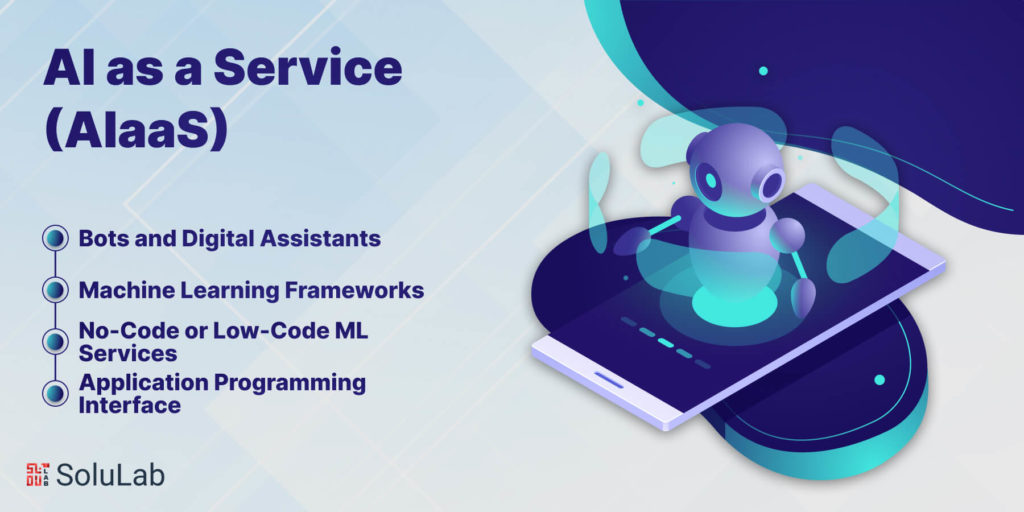
Types of AIaaS
AIaaS isn’t one product. It’s a family of services, all built so a business can use AI without a deep bench of technical specialists. These are the main types of AIaaS you’ll run into:
- Bots and Digital Assistants
This is the one most people have already used. Digital assistants, such as virtual assistants and AI-powered chatbots, rely on natural language processing (NLP) to make sense of human conversation and get better from it. You’ll mostly find them in customer service and marketing, where they answer routine questions automatically and keep communication moving.
- Application Programming Interface (APIs)
APIs are how software borrows AI. A developer calls one, writes a few lines of code, and the app suddenly has a capability it didn’t have yesterday. A lot of AIaaS APIs center on natural language processing: sentiment analysis, entity extraction, knowledge mapping, translation. Others handle computer vision, covering jobs like face detection, object recognition, and search inside video.
- Machine Learning (ML) Frameworks
ML frameworks give you the parts to build AI models. What they often don’t give you is a complete machine learning operations (MLOps) pipeline. That’s the hole AIaaS fills when it’s sold as Platform as a Service (PaaS): fully managed ML and deep learning frameworks. The platform handles the MLOps chain from start to finish, so developers can build, train, test, and ship models on the provider’s cloud without stitching the pieces together by hand.
Related: Use Cases of Substrate Framework
- No-Code or Low-Code ML Services
Now the hands-off option. Fully managed ML services come with pre-built models, custom templates, and point-and-click interfaces that need little or no code. They’re aimed squarely at companies with no spare developers and no data scientists on staff. You get AI capability without buying a pile of development tools first.
AIaaS Architecture: Simplified Overview
AI as a Service (AIaaS) breaks down into three layers: AI infrastructure, AI services, and AI tools. That’s it.
1. AI Infrastructure: Powering AI and ML Models
Think of infrastructure as the skeleton that AI and machine learning (ML) models hang on. It rests on two things:
- AI Data: You feed large datasets through statistical algorithms, and out come working ML models. Those models pick up patterns in what they’ve seen, the way a model trained on medical reports can help flag emergencies, cancer, or tumors. The input comes from all over: databases, unstructured data, raw data pools.
- AI Compute: This is the horsepower. Virtual Machines (VMs), serverless computing, and batch processing all speed up ML work. Apache Spark is one example, a real-time data processing engine that helps with ML model computations.
2. AI Services: Accessible Cloud-based Features
AI services are finished features that cloud vendors hand you, so you don’t have to build a custom ML model at all. The main kinds:
- Cognitive Computing: Developers can call APIs for speech, text analytics, voice translation, and search with very little setup.
- Custom Computing: Cloud providers are shifting toward custom computing. Users train cognitive services on their own data, which takes most of the headache out of picking algorithms.
- Conversational AI: Virtual assistants keep getting more popular, so cloud providers now sell services that help developers wire voice and text bots into their apps.
Read Also: How to Develop an AI SaaS Product?
3. AI Tools: Supporting Data Scientists and Developers
The third layer is for the people doing the building. Cloud vendors ship tools for data scientists and developers, and those tools sit right on top of the data and compute platforms:
- Wizards: Built for amateur data scientists. They make ML model training simpler and work as a shared, multi-tenant development environment.
- IDE (Integrated Development Environment): Vendors have put money into browser-based IDEs and notebooks, which let experienced developers test and manage ML models without fuss.
- Data Preparation Tools: Bad data, bad model. It’s that simple. So vendors offer tools that run extract, transform, load (ETL) jobs and pass the cleaned output into the ML pipeline for training and evaluation.
- Frameworks: Ready-made VM templates come loaded with frameworks such as TensorFlow, Apache MXNet, and Torch, so setting up a data-science environment takes minutes, not a week of config. These VMs support GPUs, which makes them well suited to training complex neural networks and ML models.
Advantages of AI as a Service (AIaaS)
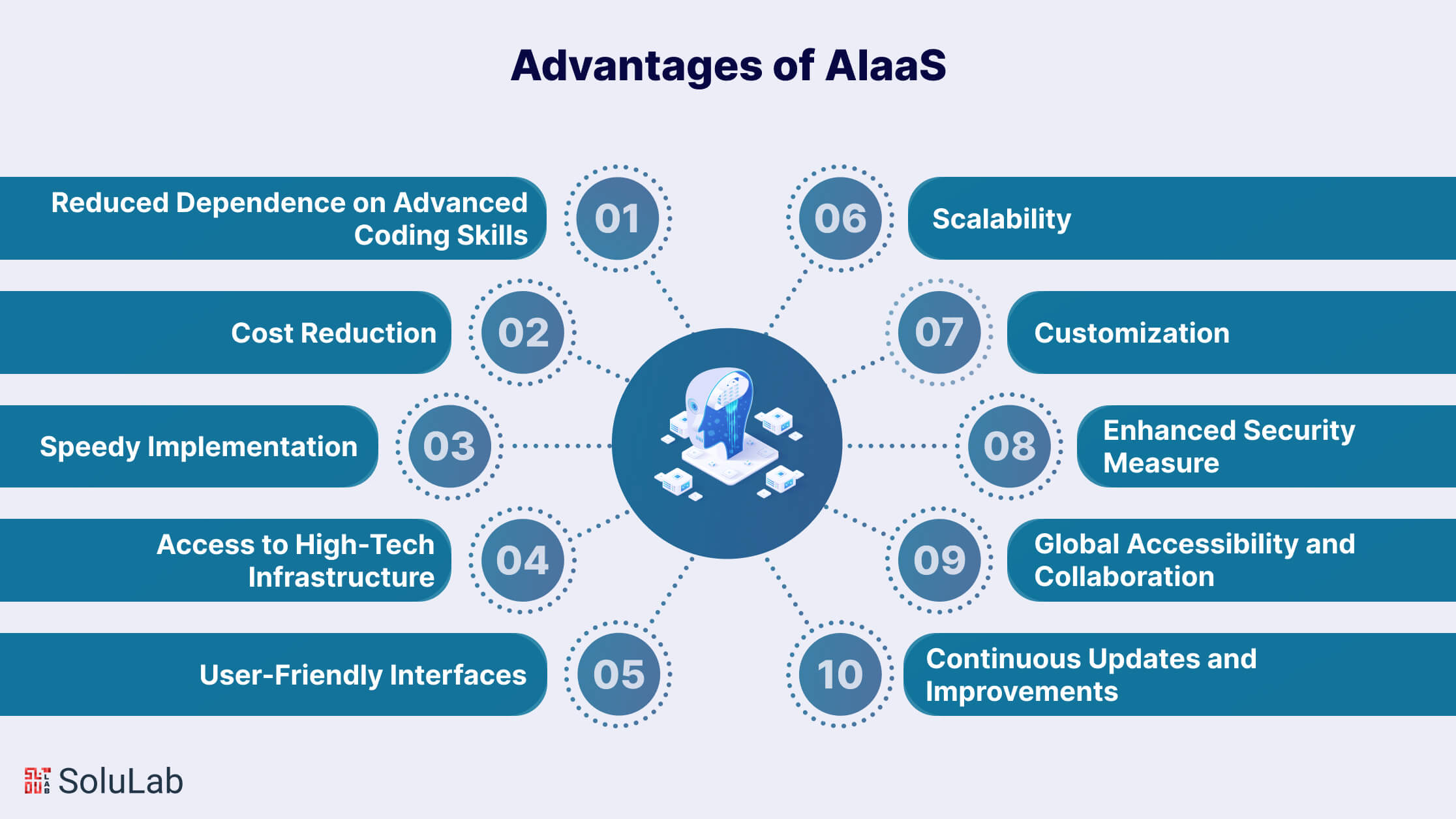
So what do you actually get? Here are the real advantages AI as a Service (AIaaS) puts on the table.
1. Reduced Dependence on Advanced Coding Skills
Skilled AI people are in high demand and short supply. Everyone is hiring for the same handful of profiles. AIaaS sidesteps the problem by removing the need for expert AI developers. Put a no-code layer in place and a business can get strong results without a heavily technical team behind it.
2. Cost Reduction
This is usually the first thing finance asks about. AIaaS cuts the cost of building AI solutions, and the pricing is out in the open: pay-per-usage, so you pay only for what you consume. AI Development Cost is a key consideration in this model. That flexibility matters a lot if you’re trying to get more out of every dollar spent on AI.
3. Speedy Implementation
Cheaper also means faster. With AI-as-a-Service, a big chunk of the development work is already done, so projects move quicker. When the market shifts under you, being able to ship in weeks instead of quarters is often the difference.
4. Access to High-Tech Infrastructure
Running AI and machine learning (ML) models usually means serious GPU power. AIaaS puts that hardware a login away. Small and medium-sized enterprises (SMEs) feel this most, since they rarely have the people or the time to build that kind of setup in-house. And because AIaaS can be customized, businesses can still build models for their specific tasks.
5. User-Friendly Interfaces
Open-source platforms are flexible, sure. They can also be a pain to install and build on. AIaaS takes that friction away with components that work out of the box. Process owners can bring AI software into their work with no formal training. Developers get end-to-end ML services, pre-built and custom models alike, with drag-and-drop interfaces. And business leaders? They can get an ML project off the ground in hours, even with no expert in the room.
6. Scalability
Need to grow, or shrink, without rebuilding anything? AIaaS handles that well. It fits especially nicely with tasks that need cognitive judgment but don’t add much value in the process itself, and it copes with workloads that swing up and down.
7. Customization
No two businesses want exactly the same thing. AIaaS lets you fine-tune models around your own business, data, or project needs, so the result actually matches what your company is trying to achieve rather than some generic average.
8. Enhanced Security Measure
Most AIaaS providers run strong security protocols. The sensitive data flowing through your AI processes is protected from unauthorized access and breaches. That means you can put AI to work without lying awake over where your information is going. Still, check the provider’s controls yourself before you sign.
9. Global Accessibility and Collaboration
It lives in the cloud. So anyone on your team can reach it from anywhere, which makes working across offices and time zones much easier. Teams in different countries can use the same AI tools, work together without friction, and share what they learn.
10. Continuous Updates and Improvements
Providers keep folding the latest AI advances into what they sell. You get those improvements as they land. That keeps you competitive and able to adapt as artificial intelligence keeps shifting, and you never carry the weight of constant maintenance and upgrades yourself.
Popular AI as a Service Provider
AI-as-a-Service (AIaaS) providers sell artificial intelligence over the cloud. Developers tap into AI capabilities without building or maintaining their own infrastructure. Almost everything is delivered through APIs (Application Programming Interfaces), which is what makes it straightforward to add AI features to an application. Here are some of the best-known AI as a Service companies, and what each one offers:
1. OpenAI
OpenAI made its name with generative AI. Its APIs let developers build natural language processing into their apps: text generation, language translation, sentiment analysis. The example everyone knows is ChatGPT, a conversational AI model.
2. Amazon Web Services (AWS)
AWS is one of the heavyweights of cloud computing, and its AI catalog is wide. Amazon Rekognition covers computer vision. Amazon Comprehend handles natural language processing. There’s Amazon Lex for building chatbots, plus Amazon Forecast for predictive analytics.
3. Google Cloud Platform (GCP)
GCP’s AIaaS lineup includes Google Cloud Vision for image recognition, Google Cloud Natural Language for text analysis, and Google AutoML for training machine learning models. Developers use them to bring AI into all sorts of applications.
4. Microsoft Azure
Microsoft groups its AI services under the name Azure Cognitive Services, and the set is broad: vision, speech, language, and search. On top of that sits Azure Machine Learning, which lets users build, deploy, and manage machine learning models with little effort.
5. IBM Watson
IBM Watson’s best-known pieces are Watson Assistant, for building conversational AI agents, and Watson Natural Language Understanding, which processes and interprets text. Together they give developers what they need to build fairly advanced apps with language skills baked in.
6. Salesforce
Salesforce uses AI to sharpen its customer relationship management (CRM) solutions. Think predictive lead scoring, automated email replies, and sentiment analysis. Because the AI platform is built into its CRM products, there’s no separate system to bolt on.
7. Oracle AI Platform
Oracle offers a whole set of AIaaS products: the Oracle Autonomous Database with machine learning built in, Oracle Cloud Data Science for model building and deployment, and Oracle AI Apps for industry-specific AI applications.
8. Tencent AI Open Platform
Tencent, the major Chinese tech company, runs an AI open platform with image recognition, natural language processing, voice recognition, and recommendation systems among its capabilities.
9. Baidu AI Open Platform
Baidu, one of China’s leading search engines, has its own open platform. It covers image recognition, speech synthesis, natural language processing, and machine learning tools.
10. Clarifai
Clarifai does one thing and goes deep: visual recognition and image analysis. Its APIs and SDKs handle object detection, image classification, and facial recognition, so developers can add visual AI to an app without training their own vision models.
Build in house, AI as a service, or both?
| Build in house | AI as a service | |
| Time to first result | Months | Days to weeks |
| Up-front cost | High | Low |
| Cost at high volume | Lower per unit | Higher per unit, and it never stops |
| Control over the model | Full | None, beyond configuration |
| Data leaves your environment | No | Yes, unless self-hosted or private deployment |
| Team required | ML engineers plus operations | Software engineers |
| Quality changes without warning | No | Yes, when the provider updates |
| Right when | Data residency, very high volume, the model is your product | You need capability now and the workload is general |
AI as a Service Across Industries
Which industries get the most out of it? Here are a few where AI takes the grind out of manual work and gives time back:
1. Healthcare: AI services are reshaping healthcare with predictive diagnostics, treatment plans built around the individual patient, and automated admin work. AI-based radiology and virtual health assistants improve patient care, smooth out operations, and bring costs down. The net effect: care that runs better and reaches more people.
2. Finance and Banking: In finance, AI-as-a-Service (AIaaS) shows up as fraud detection, automated trading, and support chatbots. It gives banks real-time data analysis, risk assessment, and predictive modeling. With that, they can tighten security, cut operating costs, and offer financial products tailored to each customer.
3. Retail and E-commerce: Retailers use AIaaS for personalized recommendations, pricing, and reading customer sentiment. It also keeps inventory in check, forecasts buying trends, and improves the shopping experience through virtual assistants. More sales. Customers who come back.
4. Manufacturing: On the factory floor, AIaaS helps with predictive maintenance, quality control, and supply chain planning. AI-powered sensors catch equipment failures early. Meanwhile, machine learning algorithms tighten up production, so plants run more efficiently and sit idle less.
5. Marketing and Advertising: Marketers use AI services to target ads more precisely, automate content creation, and tune campaigns as they run. AI analytics tools surface patterns in consumer behavior, and that feeds data-driven strategies that lift ROI and engagement.
6. Transportation and Logistics: AIaaS plans routes, manages fleets, and schedules deliveries. Self-learning algorithms burn less fuel, see delays coming, and make the whole logistics chain run tighter. And further out, AI is behind autonomous vehicles and drone deliveries that are changing how things move.
AIaaS: Use-Cases
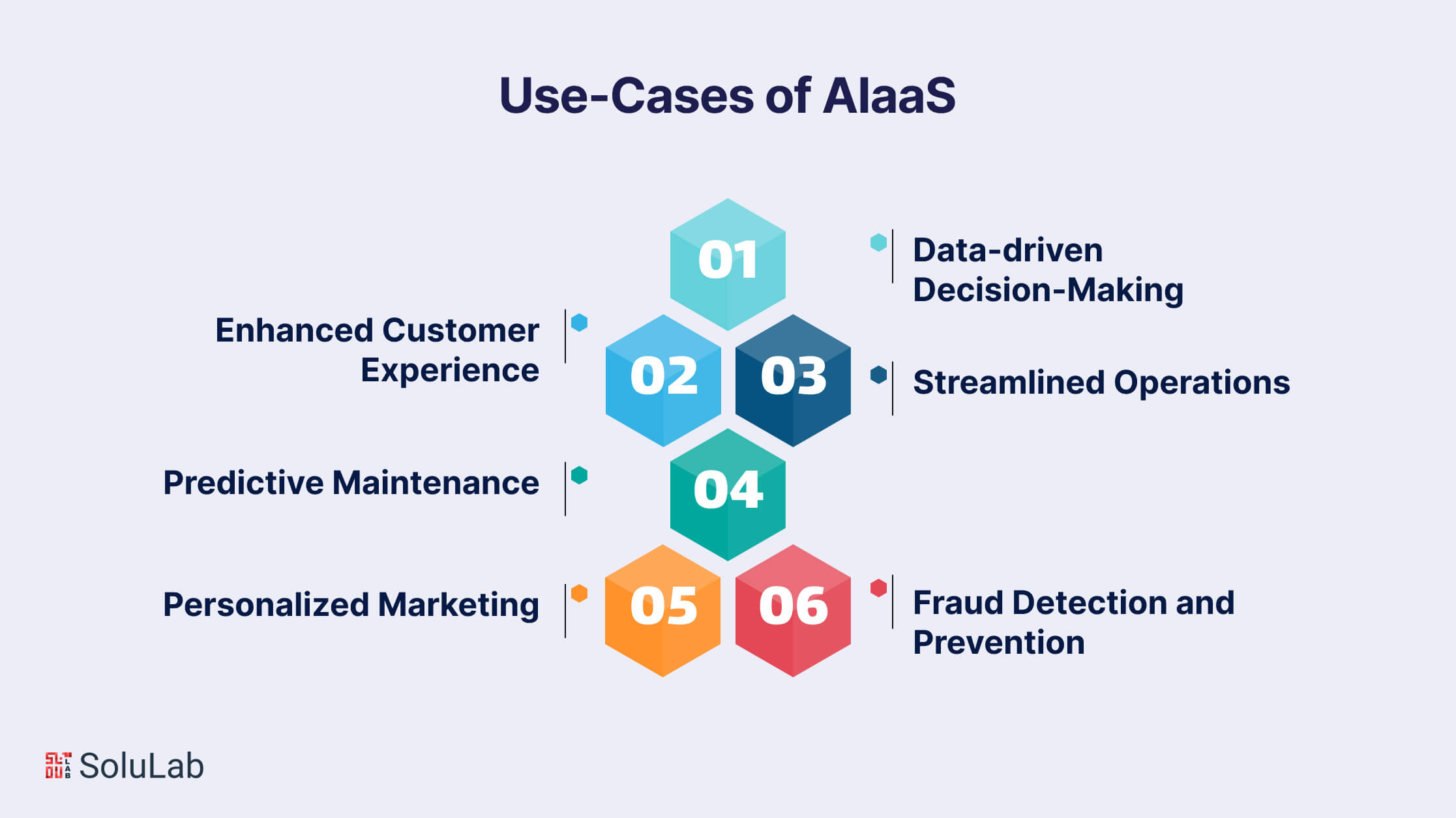
Data keeps piling up, and making sense of it keeps getting harder. AIaaS gives organizations AI solutions that are already built and configured, ready to go. No big upfront spend on infrastructure or specialists. The AI slots into the workflows you already have instead of forcing you to rebuild them.
Here are the key use cases of AIaaS that clearly improve business efficiency and keep customers happier:
1. Data-driven Decision-Making: Gut feel and trend-watching only get you so far on big strategic calls. Often they get it wrong. AIaaS runs advanced algorithms over huge volumes of data, finds patterns nobody spotted, and turns them into insight you can act on. The payoff is better-informed decisions, smarter use of resources, and more confidence when the market wobbles.
2. Enhanced Customer Experience: Competition is fierce, and great service is one of the few things customers still reward. AIaaS makes it possible to build capable chatbots and virtual assistants that hold natural conversations, answer questions quickly, and never get tired. Being available around the clock keeps customers satisfied and loyal to the brand.
3. Streamlined Operations: Repetitive, slow tasks drag everything down. AIaaS brings a whole range of automation to jobs like data entry, report generation, and scheduling. Your people get their time back for work that needs a human brain, and productivity goes up with it.
4. Predictive Maintenance: What if you knew a machine was about to fail before it did? AIaaS can read sensor data from equipment and predict maintenance needs with a high degree of accuracy. Acting early means fewer shutdowns, longer-lasting equipment, and smaller repair bills.
Read Also: Use Cases Of AI Agents
5. Personalized Marketing: Right audience, right message, right moment. Get all three and marketing works. AI as a service lets you study customer data and behavior closely enough to personalize campaigns and recommendations for each person. Expect better engagement, higher conversion rates, and more lifetime value per customer.
6. Fraud Detection and Prevention: Fraudsters keep targeting financial transactions. AIaaS watches transaction patterns, spots anomalies in real time, and flags anything suspicious before the money is gone. You get stronger security, customers who trust you more, and a brand reputation that stays intact.
That’s only a sample of what AIaaS can change in how a business runs. Build AI into your core processes and the gains show up in efficiency, profit, and customer satisfaction alike.
Why Choose SoluLab for AI as a Service AIaaS?
AIaaS works best when it connects to real business needs, existing systems, and measurable outcomes. SoluLab helps businesses build and integrate AI-powered solutions that automate workflows, improve decision-making, and scale with changing business requirements.
- AIaaS Strategy and Consulting
- Custom AI Solution Development
- AI Model Integration
- AI-Powered SaaS Development
- AI Workflow Automation
- AI Integration and Deployment
- End-to-End AI Solution Development
For example, SoluLab built CyberHulk, an AI-powered marketing SaaS platform that unified campaign management, lead generation, analytics, and workflow automation.
By integrating multiple marketing tools into one system, CyberHulk helped businesses reduce manual effort, improve lead quality, and make faster, data-driven growth decisions across channels.
As an AI development company, SoluLab helps businesses move beyond experimenting with AI and build scalable AIaaS solutions that fit their workflows, technology stack, and long-term business goals.
Take Away
AI is growing fast, and it’s going to show up in far more places than it does today. Used as a service, it gives organizations access to things like Machine Learning (ML) without big spending on upkeep, specialist hires, or infrastructure. With AI as a Service, your business gets advanced machine learning and artificial intelligence capabilities while dodging most of the maintenance overhead and the hunt for highly skilled staff
This is where the SoluLab team comes in. We help businesses steer the intelligent evolution of their operations and technology with Artificial Intelligence as a Service (AIaaS) tools. Our experts will guide you to the AI as a Service tool that fits your company best and help you integrate it cleanly, so it drives growth at a cost your budget can live with. Rolling out AI can be hard. With SoluLab’s experience on your side, you can put AI to work without needing a huge pool of resources. We know adopting AI is a strategic decision, and our team is focused on making the process quick and effective.
SoluLab’s commitment to AI development services goes further than delivering a service. What we want is for your organization to end up with AI tools that fit your specific goals and objectives. Get in touch now!
FAQs
Shipra Garg is a tech-focused content strategist and copywriter specializing in Web3, blockchain, and artificial intelligence. She has worked with startups and enterprise teams to craft high-conversion content that bridges deep tech with business impact. Her work translates complex innovations into clear, credible, and engaging narratives that drive growth and build trust in emerging tech markets.