Key Takeaways
- AI can help businesses draft formation documents and standard legal paperwork faster.
- AI is useful for generating templates, organizing information, and identifying common document requirements.
- AI-generated legal documents should be reviewed carefully for accuracy, jurisdiction-specific requirements, and missing clauses.
- Complex matters involving ownership, liability, intellectual property, taxes, contracts, or regulatory requirements may require a qualified lawyer.
- AI can support legal workflows, but it should not replace professional legal advice where legal judgment is required.
- The most practical approach is to use AI for initial drafting and preparation, followed by legal review when the situation is complex or high-risk.
AI can draft business formation and legal documents fast, producing operating agreements, NDAs, and incorporation paperwork from templates in minutes. It works well for first drafts and standard clauses. It still misses jurisdiction rules, carries no legal liability, and can invent facts, so a lawyer or a human-in-the-loop review should sign off before you file or sign.
SoluLab builds custom, grounded AI for regulated document work, so you get speed without the guesswork. If you are scoping a legal-AI build rather than shopping a subscription tool, our AI development company team engineers for citation accuracy and review gates from day one.
Can AI create business formation and legal documents?
Yes. AI can draft business formation and legal documents, and it does the routine parts quickly. Generative models produce the first version of an operating agreement, a non-disclosure agreement, or the paperwork behind an LLC filing by filling proven templates with your details. Industry tooling reflects this: AI can efficiently generate first drafts of contracts, motions, or briefs and is especially useful for organizing and applying standard language (MyCase).
The limit sits in the same sentence. AI creates a draft, not a filed entity. It does not represent you, does not carry liability, and does not know the specific rules of your state or country unless it was built to check them. Treat the output as a starting point that a human confirms, not a finished legal instrument.
What legal documents can AI draft well?
AI drafts standard, template-driven documents well. The stronger the pattern and the more common the clause, the better the result. These are the document types where a good first draft is realistic:
- Operating agreements and bylaws: member roles, voting rules, and profit splits follow well-known structures.
- Non-disclosure agreements (NDAs): mutual and one-way NDAs are highly standardized.
- Basic contracts: service agreements, simple vendor terms, and letters of intent.
- Incorporation and formation filings: articles of organization and formation checklists, drafted from your entity details.
- Internal policies: privacy notices and employee handbooks built from a template baseline.
Kimi and similar tools generate, edit, and refine contracts, forms, and templates faster with model assistance (Kimi). The pattern holds across consumer legal-AI products: they shine on repeatable paperwork and struggle on anything bespoke.
Where does AI fail on legal documents?
AI fails where judgment, jurisdiction, and accountability matter. Four failure modes show up again and again in legal work.
It fabricates facts. Large models invent citations, clauses, and rules that sound correct. A Stanford HAI study found leading legal AI tools hallucinated in roughly one out of six benchmarked queries, and general chatbots hallucinated far more often on legal questions (Stanford HAI). Since 2023, more than 280 court filings have included fabricated AI citations (Illinois Courts).
It misreads jurisdiction. State and country rules differ on entity types, filing steps, and required clauses. A generic model rarely knows which apply to you.
It has no accountability. A lawyer who gets it wrong carries professional liability. An AI tool carries none. If a bad clause costs you a deal, there is no one to hold responsible.
It leaks context. Feeding a draft into a public tool can expose confidential terms. Where your prompt and document travel is a real risk, covered below.
AI vs a lawyer vs AI with review: which should you use?
The hybrid model, AI plus human review, wins for most founders. AI-only is fast and cheap but risky on anything nonstandard. Lawyer-only is accurate and accountable but slow and expensive. AI-plus-review keeps the speed while a human catches the errors that matter.
| Approach | Speed | Cost | Accuracy | Liability | Best for |
| AI-only | Minutes | Low, subscription [VERIFY] | Weak on edge cases; hallucination risk | None on the vendor | Rough first drafts, standard NDAs |
| Lawyer-only | Days to weeks | High, hourly or flat [VERIFY] | High, jurisdiction-aware | Professional liability | High-stakes, novel, or disputed matters |
| AI-plus-review | Hours | Medium [VERIFY] | High when the model is grounded and a human signs off | Sits with the reviewing human | Most founder formation and routine contracts |
The takeaway: use AI to remove the blank-page work, then route anything that carries real risk to a qualified reviewer. That is also the design pattern behind serious legal-AI builds, not a workaround.
How do you build a safe AI legal document workflow?
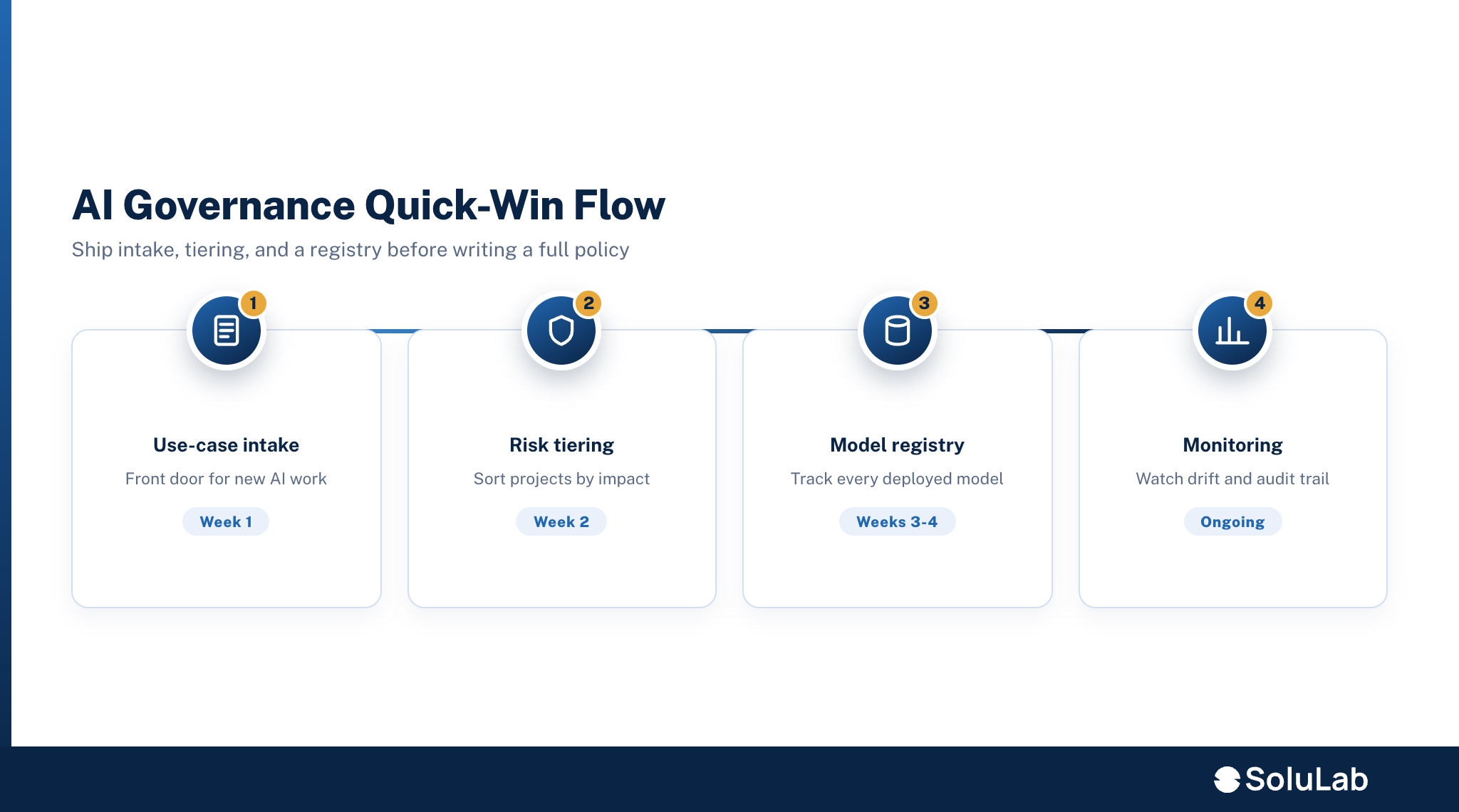
A safe legal-AI workflow grounds the model on verified content and forces a human checkpoint before anything ships. The order matters. Here is the pattern SoluLab uses on legal-grade builds:
- Start from verified templates. Feed the model your approved clause library and template set, not the open internet.
- Ground with retrieval (RAG). Use retrieval-augmented generation so the model answers from your real source documents and cites the clause it used, instead of guessing. Research on legal drafting systems pairs RAG with a human-in-the-loop step for exactly this reason (arXiv: LegalCheck).
- Check jurisdiction. Layer rules that flag state or country requirements the draft must satisfy.
- Insert a human-in-the-loop gate. A person reviews and approves before the document is used. In document processing, humans handle the exceptions and edge cases the model should not decide alone (ABBYY).
- Log everything. Keep an audit trail of source, version, and who approved what.
SoluLab’s legal-tech AI approach engineers for citation accuracy and hallucination control from day one, using retrieval over verified sources, citation-level checks, and human-in-the-loop review gates, backed by a team that has shipped generative AI into regulated banking and healthcare settings.
Is it safe to put confidential business data into AI tools?
Only if you know where the data goes. The rule is simple: before you paste a contract or cap table into any AI tool, confirm where the prompt and document are stored, whether they train the vendor’s model, and who can see them. Consumer chat tools and enterprise-grade systems handle this very differently.
For sensitive formation documents, prefer a private or controlled model, one deployed in your own environment or under a contract that bars training on your data. This is a core reason companies move from a public tool to a custom generative AI development company build: control over where confidential terms live. Microsoft frames AI legal use around best practices precisely because the data handling carries risk (Microsoft).
How much does AI legal document generation cost?
Consumer AI legal tools are usually subscription-priced, while a custom build is quoted by scope. Exact tool prices change often, so confirm current pricing on the vendor site [VERIFY]. For a custom legal-AI build, SoluLab’s published AI-agent pricing gives a useful anchor: a workflow agent that reads and writes to business systems runs about $25,000 to $60,000, and an enterprise retrieval-grounded agent with role-based access and audit trails starts higher, per SoluLab’s AI agent cost breakdown. Running any agent typically adds 15% to 30% of the build cost per year [VERIFY exact figures for a legal-specific scope].
The cheaper question is what a mistake costs. A subscription is a small line item next to a rejected filing, a broken NDA, or a deal that collapses over a compliance error.
When should you build a custom legal-AI solution instead of using a tool?
Build custom when volume, confidentiality, or integration outgrow what a subscription tool can do. Three triggers signal that moment:
- Volume: you generate or review documents at a scale where per-seat tools get expensive and slow.
- Confidentiality: your documents are sensitive enough that you need a private model and control over data residency.
- Integration: the AI has to connect to your CRM, contract repository, or filing systems and follow your own clause standards.
At that point a custom build backed by AI agent development and grounded generative AI pays back through control, accuracy, and workflow fit. Below that threshold, a good off-the-shelf tool with human review is the right call.
FAQ
Chintan leads SoluLab's highest-level AI consulting conversations, assessing whether a client's business problem actually justifies an AI investment before any solutioning begins.