EDTECH · FILM AND VIDEO EDITING · WEB · TABLET

ReelCraft: Learn to See Like an Editor

A specialist learning and critique workspace for filmmaking, video editing and visual storytelling, where feedback is pinned to the exact moment in the cut and improvement is visible across versions.

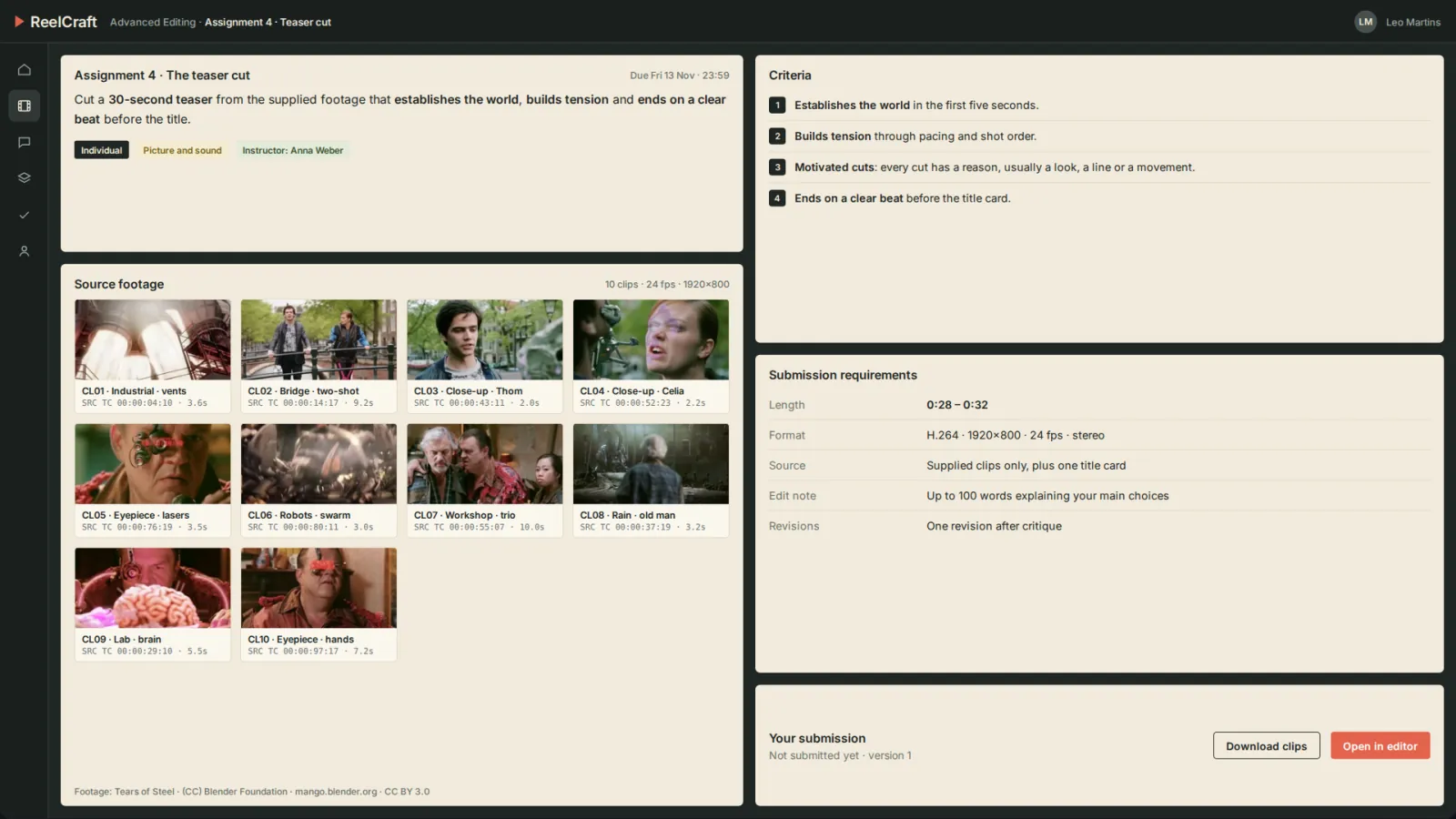
AssignBriefs, grading criteria and real source footage to cut
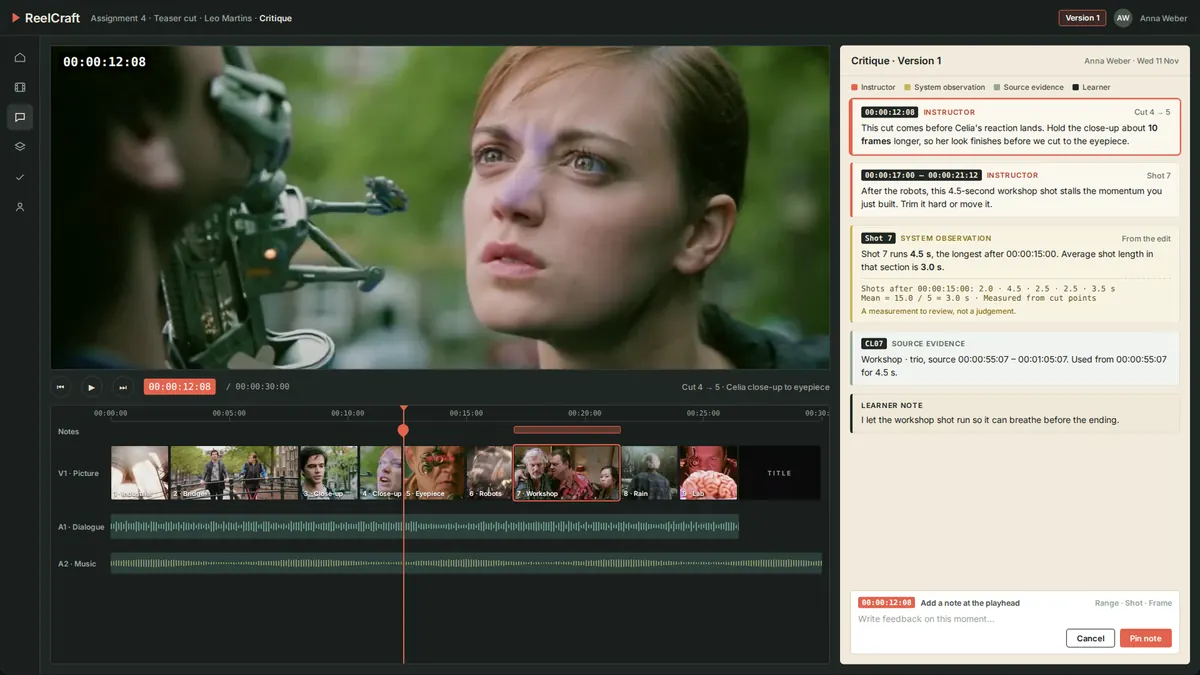
CritiqueInstructor notes pinned to the exact frame, range or shot
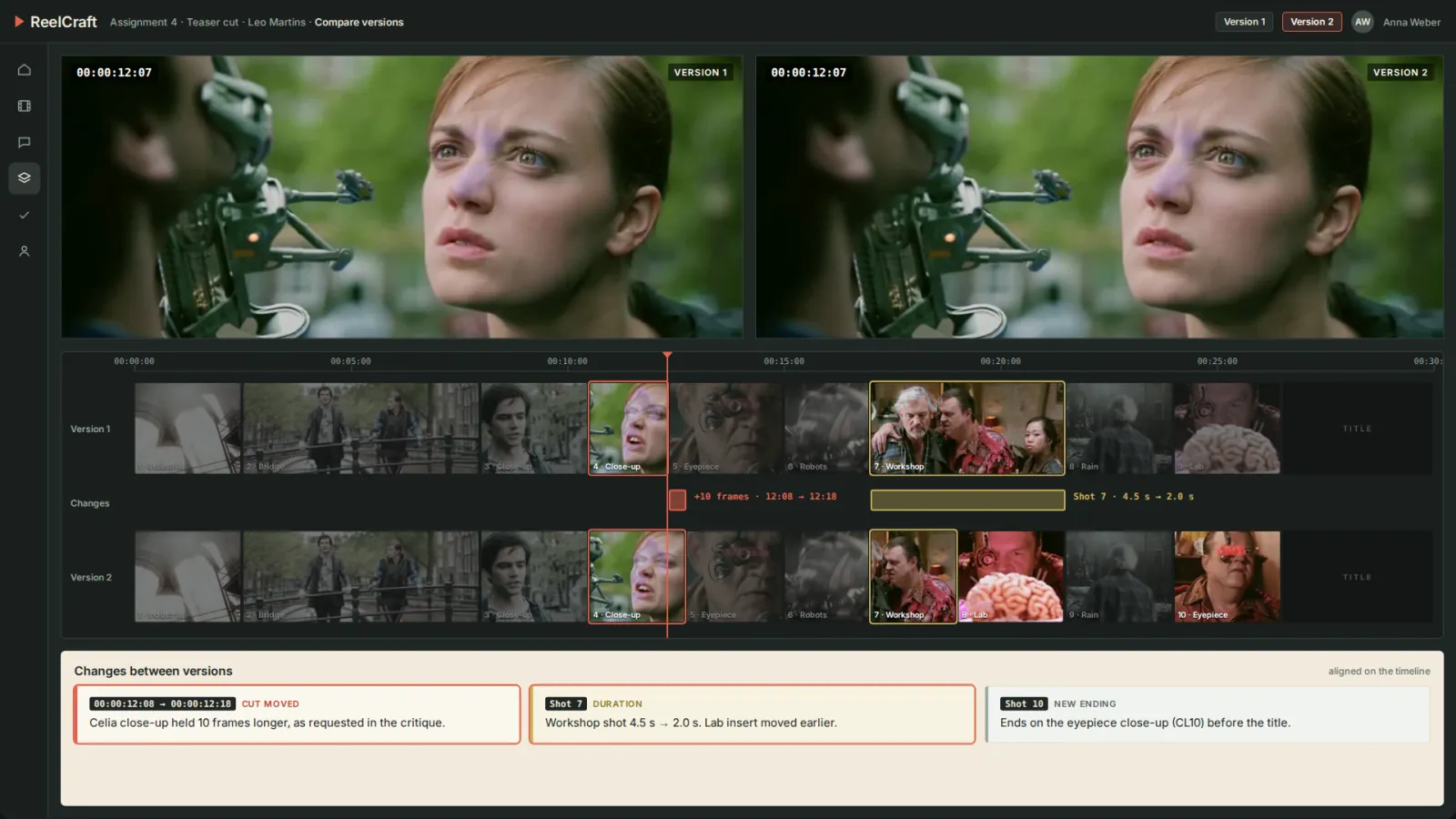
CompareVersions on aligned timelines, with changes marked
TabletCritique view that jumps straight to each moment

Project at a Glance

Industry
Education · Film and Media
Engagement
Specialist Web and Tablet Platform
Platform
Web Workspace, Tablet-First Critique
Learning Model
Assignment, Cut, Critique, Revision, Comparison
Core Use Case
Time-Coded Critique Across Versions
Users
Editing Students and Instructors

Challenge and solution

The Business Challenge

Editing is learned through the work: a cut that lands a beat too early, a shot that holds too long. Generic course tools can't point at those moments.

  • ✕Written feedback like "the pacing feels off" doesn't say which cut or which frame.
  • ✕Feedback lived in documents and emails, separate from the media it described.
  • ✕Students couldn't easily show, or see, what changed between versions.
  • ✕Standard LMS layouts gave the media too little space to judge a frame.
  • ✕Instructors needed a clear place for expert judgement, separate from any automated measurement.
The SoluLab Solution

SoluLab built ReelCraft as a media-first workspace where the cut is the centre of every conversation.

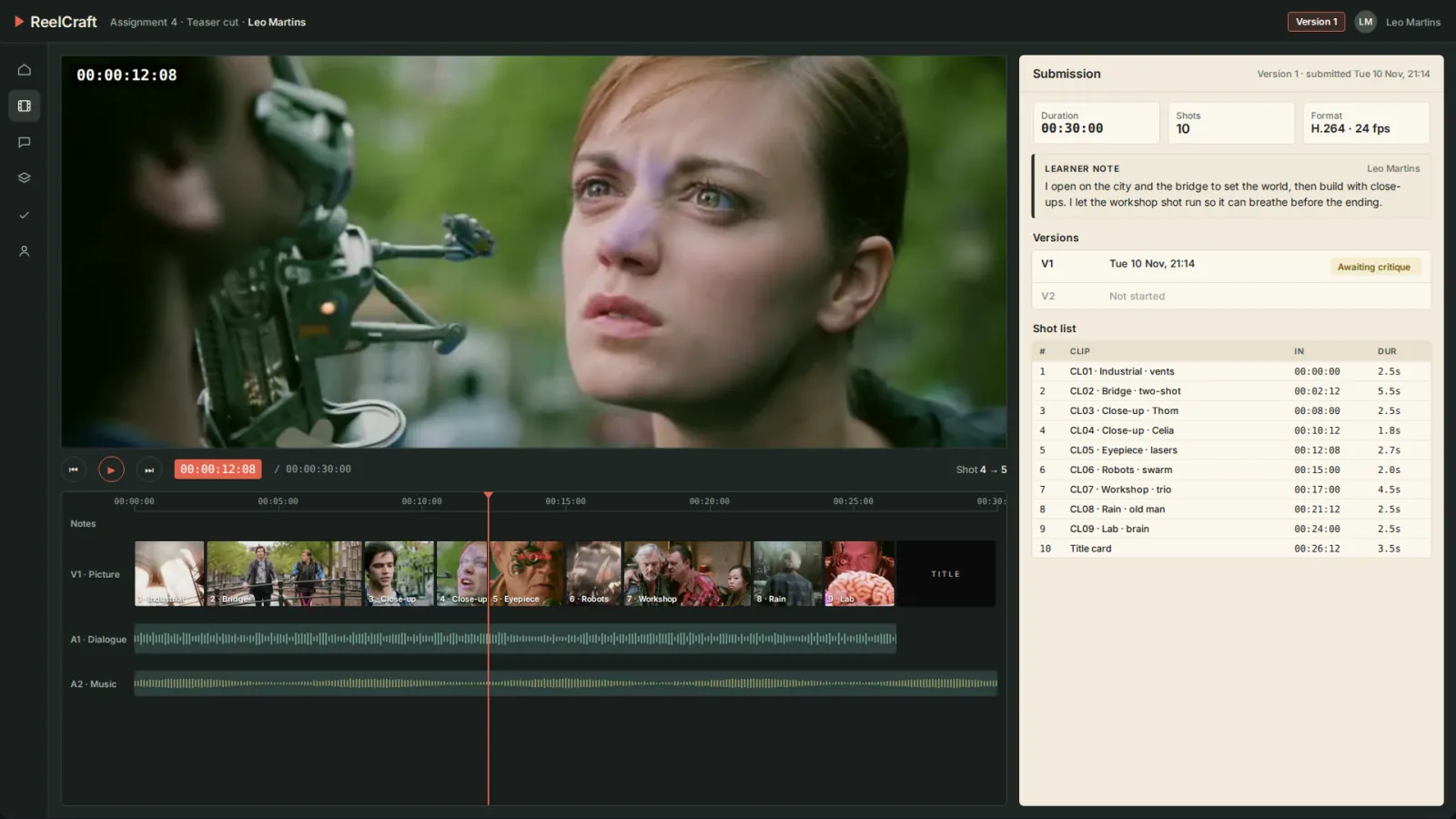
  • ✓Assignments with source footage, criteria and submission requirements.
  • ✓An editor view with a large preview canvas, a full timeline and a shot list.
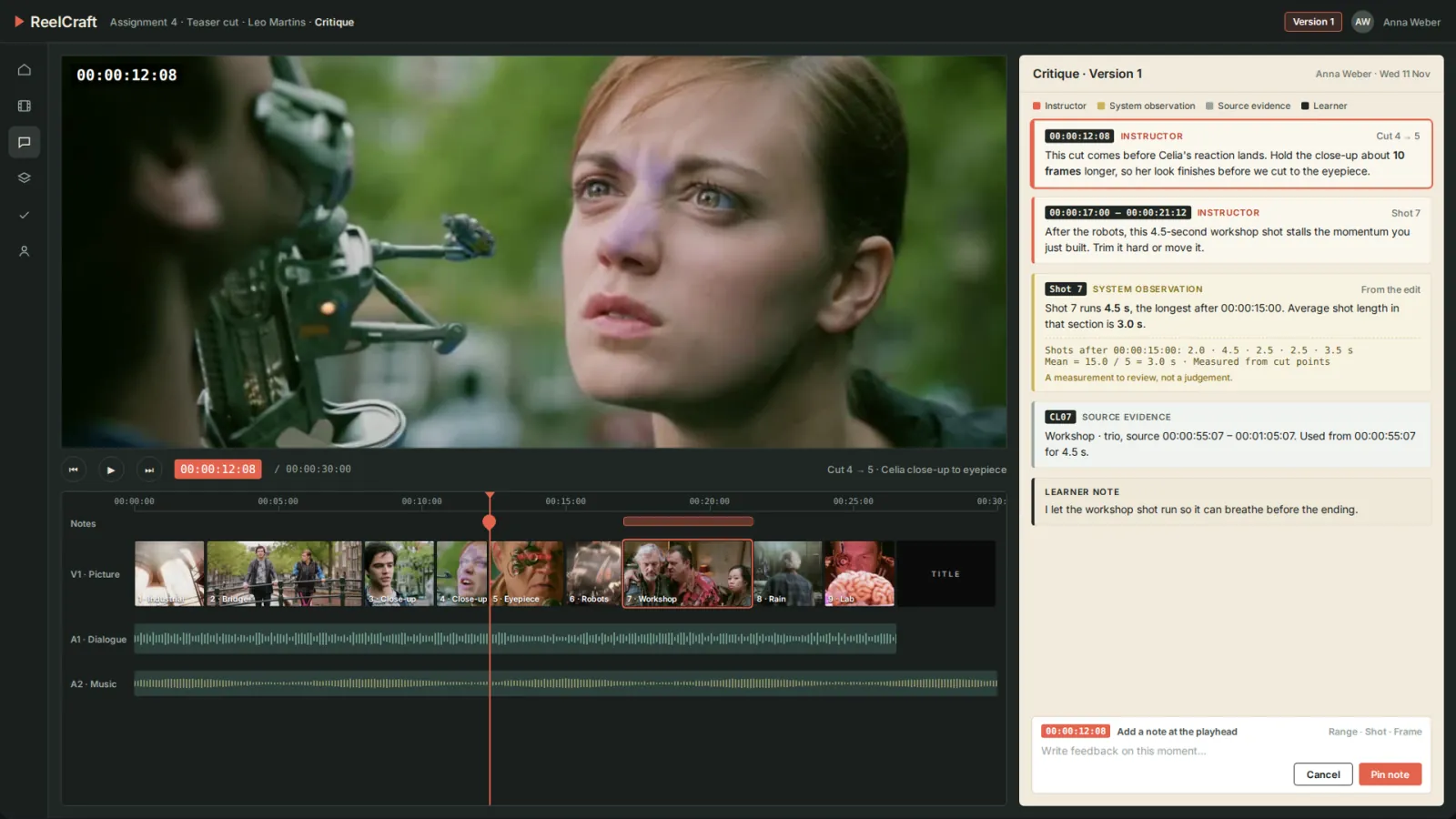
  • ✓Time-coded critique pinned to frames, ranges and shots, with each type of input clearly labelled.
  • ✓System observations measured from the edit, with the calculation shown.
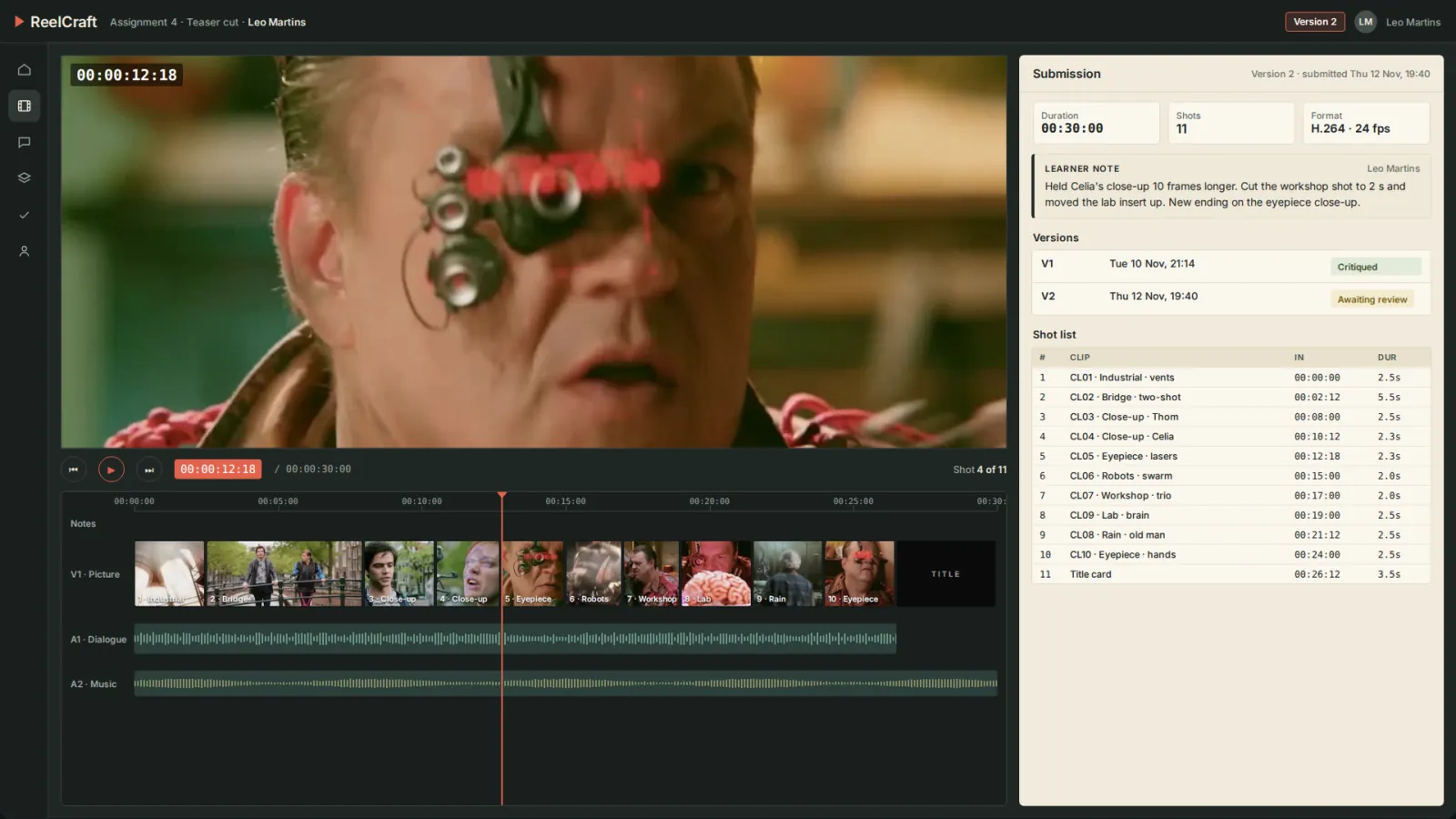
  • ✓Version comparison on aligned timelines, with changes marked.
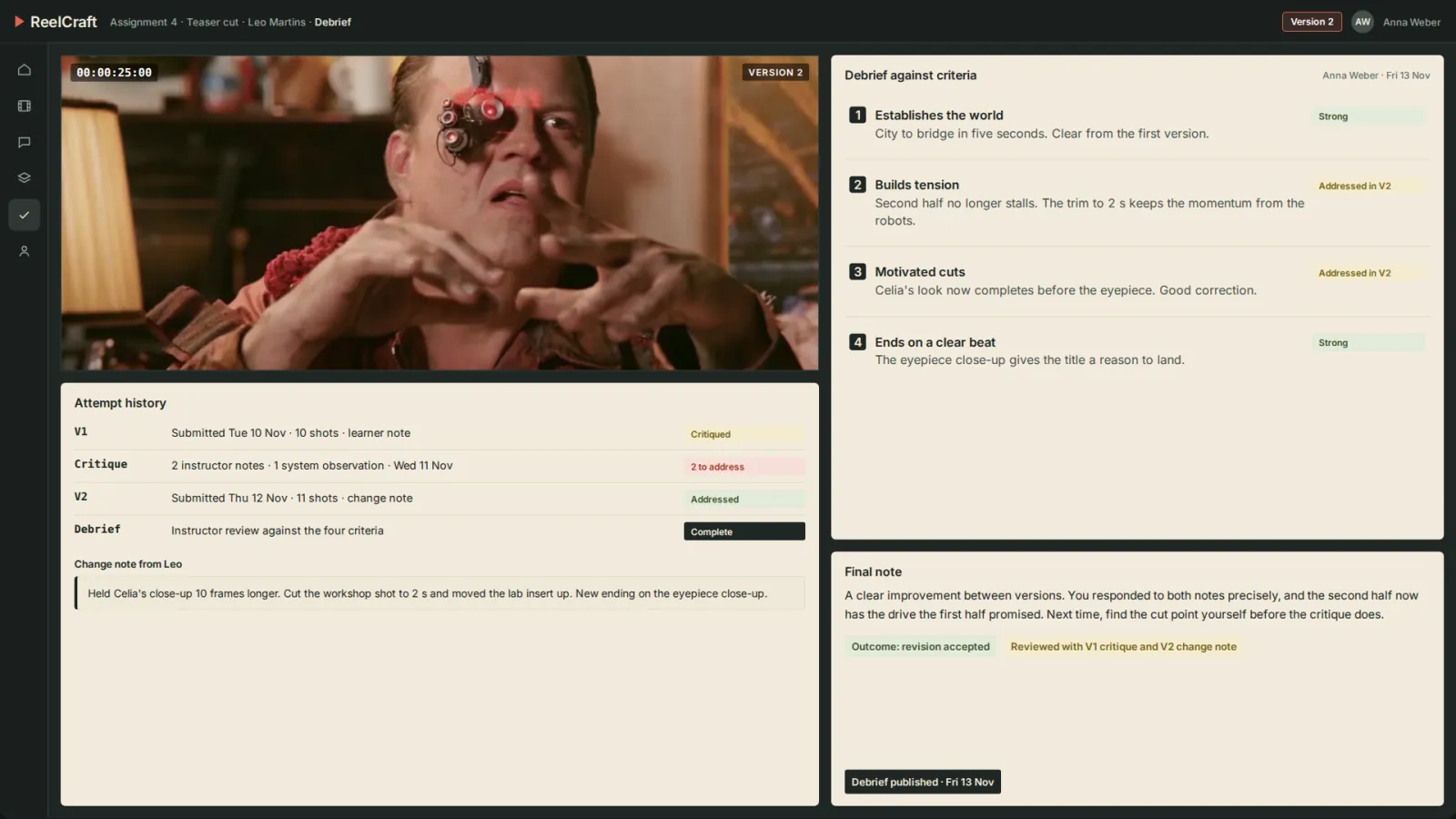
  • ✓Instructor debrief against the assignment's criteria.
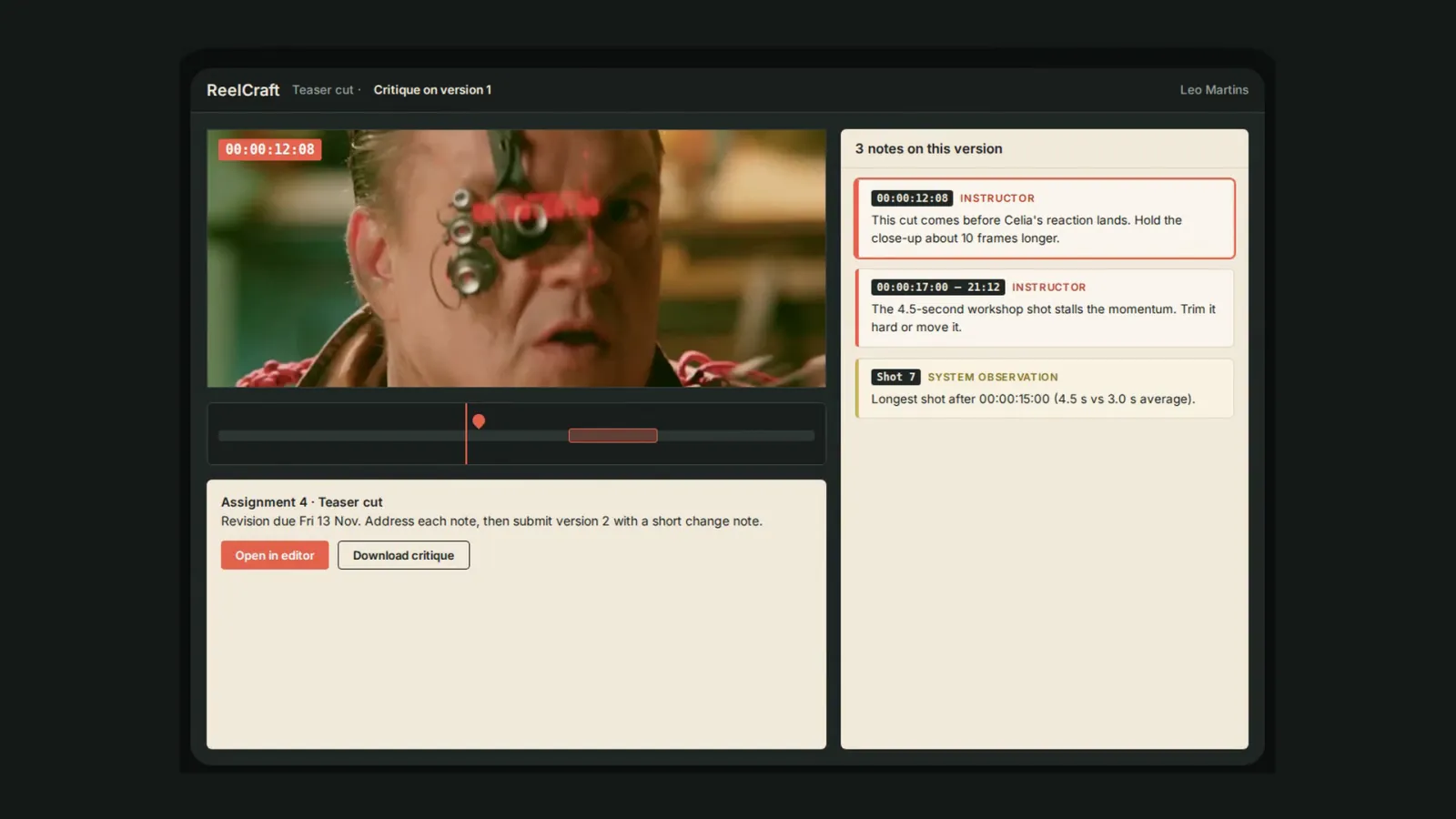
  • ✓A tablet-first critique view that jumps straight to each moment.

Solution Architecture

Why Artifact-Level Critique: Our Product Decisions

Creative work needs feedback that points at the work itself. Every decision in ReelCraft keeps the critique attached to a frame, a range or a shot, and makes improvement visible between versions.

Feedback attached to the work

"The pacing feels off" doesn't tell a student which cut to change.

Notes at a timecode
Each note is pinned to a frame, a range or a shot, and opens the cut at that moment.
Clear authorship
Instructor feedback, system observations, source evidence and learner notes each look different.
Shared source footage
Everyone cuts from the same clips, so notes can reference exact source timecodes.

Improvement you can see

Learning happens between versions, so the versions sit side by side.

Every version kept
Submissions, change notes and critique stay in the attempt history.
Aligned comparison
Timelines line up so moved cuts and changed durations are easy to inspect.
Human judgement last
System measurements inform the critique; the instructor's debrief is the final word.

Key product choices

DecisionWhy we made it
Media-first layoutThe canvas and timeline get most of the space, because the work is the subject of every conversation.
Frame-accurate timecodesNotes resolve to exact frames at the project frame rate, so a ten-frame suggestion is unambiguous.
Measurements, not verdictsSystem observations show their calculation and stay reviewable, so they support the instructor rather than replace them.
Tablet-first reviewLearners read critique and jump to moments on a tablet, away from the edit suite.

The result: critique that points at the exact moment in the cut, and improvement that is visible in the cut itself.

Product Experience

Footage: Tears of Steel · (CC) Blender Foundation · mango.blender.org · CC BY 3.0

What SoluLab Delivered

AssignBriefs, criteria and source clip bins
EditCanvas, timeline and shot list for every version
CritiqueNotes pinned to frames, ranges and shots
CompareAligned version comparison with change markers
TabletCritique review that jumps to each moment

Technology & Integrations

Web ApplicationTablet LayoutVideo Playback & ProxiesFrame-Accurate TimecodeTimeline RenderingMedia StorageREST APIRole-Based AccessNotifications

Frequently Asked Questions

1. What is ReelCraft?

ReelCraft is a learning and critique workspace for film and video editing. Learners submit cuts for assignments, receive critique pinned to exact moments, revise and compare versions.

2. How is it different from a standard LMS?

It is built around the media: a large preview canvas, a timeline and a critique panel beside the work, rather than a course dashboard.

3. What does an assignment include?

A brief, assessment criteria, a bin of source clips with timecodes, and submission requirements such as length, format and an edit note.

4. How does time-coded critique work?

Instructors pin notes to a frame, a range or a shot. Selecting a note moves the playhead to that exact moment in the cut.

5. How are different kinds of feedback distinguished?

Instructor feedback, system observations, source evidence and learner notes each have their own visual treatment and label.

6. What are system observations?

Measurements taken from the edit itself, such as shot lengths and section averages. The calculation is shown, and they are presented for review, not as a judgement.

7. How does version comparison work?

Two versions are shown side by side with aligned timelines. Changes such as moved cuts and changed durations are marked.

8. Does the system grade the work?

No. The instructor's debrief against the assignment's criteria is the final word.

9. Can learners use it on a tablet?

Yes. The critique view is designed for tablets, with each note jumping straight to its moment in the cut.

10. Which footage was used in this walkthrough?

Tears of Steel, (CC) Blender Foundation, mango.blender.org, licensed under CC BY 3.0.